


2 Simple Rules to Avoid Email Scams
Posted by: Timothy Tibbetts on 03/10/16 01:53 am
[
 Comments
]
Comments
]
Avoiding email scams is actually easy. Rule #1 - Don’t click links in an email. Rule #2 - Bookmark your favorite websites.
So, that’s it for this article; almost. Let’s take a look at some spam emails and how they usually are easy to spot with some of the tricks that they use. Knowledge is power.
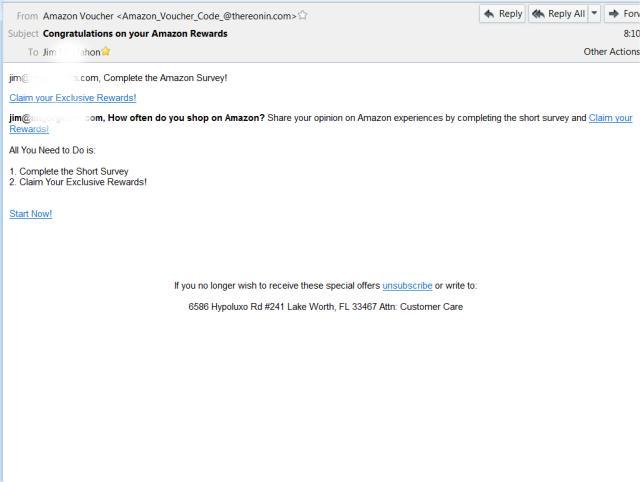
Amazon is a huge target because they are huge. In this email, you can see that you can win some “rewards”. What reward? There’s only one way to find out, and they are hoping you’re curious. Refer to rule #1. Also, note that the email didn’t come from Amazon.com.
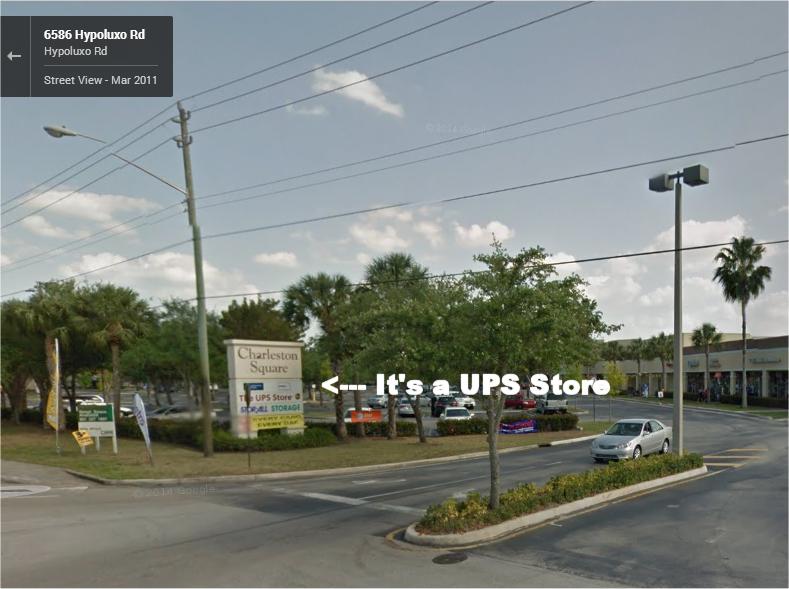
I checked the address and lo and behold it’s a valid address. Although I am pretty sure Amazon.Com isn’t using The UPS Store for an office.
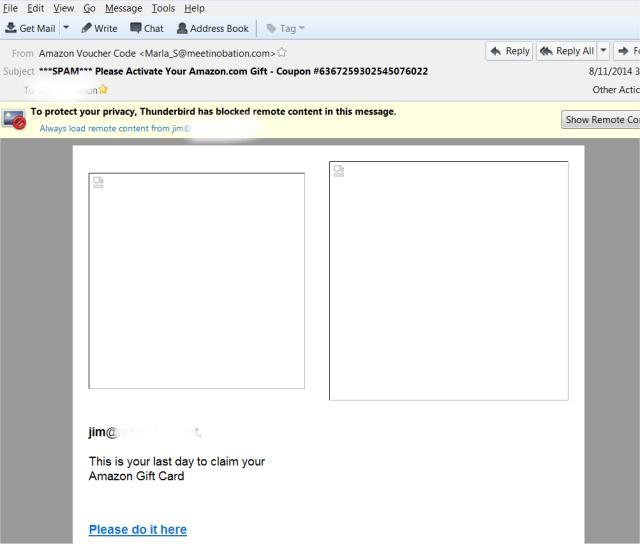
Another Amazon attempt, this one has your Amazon Gift Card waiting for you to claim. Once again this email does not come from Amazon. The trick here is that you don’t have time to waste because this is your last day. Uh-huh.
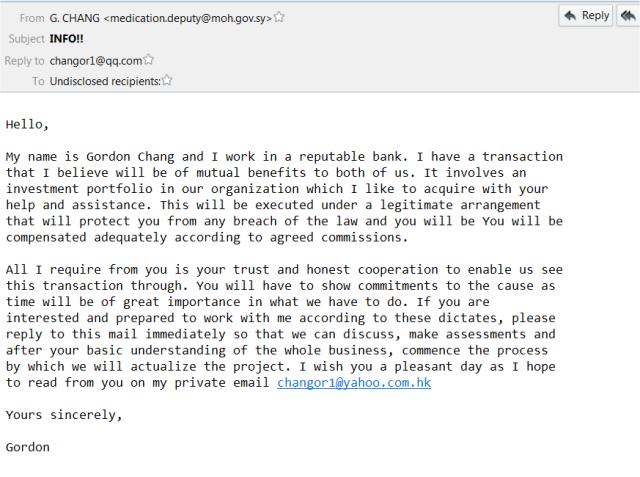
Here is the classic attempt to transfer money to you, possibly in the millions. We have three emails addresses. The one they sent from, the reply to and finally the one that you actually reply to. It was also sent to multiple recipients, another red flag if you actually would fall for this. I like to think that this one doesn’t work but every so often we hear about someone falling for it.
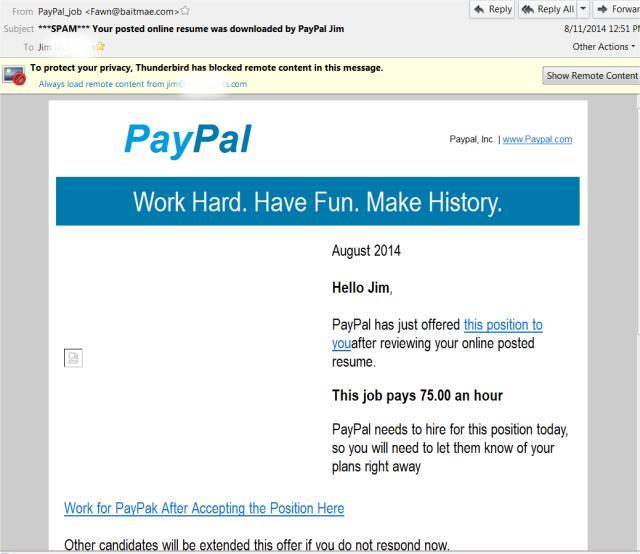
This one from PayPal is a little different; it’s a job offer. That’s right; someone you don’t know is offering you a high paying job you probably don’t qualify for! Well, you had better respond before they offer it to someone else. HURRY! The email is not from PayPal, and they even spelled it PayPak at one point.
So, there you have it. The red flags are always there. You can always spot bogus emails, multiple recipients, a sense of urgency, free stuff or bad grammar and spelling from a reputable company. There are quite a few other red flags, but these are the main tricks they use.
And always refer back to rule #1.
So, that’s it for this article; almost. Let’s take a look at some spam emails and how they usually are easy to spot with some of the tricks that they use. Knowledge is power.
Amazon is a huge target because they are huge. In this email, you can see that you can win some “rewards”. What reward? There’s only one way to find out, and they are hoping you’re curious. Refer to rule #1. Also, note that the email didn’t come from Amazon.com.
I checked the address and lo and behold it’s a valid address. Although I am pretty sure Amazon.Com isn’t using The UPS Store for an office.
Another Amazon attempt, this one has your Amazon Gift Card waiting for you to claim. Once again this email does not come from Amazon. The trick here is that you don’t have time to waste because this is your last day. Uh-huh.
Here is the classic attempt to transfer money to you, possibly in the millions. We have three emails addresses. The one they sent from, the reply to and finally the one that you actually reply to. It was also sent to multiple recipients, another red flag if you actually would fall for this. I like to think that this one doesn’t work but every so often we hear about someone falling for it.
This one from PayPal is a little different; it’s a job offer. That’s right; someone you don’t know is offering you a high paying job you probably don’t qualify for! Well, you had better respond before they offer it to someone else. HURRY! The email is not from PayPal, and they even spelled it PayPak at one point.
So, there you have it. The red flags are always there. You can always spot bogus emails, multiple recipients, a sense of urgency, free stuff or bad grammar and spelling from a reputable company. There are quite a few other red flags, but these are the main tricks they use.
And always refer back to rule #1.
Comments
