


A Flipping Game Changer: Long term update using the Yoga 2
Posted by: Timothy Tibbetts on 08/26/2014 02:50 AM
[
 Comments
]
Comments
]
Back in March I took a look at the Lenovo Yoga 2 and thought that this hybrid laptop, tablet, notebook was so good that the laptop as we now know it should be obsolete. Those were strong word but the real question is how about 5 months later?
Windows 8 is still lacking the friendly, ease of use I would want. Sadly, I could write paragraphs about this but anyone who has used Windows 8 already knows the issues. It seems they are trying to spend more effort on things like Internet Explorer and the Windows Store while ignoring the fact that the Windows 8 touchscreen interface simply isn’t intuitive.
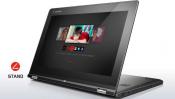
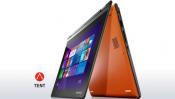
The touchscreen works great and it’s a nice weight for a laptop. While a tad heavy as most tablets go, everyone who used it thought it felt good and wasn’t as heavy as expected. Battery life seems excellent as well.
I was asked back in March about how well the hinges held up and they work as good today as they did in March. I would hope that this sort of quality and design continues. It is simple, yet impressive.
When I walk into stores now and see a standard laptop I feel like I am looking at an antique and in the computer world something 2 years old can be an antique. I can’t see the reason for buying a laptop and a tablet anymore now that this is here. Microsoft also needs to respond with their Surface lineup because the “click in” style of keyboard also seems ridiculous as does a Bluetooth keyboard, in comparison.
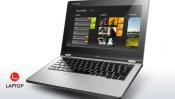
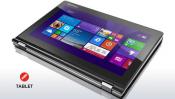
The best part now is that the prices have dropped a small amount. You can purchase the Lenovo Yoga 2 for about $469 now, a $30-$40 drop over just months ago. Like the unit I tested it has 4 GB RAM, a 500 GB hard drive and a slower processor, the 2.17 GHz. I never had any issues with speed and I really expected I would. If money is not a huge issue, the loaded up 13.3 inch screen with an SSD drive and an i5 processor has dropped to under $1,000.
Next time you shop for a laptop or a tablet, I would seriously stop and look at the Yoga 2. Since I wrote this there is competition from other big players including Dell and Hewlett Packard so those might warrant a look as well. I expect other’s to follow suit and for good reason.
This IS the new laptop.
Windows 8 is still lacking the friendly, ease of use I would want. Sadly, I could write paragraphs about this but anyone who has used Windows 8 already knows the issues. It seems they are trying to spend more effort on things like Internet Explorer and the Windows Store while ignoring the fact that the Windows 8 touchscreen interface simply isn’t intuitive.
The touchscreen works great and it’s a nice weight for a laptop. While a tad heavy as most tablets go, everyone who used it thought it felt good and wasn’t as heavy as expected. Battery life seems excellent as well.
I was asked back in March about how well the hinges held up and they work as good today as they did in March. I would hope that this sort of quality and design continues. It is simple, yet impressive.
When I walk into stores now and see a standard laptop I feel like I am looking at an antique and in the computer world something 2 years old can be an antique. I can’t see the reason for buying a laptop and a tablet anymore now that this is here. Microsoft also needs to respond with their Surface lineup because the “click in” style of keyboard also seems ridiculous as does a Bluetooth keyboard, in comparison.
The best part now is that the prices have dropped a small amount. You can purchase the Lenovo Yoga 2 for about $469 now, a $30-$40 drop over just months ago. Like the unit I tested it has 4 GB RAM, a 500 GB hard drive and a slower processor, the 2.17 GHz. I never had any issues with speed and I really expected I would. If money is not a huge issue, the loaded up 13.3 inch screen with an SSD drive and an i5 processor has dropped to under $1,000.
Next time you shop for a laptop or a tablet, I would seriously stop and look at the Yoga 2. Since I wrote this there is competition from other big players including Dell and Hewlett Packard so those might warrant a look as well. I expect other’s to follow suit and for good reason.
This IS the new laptop.
Comments
