


Adware 101
Posted by: Timothy Weaver on 03/31/2015 06:14 AM
[
 Comments
]
Comments
]
Adware is designed to deliver advertisements to the user.
One of the more common forms of adware will change the browser extensions/add-ons.
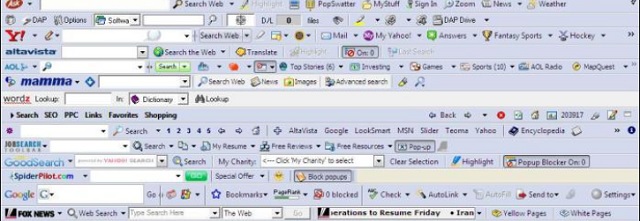
Then there are adware programs that change your start-page, search-engine or even by changing the shortcuts on your computer, which then will open your browser(s).
Some of the most common forms of adware are the following:
Pop-ups: an ad-created new browser window or tab that has focus( i.e. shows up in the foreground).
Pop-unders: as above, only the window stays in the background or the tab is without focus,
DNS-hijack: changes the servers that handle your Domain Name System that “translates” the domain-name into a physical address. So, effectively, it sends you to a different site than the one you requested.
Proxy: adds an extra step between the surfer and the destination. They can be used to alter content or redirect the user.
Hosts: the hosts file is a list of domains coupled with IP addresses. Since it preceeds DNS it can be used as a hijacker, and has been known to be abused to block access to computer security related sites.
Text popups: a link that opens a popup box containing advertisements, usually prompted by a mouse-over.
Source: MalwareBytes
One of the more common forms of adware will change the browser extensions/add-ons.
Then there are adware programs that change your start-page, search-engine or even by changing the shortcuts on your computer, which then will open your browser(s).
Some of the most common forms of adware are the following:
Pop-ups: an ad-created new browser window or tab that has focus( i.e. shows up in the foreground).
Pop-unders: as above, only the window stays in the background or the tab is without focus,
DNS-hijack: changes the servers that handle your Domain Name System that “translates” the domain-name into a physical address. So, effectively, it sends you to a different site than the one you requested.
Proxy: adds an extra step between the surfer and the destination. They can be used to alter content or redirect the user.
Hosts: the hosts file is a list of domains coupled with IP addresses. Since it preceeds DNS it can be used as a hijacker, and has been known to be abused to block access to computer security related sites.
Text popups: a link that opens a popup box containing advertisements, usually prompted by a mouse-over.
Source: MalwareBytes
Comments
