


Check your router setting with F-Secures new tool
Posted by: Timothy Weaver on 03/27/2015 04:42 AM
[
 Comments
]
Comments
]
Finnish security firm F-Secure has produced a tool to check your router setting for malicious activity.
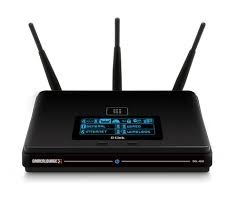 The scan takes only a few seconds and checks for anything unusual which may indicate DNS hijacking or other malicious activity.
Cybercriminals are increasingly using hacked routers to direct victims to phishing sites or web pages loaded with adware or malware.
According to F-Secure, over 300,000 home or office routers were found with altered settings in 2014.
F-Secure security adviser Sean Sullivan said: “Attacks that target internet settings often go unnoticed because they don’t really have obvious symptoms for people to pick up on. People will suddenly see more ads or they’ll be misdirected to a dangerous website that looks and feels safe."
“This makes diagnosing these problems important, and Router Checker is all about making the diagnosis accessible and easy so that people don’t have to worry.”
You can check your setting @ https://campaigns.f-secure.com/router-checker/.
Source: InfoSecurity
The scan takes only a few seconds and checks for anything unusual which may indicate DNS hijacking or other malicious activity.Cybercriminals are increasingly using hacked routers to direct victims to phishing sites or web pages loaded with adware or malware.
According to F-Secure, over 300,000 home or office routers were found with altered settings in 2014.
F-Secure security adviser Sean Sullivan said: “Attacks that target internet settings often go unnoticed because they don’t really have obvious symptoms for people to pick up on. People will suddenly see more ads or they’ll be misdirected to a dangerous website that looks and feels safe."
“This makes diagnosing these problems important, and Router Checker is all about making the diagnosis accessible and easy so that people don’t have to worry.”
You can check your setting @ https://campaigns.f-secure.com/router-checker/.
Source: InfoSecurity
Comments
