


Decryptor for Jaff Ransomware Available
Posted by: Timothy Weaver on 06/14/17 11:24 am
[
 Comments
]
Comments
]
Senior malware analyst Fedor Sinitsyn at Kaspersky Labs has discovered a weakness in the Jaff ransomware which allowed him to release a decryptor for all versions of the ransomware.
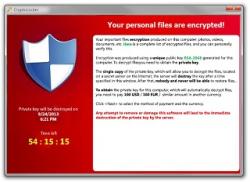 If you fell victim to ransomware and are not sure what type, the encrypted files will have the extensions .jaff, .wlu, or .sVn.
The first step to take is to open task manager and look for a process with a random name. As an example - SKM_C224e9930.exe.
If you find such a process, end it. If you don't find the process, continue on. Now you need to download the RakhniDecryptor. Check that it is version 1.21.2.1. You can check it by clicking on the "About" button on the lower left part of the screen.
Next you will click "start scan" and it will ask you to select a file. Next it will ask you to select a random file such as the ransom note. Click open and the scan will begin.
Source: Bleeping Computer
If you fell victim to ransomware and are not sure what type, the encrypted files will have the extensions .jaff, .wlu, or .sVn.The first step to take is to open task manager and look for a process with a random name. As an example - SKM_C224e9930.exe.
If you find such a process, end it. If you don't find the process, continue on. Now you need to download the RakhniDecryptor. Check that it is version 1.21.2.1. You can check it by clicking on the "About" button on the lower left part of the screen.
Next you will click "start scan" and it will ask you to select a file. Next it will ask you to select a random file such as the ransom note. Click open and the scan will begin.
Source: Bleeping Computer
Comments
