


Dell Ships Computers with Gaping Security Hole
Posted by: Timothy Weaver on 11/24/15 04:38 am
[
 Comments
]
Comments
]
Worried about being spied upon? Then you might want to steer clear of a Dell computer.
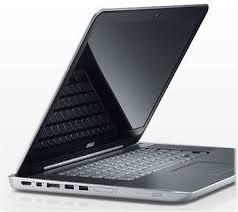 Dell installs a powerful root CA certificate, including its private key, on its Windows notebooks and desktops.
How can this certificate be abused? Well, an attacker could, for example, set up a malicious Wi-Fi hotspot in a cafe or hospital, intercept connections from Dell machines, and then automatically strip away the encryption – a classic man-in-the-middle attack, all enabled by Dell's security blunder.
Reports have come in naming these as vulnerable: the XPS 15, Latitude E7450, Inspirion 5548, Inspirion 5000, Inspiron 3647, and the Precision M4800.
Firefox is not affected by the rogue certificate because it uses its own set of trusted certs.
Kenn White, information security expert, tweeted: If you have a recent XPS 15 running Windows and can load my page: https://bogus.lessonslearned.org/ then you're vulnerable to Dell's bogus root cert.
Another site to test whether your Dell is vulnerable to man-in-the-middle attacks can be found here.
MajorGeeks has a fix here.
Source: The Register
Dell installs a powerful root CA certificate, including its private key, on its Windows notebooks and desktops. How can this certificate be abused? Well, an attacker could, for example, set up a malicious Wi-Fi hotspot in a cafe or hospital, intercept connections from Dell machines, and then automatically strip away the encryption – a classic man-in-the-middle attack, all enabled by Dell's security blunder.
Reports have come in naming these as vulnerable: the XPS 15, Latitude E7450, Inspirion 5548, Inspirion 5000, Inspiron 3647, and the Precision M4800.
Firefox is not affected by the rogue certificate because it uses its own set of trusted certs.
Kenn White, information security expert, tweeted: If you have a recent XPS 15 running Windows and can load my page: https://bogus.lessonslearned.org/ then you're vulnerable to Dell's bogus root cert.
Another site to test whether your Dell is vulnerable to man-in-the-middle attacks can be found here.
MajorGeeks has a fix here.
Source: The Register
Comments
