


Do not update your PS3!
Posted by: Jon on 06/19/13 09:55 am
[
 Comments
]
Comments
]
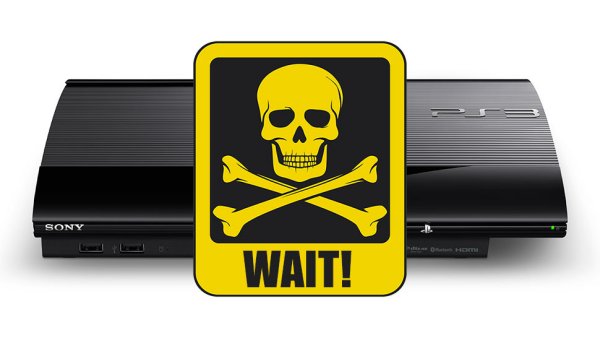
Sony issues an apology due to a bug that will render your PS3 a useless brick after you install update version 4.45. Sony immediately took the update offline to figure out what the exact cause of the glitch.
"We are aware of reports that the recent PlayStation 3 system software update (version 4.45) has caused the XMB to not display on a small number of PS3 systems. We have temporarily taken 4.45 offline and are investigating the cause of the problem. We will announce when the system update is available for download as soon as possible. We apologize for the inconvenience."
A quick reaction is crucial for the company. Sony is enjoying the good graces of the fickle gaming community after a string of popular announcements around its upcoming PlayStation 4 console. The PS4 will be $100 cheaper than Microsoft's upcoming Xbox One, without the Xbox's requirement to play online and fewer restrictions on lending and selling older games.
A Sony rep was quoted by Kotaku as saying the company is currently "confirming the number" of PS3's affected by the now-pulled 4.45 firmware.
As for those who downloaded 4.45 and currently have a potentially-bricked system because of it, Sony kindly asks that "PS3 users should wait for further details. We will announce when ready."
However, some PS3 owners said they were forced to update to use services such as Netflix, while many use the console's auto-update feature by default. On Reddit, some predicted that currently frozen consoles will be restorable using the PS3's "safe mode" boot feature and installing from an external USB drive.
Sony's support sites now list firmware version 4.41, which was released in April, as the latest update.
"We are aware of reports that the recent PlayStation 3 system software update (version 4.45) has caused the XMB to not display on a small number of PS3 systems. We have temporarily taken 4.45 offline and are investigating the cause of the problem. We will announce when the system update is available for download as soon as possible. We apologize for the inconvenience."
A quick reaction is crucial for the company. Sony is enjoying the good graces of the fickle gaming community after a string of popular announcements around its upcoming PlayStation 4 console. The PS4 will be $100 cheaper than Microsoft's upcoming Xbox One, without the Xbox's requirement to play online and fewer restrictions on lending and selling older games.
A Sony rep was quoted by Kotaku as saying the company is currently "confirming the number" of PS3's affected by the now-pulled 4.45 firmware.
As for those who downloaded 4.45 and currently have a potentially-bricked system because of it, Sony kindly asks that "PS3 users should wait for further details. We will announce when ready."
However, some PS3 owners said they were forced to update to use services such as Netflix, while many use the console's auto-update feature by default. On Reddit, some predicted that currently frozen consoles will be restorable using the PS3's "safe mode" boot feature and installing from an external USB drive.
Sony's support sites now list firmware version 4.41, which was released in April, as the latest update.
Comments
