


Free more drive space with Wise Disk Cleaner
Posted by: Timothy Tibbetts on 06/10/2014 03:10 AM
[
 Comments
]
Comments
]
Using an SSD drive comes with two problems; it’s small and expensive. Because of this most people use an SSD drive to keep their operating system and most important programs on it. In my case, I am running a 250 GB drive with about 77 GB free so keeping free space is important. So, how to get the most free space is a problem that often needs to be tackled.
Enter Wise Cleaner. Wise Disk Cleaner is a free, user friendly, fast and easy to use application developed to free up disk space. This is one of many tools included in the Wise Care 365 free suite.
Following my last CCleaner run I was able to remove an additional 510 MB of junk. I have used it numerous times and while it is more aggressive than CCleaner, it also safely removes a lot of extra junk. You will want to spend a few minutes taking a look at what is checked, or unchecked by default and deciding if you are happy with those settings. That said, you can run without doing anything and still get results like you have not seen with CCleaner.
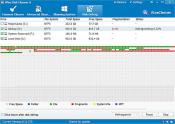
Wise Disk Cleaner lacks a registry cleaner, something we’re not fans of anyway, but it does include a disk defragmenter which is a nice little bonus since defragmenting your drive is a good idea after you left all those gaping holes on your drive. One issue here is that the program does not detect SSD drives and since you never need to defragment an SSD drive, you want to be sure you uncheck that drive. Defragmenting an SSD drives is believed to cause more harm than good. CCleaner includes a registry cleaner but no defragmenting tools.
Download the latest at Wise Disk Cleaner here and let us know what you think in the comments below.
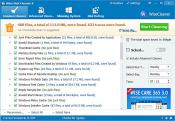
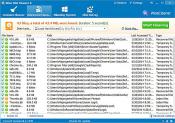
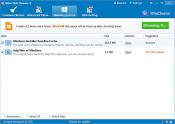
Here are some screenshots of my most recent run with Wise Disk Cleaner as well as a video I did a while back:
Enter Wise Cleaner. Wise Disk Cleaner is a free, user friendly, fast and easy to use application developed to free up disk space. This is one of many tools included in the Wise Care 365 free suite.
Following my last CCleaner run I was able to remove an additional 510 MB of junk. I have used it numerous times and while it is more aggressive than CCleaner, it also safely removes a lot of extra junk. You will want to spend a few minutes taking a look at what is checked, or unchecked by default and deciding if you are happy with those settings. That said, you can run without doing anything and still get results like you have not seen with CCleaner.
Wise Disk Cleaner lacks a registry cleaner, something we’re not fans of anyway, but it does include a disk defragmenter which is a nice little bonus since defragmenting your drive is a good idea after you left all those gaping holes on your drive. One issue here is that the program does not detect SSD drives and since you never need to defragment an SSD drive, you want to be sure you uncheck that drive. Defragmenting an SSD drives is believed to cause more harm than good. CCleaner includes a registry cleaner but no defragmenting tools.
Download the latest at Wise Disk Cleaner here and let us know what you think in the comments below.
Here are some screenshots of my most recent run with Wise Disk Cleaner as well as a video I did a while back:
Comments
