


IObit AMC Security for Android Fully Optimizes Android Devices
Posted by: Jon Ben-Mayor on 05/21/16 02:33 am
[
 Comments
]
Comments
]
IObit AMC Security is an all-in-one optimization and security application designed to keep your Android device safe, it contains a wide variety of features that will assist you in keeping your device running smoothly.
IObit AMC Security Features:
Scan
Smart scan will let you clean all the running apps, cache junk, privacy records, and useless APK files.
Deep scan will let you clean junk files, big files, and residual files.
All the clean-up are in a few taps. It helps you have enough store space to take more pictures, videos and install apps.
Antivirus
AMC Security protects your device against viruses, trojans, vulnerabilities, malware, and spyware.
Phone Booster
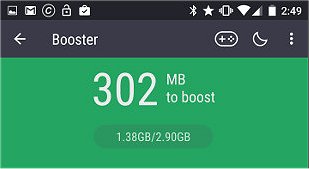
Helps kill applications that are running in the background and clean up your RAM (memory) to boost up your device with one tap.
Game Booster
Improve your gaming speed and experience and smooth game-play without lagging.
Anti-Phishing
IObit Cloud Services provides a plug-in which update in real time so that whenever you access a site that detected as phishing, it will help you keep the tricks outside.
Anti-Theft
Help lock and alarm your lost device immediately by sending a message with ‘alarm#’ and password from any other device. You still can locate and wipe data remotely if the above way failed to find your device.
Payment Guard
Help finds out copycat apps so that you can uninstall them before money being stolen. Once you launch a payment app, it keeps protecting you all along in the background.
Web Security
Block websites that contain malware, malicious URL, and fraudulent content, and warn you instantly by IObit Cloud Services when heading to the danger.
Security Guard
Remind you to enable Wi-Fi Security which can check Wi-Fi’s encryption way, ARP spoofing, and even MITM. Also, it reviews other important device settings and gives insecure advice.
Download @ http://www.majorgeeks.com/files/details/iobit_amc_security.html
IObit AMC Security Features:
Scan
Deep scan will let you clean junk files, big files, and residual files.
All the clean-up are in a few taps. It helps you have enough store space to take more pictures, videos and install apps.
Antivirus
Phone Booster
Game Booster
Anti-Phishing
Anti-Theft
Payment Guard
Web Security
Block websites that contain malware, malicious URL, and fraudulent content, and warn you instantly by IObit Cloud Services when heading to the danger.
Security Guard
Download @ http://www.majorgeeks.com/files/details/iobit_amc_security.html
Comments
