Providing Free and Editor Tested Software Downloads
< HOME | TUTORIALS | GEEK-CADE| WEB TOOLS | YOUTUBE | NEWSLETTER | DEALS! | FORUMS | >

MajorGeeks.com - This is my Geek. There are many like him but this one is mine.

Software Categories

All In One Tweaks
Android
Antivirus & Malware
Appearance
Back Up
Browsers
CD\DVD\Blu-Ray
Covert Ops
Drivers
Drives (SSD, HDD, USB)
Games
Graphics & Photos
Internet Tools
Linux Distros
MajorGeeks Windows Tweaks
Multimedia
Networking
Office & Productivity
System Tools

Other news

· How To and Tutorials
· Life Hacks and Reviews
· Way Off Base
· MajorGeeks Deals
· News
· Off Base
· Reviews


IObit Black Friday Sale

spread the word

· YouTube
· Facebook
· Instagram
· Twitter
· Pintrest
· RSS/XML Feeds
· News Blur
· Yahoo
· Symbaloo

about

· Top Freeware Picks
· Malware Removal
· Geektionary
· Useful Links
· About Us
· Copyright
· Privacy
· Terms of Service
· How to Uninstall

top downloads

1. GS Auto Clicker
2. Macrium Reflect FREE Edition
3. MusicBee
4. Smart Defrag
5. Microsoft Visual C++ 2015-2022 Redistributable Package
6. Snappy Driver Installer Origin
7. Sergei Strelec's WinPE
8. Visual C++ Redistributable Runtimes AIO Repack
9. Format Factory
10. CCleaner Standard
More >>

top reads

Star Windows Bloat Removal Guide: Debloat Safely and Keep What You Need

Star Fresh PC Checklist: First 12 Things to Do On a New Windows 11 Machine

Star Windows 11 Repair Playbook: SFC, DISM, CHKDSK Without Breaking Stuff

Star Gmail Using Your Emails and Attachments for AI Training: Here's How To Opt Out

Star What is a '400 Bad Request - Request Header or Cookie Too Large' Error and How to Fix It

Star 8 Windows Shortcuts That’ll Make You More Productive and Save You Time

Star Windows 10 Not Dead Yet - You Can Still Get Updates For Free

Star How to Fix Windows Install Error 0xC1900101

Star How to Force Enable Windows 10 Extended Security Updates If The Option Is Not Showing

Star Windows 11 25H2 is Out: What’s New and How to Get It Now.


MajorGeeks.Com » News » May 2015 » IObit Game Assistant is an all-in-one game manager

IObit Game Assistant is an all-in-one game manager


Posted by: Jon Ben-Mayor on 05/28/2015 07:44 AM [ comments Comments ]


If you play any PC games then you know that you need to protect your hardware from damage which can cause a disruption in the gameplay experience.
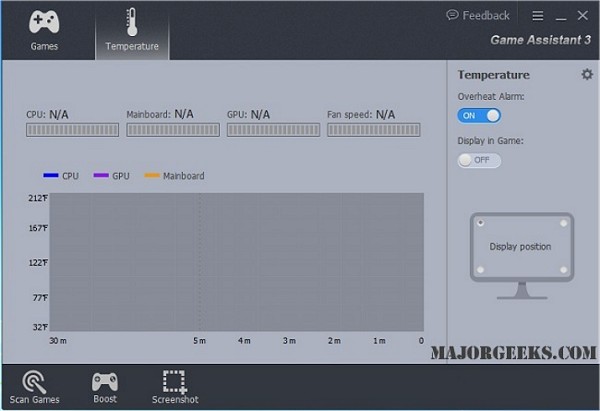


IObit Game Assistant looks to counteract deteriorating gameplay with an all-in-one game manager that focuses on maximizing performance & protecting your PC from hardware damage. You will be able to quickly optimize your RAM, monitor the fan speed in real time as well as the temperature of the CPU, motherboard, graphics card. This can be done via an alarm that will sound when temperature exceeds the preset threshold. It will also help organize your games including both installed PC games and web games into different categories for easy access, saving you precious time that could be spent playing instead of searching.

Another key feature is Game Assistant 3 automatically frees RAM to release more system space with just one click before gaming. During gaming session, you can still manually boost your PC performance by ending useless progresses and irrelevant services with one click.

Download @ http://www.majorgeeks.com/files/details/iobit_game_assistant.html


« Random Photo: Punctuation matters · IObit Game Assistant is an all-in-one game manager · Facebook being used to spread malware disguised as a Video installer »


Comments
comments powered by Disqus

MajorGeeks.Com » News » May 2015 » IObit Game Assistant is an all-in-one game manager

© 2000-2025 MajorGeeks.com
Powered by Contentteller® Business Edition
