


Mailbox app now available for all iOS devices
Posted by: Tim Tibbetts on 05/23/13 06:39 am
[
 Comments
]
Comments
]
Ask me what the number one complaint is on iOS devices and my answer might surprise you. It has easily one of the worst email systems I have ever seen. It works but is slow and a pain to turn on and off at will. We now have an option with an app called – wait for it – Mailbox.
Here is what they say:
“The fast, fun mobile inbox that puts email in its place.
Note: Currently for Gmail only. Other email platforms coming soon.
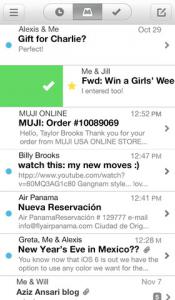
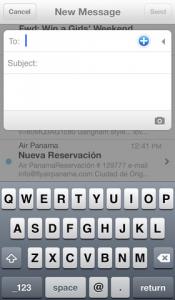
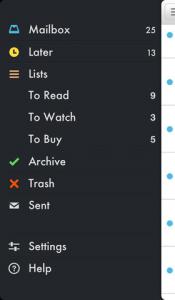
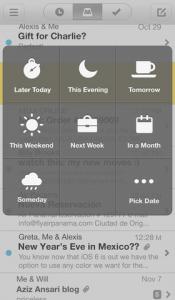
Mailbox is a completely redesigned inbox that makes email light, fast, and mobile-friendly. Quickly swipe messages to your archive or trash. Scan an entire conversation at once with chat-like organization. Snooze emails until later with the tap of a button — they’ll return to your inbox automatically so you can focus on what's important now.
Mailbox checks your email from the cloud, then delivers it to your phone securely. You can even get push notifications for new messages. Add all your GMail accounts for speedy access on-the-go.
Mailbox makes getting to zero — and staying there — a breeze. After you experience a clean inbox, you’ll wonder how you ever lived without it.”
Requirements: Compatible with iPhone 3GS, iPhone 4, iPhone 4S, iPhone 5, iPod touch (3rd generation), iPod touch (4th generation), iPod touch (5th generation) and iPad. Requires iOS 6.0 or later. This app is optimized for iPhone 5.
Download at https://itunes.apple.com/us/app/mailbox/id576502633?mt=8

Here is what they say:
“The fast, fun mobile inbox that puts email in its place.
Note: Currently for Gmail only. Other email platforms coming soon.
Mailbox is a completely redesigned inbox that makes email light, fast, and mobile-friendly. Quickly swipe messages to your archive or trash. Scan an entire conversation at once with chat-like organization. Snooze emails until later with the tap of a button — they’ll return to your inbox automatically so you can focus on what's important now.
Mailbox checks your email from the cloud, then delivers it to your phone securely. You can even get push notifications for new messages. Add all your GMail accounts for speedy access on-the-go.
Mailbox makes getting to zero — and staying there — a breeze. After you experience a clean inbox, you’ll wonder how you ever lived without it.”
Requirements: Compatible with iPhone 3GS, iPhone 4, iPhone 4S, iPhone 5, iPod touch (3rd generation), iPod touch (4th generation), iPod touch (5th generation) and iPad. Requires iOS 6.0 or later. This app is optimized for iPhone 5.
Download at https://itunes.apple.com/us/app/mailbox/id576502633?mt=8
Comments
