


Manage Startup & Shutdown With These 3 Free Programs
Posted by: Jon Ben-Mayor on 06/18/16 01:18 am
[
 Comments
]
Comments
]
Power management can be an important means to save some cash by conserving your electricity use. Below are 3 new to MajorGeeks tools for controlling shutdown, standby, and more on local as well as remote PCs.
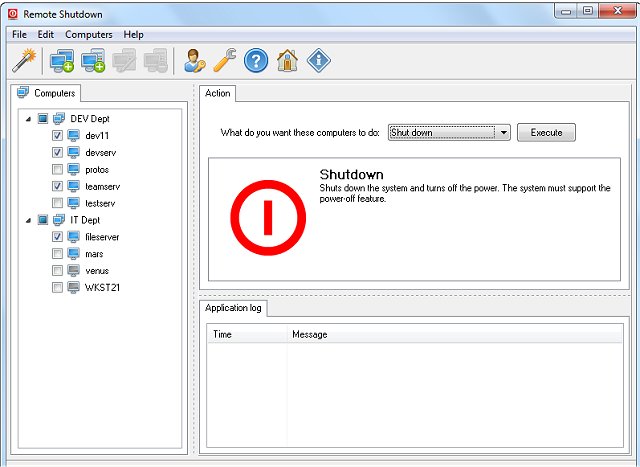
This tool will provide the means to manage power for groups of computers, or a single machine, on a local network from a central location. Remote Shutdown also provides some easily launched network tools like ping, pathping, tracert, telnet, nbtstat, and nslookup. You also add tools that you use often via the manage tools feature.
Set up of Remote Shutdown is easy and you do get 10 days to test it on the unregistered version but they do require you to complete a simple registration to continue to use it for free (non-commercial).
Download @ http://www.majorgeeks.com/files/details/remote_shutdown.html
Stand-Bye! is a configurable tool that allows you to control standby functions.
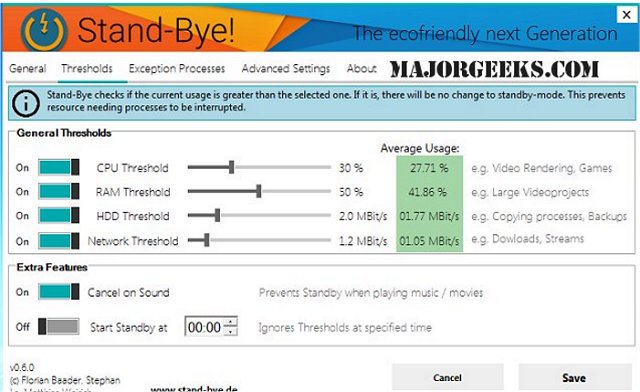
Take control of your machine by determining when it goes into standby mode when sitting idle, this can be useful when doing a presentation or watching a movie. Stand-Bye! provides you with several different features that you can set up in line with your specific needs.
Download @ http://www.majorgeeks.com/files/details/stand_bye.html
DShutdown is designed to facilitate the easy shutdown and wake up of a local or remote PC.
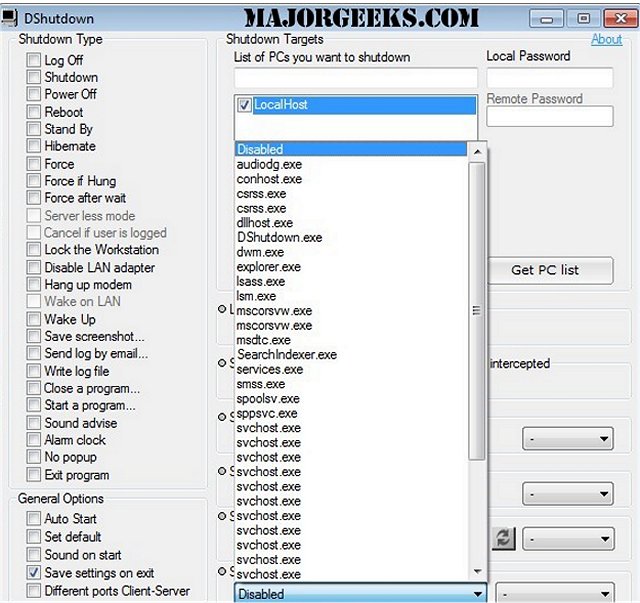
It is packed with many options beyond the run of the mill ones that most are accustomed to including options relating to a "pure" shutdown (like the "force after wait" option - this will cause a forced, but 'clear' shutdown of the PC). You will also have monitoring options at your disposal that will allow PC shutdown after an application terminates (this can be useful when you have completed compressing several files for instance). Another useful option relates to internet traffic allowing the PC to shutdown when Internet traffic dips below a defined data rate (perfect for shutting down your PC upon completion of a large download).
DShutdown can also intercept a shutdown request that has been initiated by the user or by an application then it will execute that shutdown request with the selected options. (For example: to simultaneously shut down all LAN PCs at the same time server does). Another nice feature is DShutdown doesn't force a power-down without first logging off and saving settings.
Download @ http://www.majorgeeks.com/files/details/dshutdown.html
This tool will provide the means to manage power for groups of computers, or a single machine, on a local network from a central location. Remote Shutdown also provides some easily launched network tools like ping, pathping, tracert, telnet, nbtstat, and nslookup. You also add tools that you use often via the manage tools feature.
Set up of Remote Shutdown is easy and you do get 10 days to test it on the unregistered version but they do require you to complete a simple registration to continue to use it for free (non-commercial).
Download @ http://www.majorgeeks.com/files/details/remote_shutdown.html
Stand-Bye! is a configurable tool that allows you to control standby functions.
Take control of your machine by determining when it goes into standby mode when sitting idle, this can be useful when doing a presentation or watching a movie. Stand-Bye! provides you with several different features that you can set up in line with your specific needs.
Download @ http://www.majorgeeks.com/files/details/stand_bye.html
DShutdown is designed to facilitate the easy shutdown and wake up of a local or remote PC.
It is packed with many options beyond the run of the mill ones that most are accustomed to including options relating to a "pure" shutdown (like the "force after wait" option - this will cause a forced, but 'clear' shutdown of the PC). You will also have monitoring options at your disposal that will allow PC shutdown after an application terminates (this can be useful when you have completed compressing several files for instance). Another useful option relates to internet traffic allowing the PC to shutdown when Internet traffic dips below a defined data rate (perfect for shutting down your PC upon completion of a large download).
DShutdown can also intercept a shutdown request that has been initiated by the user or by an application then it will execute that shutdown request with the selected options. (For example: to simultaneously shut down all LAN PCs at the same time server does). Another nice feature is DShutdown doesn't force a power-down without first logging off and saving settings.
Download @ http://www.majorgeeks.com/files/details/dshutdown.html
Comments
