Providing Free and Editor Tested Software Downloads
< HOME | TUTORIALS | GEEK-CADE| WEB TOOLS | YOUTUBE | NEWSLETTER | DEALS! | FORUMS | >

MajorGeeks.com - No Geek, no glory.

Software Categories

All In One Tweaks
Android
Antivirus & Malware
Appearance
Back Up
Browsers
CD\DVD\Blu-Ray
Covert Ops
Drivers
Drives (SSD, HDD, USB)
Games
Graphics & Photos
Internet Tools
Linux Distros
MajorGeeks Windows Tweaks
Multimedia
Networking
Office & Productivity
System Tools

Other news

· How To and Tutorials
· Life Hacks and Reviews
· Way Off Base
· MajorGeeks Deals
· News
· Off Base
· Reviews


IObit Black Friday Sale

spread the word

· YouTube
· Facebook
· Instagram
· Twitter
· Pintrest
· RSS/XML Feeds
· News Blur
· Yahoo
· Symbaloo

about

· Top Freeware Picks
· Malware Removal
· Geektionary
· Useful Links
· About Us
· Copyright
· Privacy
· Terms of Service
· How to Uninstall

top downloads

1. GS Auto Clicker
2. Macrium Reflect FREE Edition
3. Smart Defrag
4. MusicBee
5. Sergei Strelec's WinPE
6. Visual C++ Redistributable Runtimes AIO Repack
7. Microsoft Visual C++ 2015-2022 Redistributable Package
8. McAfee Removal Tool (MCPR)
9. K-Lite Mega Codec Pack
10. Visual C++ Runtime Installer (All-In-One)
More >>

top reads

Star AI Answers: Authority Without Accountability

Star Fun with CMD: 5 Windows command-line tools for music, video, and more

Star All the New Features Landing in Windows 11 This December

Star Lossless vs Lossy: When FLAC, APE, and ALAC Beat MP3 and When They Don't

Star Google Search Tricks You'll Actually Use in 2025 and Beyond

Star Fresh PC Checklist: First 12 Things to Do On a New Windows 11 Machine

Star Running AI Models Locally: What They Are, Where to Find Them, and How to Get Started

Star Deciding Between Idle State, Sleep Mode, and Shutdown: What's Best for Your PC?

Star How to Fix VMware Workstation "The Update Server Could Not Be Resolved" Error Installing VMware Tools

Star How to Remove Google Gemini from Your Phone (and Your Life)


MajorGeeks.Com » News » January 2016 » Map High Dynamic Range (HDR) Images With EasyHDR

Map High Dynamic Range (HDR) Images With EasyHDR


Posted by: Jon Ben-Mayor on 01/17/2016 09:44 AM [ comments Comments ]


EasyHDR is an image processing software for the production and tone mapping of High Dynamic Range (HDR) images out of photo sequences taken with a digital camera.
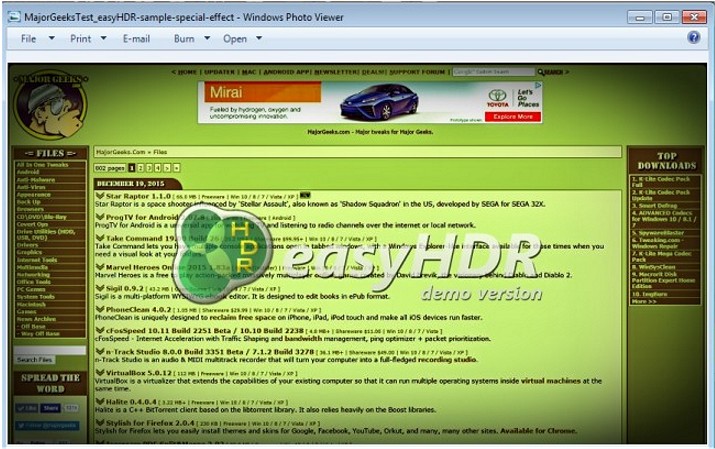


You will be able to import several image formats: JPEG, 24/48-bit TIFF, PNG, FITS or any RAW photo (thanks to integration with DCRAW). EasyHDR can also import OpenEXR (*.exr), Radiance RGBE (*.hdr) and 96-bit floating point TIFF HDR images that were previously generated with any other HDR image processing software.

EasyHDR supports drag and drop and utilizes a very user-friendly interface making it a breeze for any skill level to achieve beautifully produced photos in minutes.

EasyHDR Features

  • Combine several differently exposed photographs (JPEG, TIFF or RAW) into a HDR image.
  • Tone map to get the final result. With tone mapping algorithms of easyHDR get realistic or dramatic HDR results - you got the flexibility.
  • Enhance a single RAW or JPEG photograph.
  • Free Adobe Lightroom plugin (installed along with easyHDR).
  • Multiplatform - works on Windows and Mac OS X.
  • Retina display support.
  • Correcting white balance during tone mapping, or in case of RAWs, also at import step.
  • Live preview while working with full resolution of the photo.
  • Automatic, but also a unique manual Image Alignment allows to process photos taken without a tripod. It compensates not only for shift and rotation, but also for perspective.
  • Chromatic Aberration correction tool.
  • Automatic and manual Ghost Removal feature ensures that moving objects (cars, people, clouds or trees) won't spoil the final photo.
  • Reduce noise with noise removal filters. It can be done before and/or after the photo is tone mapped.
  • Batch Processing allows fast processing of big numbers of input photographs. The HDR sequences are found automatically.
  • Built-in and user presets displayed as thumbnails.
  • History of tone mapping parameter changes - allows live undo/redo.
  • Color management is fully supported.
  • Full list of supported cameras can be found here.

    Download @ http://www.majorgeeks.com/files/details/easyhdr.html


  • « New on MajorGeeks: Free Virtual Keyboard · Map High Dynamic Range (HDR) Images With EasyHDR · Photomatix Pro/Essentials Allows You to Easily Adjust HDR Photos to Your Creative Taste »


    Comments
    comments powered by Disqus

    MajorGeeks.Com » News » January 2016 » Map High Dynamic Range (HDR) Images With EasyHDR

    © 2000-2025 MajorGeeks.com
    Powered by Contentteller® Business Edition
