


Microsoft Reports a 400% Increase in Ransomware
Posted by: Timothy Weaver on 11/15/16 05:46 am
[
 Comments
]
Comments
]
We recently reported on the cyber criminals efforts to infect people by sending out 14 million phishing emails laced with ransomware attachments.
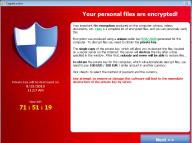 Now Microsoft reports that, between December 2005 to July 2016, there has been an increase of 400% in ransomware attacks detected by Windows Defender.
A Microsoft study reveals that systems running Windows Anniversary update are 58% less likely to suffer from an attack than those systems running Windows 7.
The report also says that its data intelligence tools have blocked an average of 200,000 exploit attacks in the last 6 months.
The company touts its enhanced web browser, Edge, as a hardened browser that blocks email attachments as a distribution method and uses machine learning to identify and block malware.
Rob Lefferts, Microsofts enterprise and security group's director of program management, said that Windows 10 "locked down Microsoft Edge so that an exploit running in the browser cannot execute another program.”
Source: SCMagazine
Now Microsoft reports that, between December 2005 to July 2016, there has been an increase of 400% in ransomware attacks detected by Windows Defender.A Microsoft study reveals that systems running Windows Anniversary update are 58% less likely to suffer from an attack than those systems running Windows 7.
The report also says that its data intelligence tools have blocked an average of 200,000 exploit attacks in the last 6 months.
The company touts its enhanced web browser, Edge, as a hardened browser that blocks email attachments as a distribution method and uses machine learning to identify and block malware.
Rob Lefferts, Microsofts enterprise and security group's director of program management, said that Windows 10 "locked down Microsoft Edge so that an exploit running in the browser cannot execute another program.”
Source: SCMagazine
Comments
