


Neutralize Viruses, Spyware, Malware, Rootkits with Tencent PC Manager
Posted by: Jon Ben-Mayor on 05/06/16 03:17 am
[
 Comments
]
Comments
]
Tencent PC Manager provides you with a very user-friendly solution that fits right into the all-in-one antivirus suite category, It is a rather large program - it is packed with so many useful features combined with a large security cloud base for detecting and neutralizing viruses, spyware, malware, rootkits, and other threats to your machine - all for free.
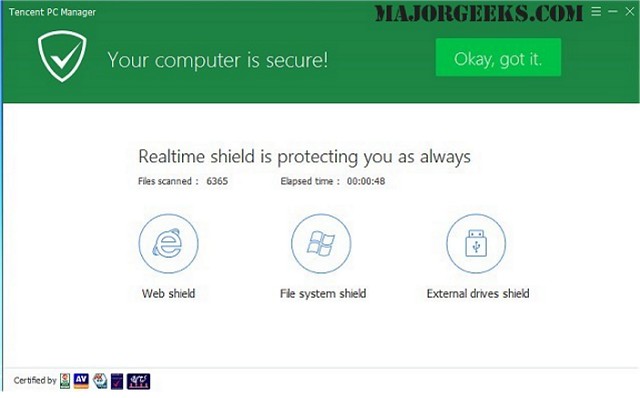
Tencent PC Manager has the ability to continuously monitor your machine for an indication of an internet download being performed, once detected it will investigate the file thoroughly and notify you any potential threat that may be contained. It provides a quarantine to segregate any malicious threats that may be found as well as a hand scan log for reference.
You are also afforded active defense with real-time shield consisting of:
Internet Shield
Online payment shield
Link scanner
Search protection
System Shield
File system shield
Registry shiled
Process shield
Drive shield
Hacking detection
Application Shield
Desktop icon shield
Camera shield
Download shield
Tencent PC Manager makes use of the following to detect malware on your Windows computer:
*Tencent cloud protection engine
*Tencent Antivirus engine II
*Tencent system-repair engine
*Bitdefender antivirus engine
Download @ http://www.majorgeeks.com/files/details/tencent_pc_manager.html
Tencent PC Manager has the ability to continuously monitor your machine for an indication of an internet download being performed, once detected it will investigate the file thoroughly and notify you any potential threat that may be contained. It provides a quarantine to segregate any malicious threats that may be found as well as a hand scan log for reference.
You are also afforded active defense with real-time shield consisting of:
Internet Shield
System Shield
Application Shield
Tencent PC Manager makes use of the following to detect malware on your Windows computer:
*Tencent cloud protection engine
*Tencent Antivirus engine II
*Tencent system-repair engine
*Bitdefender antivirus engine
Download @ http://www.majorgeeks.com/files/details/tencent_pc_manager.html
Comments
