


New on MajorGeeks: WordPress
Posted by: Jon Ben-Mayor on 01/09/2016 08:27 AM
[
 Comments
]
Comments
]
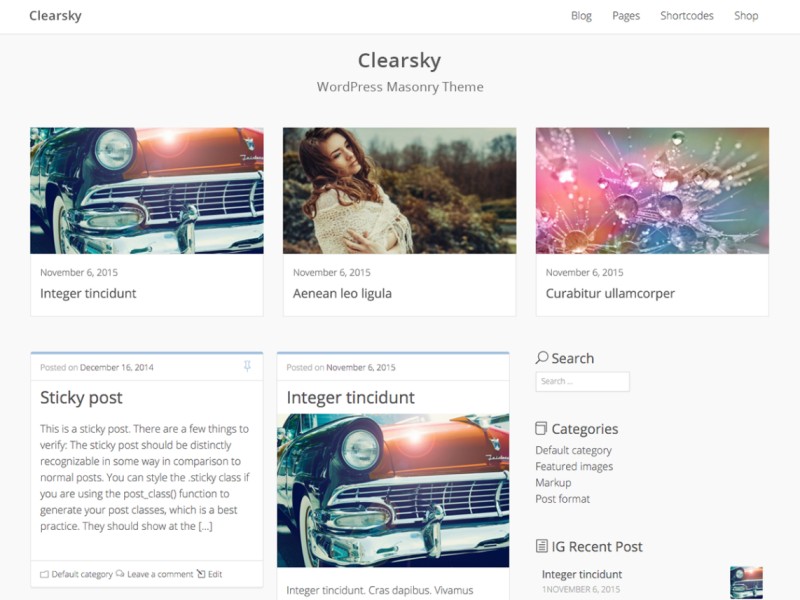
WordPress is web development software that allows for the creation of beautifully constructed websites, blogs, or apps.
WordPress Features:
Simplicity
Simplicity makes it possible for you to get online and get publishing, quickly. Nothing should get in the way of you getting your website up and your content out there. WordPress is built to make that happen.
Flexibility With WordPress
You can create any type of website you want: a personal blog or website, a photoblog, a
business website, a professional portfolio, a government website, a magazine or news website, an online community, even a network of websites. You can make your website beautiful with themes, and extend it with plugins. You can even build your very own application.
Publish with Ease
If you’ve ever created a document, you’re already a whizz at creating content with WordPress. You can create Posts and Pages, format them easily, insert media, and with the click of a button your content is live and on the web.
Publishing Tools
WordPress makes it easy for you to manage your content. Create drafts, schedule publication, and look at your post revisions. Make your content public or private, and secure posts and pages with a password.
User Management
Not everyone requires the same access to your website. Administrators manage the site, editors work with content, authors and contributors write that content, and subscribers have a profile that they can manage. This lets you have a variety of contributors to your website, and let others simply be part of your community.
Media Management
They say a picture says a thousand words, which is why it’s important for you to be able to quickly and easily upload images and media to WordPress. Drag and drop your media into the uploader to add it to your website. Add alt text, captions, and titles, and insert images and galleries into your content. We’ve even added a few image editing tools you can have fun with.
Full Standards Compliance
Every piece of WordPress generated code is in full compliance with the standards set by the W3C. This means that your website will work in today’s browser, while maintaining forward compatibility with the next generation of browser. Your website is a beautiful thing, now and in the future.
Easy Theme System
WordPress comes bundled with two default themes, but if they aren’t for you there’s a theme directory with thousands of themes for you to create a beautiful website. None of those to your taste? Upload your own theme with the click of a button. It only takes a few seconds for you to give your website a complete makeover.
Download @ http://www.majorgeeks.com/files/details/wordpress.html
WordPress Features:
Simplicity
Simplicity makes it possible for you to get online and get publishing, quickly. Nothing should get in the way of you getting your website up and your content out there. WordPress is built to make that happen.
Flexibility With WordPress
You can create any type of website you want: a personal blog or website, a photoblog, a
business website, a professional portfolio, a government website, a magazine or news website, an online community, even a network of websites. You can make your website beautiful with themes, and extend it with plugins. You can even build your very own application.
Publish with Ease
If you’ve ever created a document, you’re already a whizz at creating content with WordPress. You can create Posts and Pages, format them easily, insert media, and with the click of a button your content is live and on the web.
Publishing Tools
WordPress makes it easy for you to manage your content. Create drafts, schedule publication, and look at your post revisions. Make your content public or private, and secure posts and pages with a password.
User Management
Not everyone requires the same access to your website. Administrators manage the site, editors work with content, authors and contributors write that content, and subscribers have a profile that they can manage. This lets you have a variety of contributors to your website, and let others simply be part of your community.
Media Management
They say a picture says a thousand words, which is why it’s important for you to be able to quickly and easily upload images and media to WordPress. Drag and drop your media into the uploader to add it to your website. Add alt text, captions, and titles, and insert images and galleries into your content. We’ve even added a few image editing tools you can have fun with.
Full Standards Compliance
Every piece of WordPress generated code is in full compliance with the standards set by the W3C. This means that your website will work in today’s browser, while maintaining forward compatibility with the next generation of browser. Your website is a beautiful thing, now and in the future.
Easy Theme System
WordPress comes bundled with two default themes, but if they aren’t for you there’s a theme directory with thousands of themes for you to create a beautiful website. None of those to your taste? Upload your own theme with the click of a button. It only takes a few seconds for you to give your website a complete makeover.
Download @ http://www.majorgeeks.com/files/details/wordpress.html
Comments
