


Passwords are Dead; Long Live Biometrics
Posted by: Timothy Weaver on 06/27/15 11:39 am
[
 Comments
]
Comments
]
The two most popular passwords found on the Internet last year were (once again) 123456 and "password," according to password management provider SplashData.
 It's not surprising then that in the past year, 40% of consumers said that they had received notice that they'd been breached.
Hackers are even targeting password managers. Although no data was lost, password management tool LastPass revealed to users that it, too, had suffered an attack by hackers.
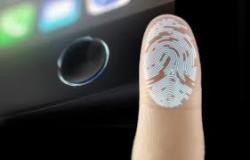
Given that, passwords may be a thing of the past. Now companies are using the smartphone’s capabilities to go beyond access codes. Apple Pay, the newly released Android Pay, and the soon-to-come Samsung Pay already allow consumers to use their fingerprints to verify payments with their mobile devices.
USAA is allowing people to log in using various biometric devices. More than 650,000 members have opted to log in to their accounts via touch, voice, or facial recognition, and another 4,000 are signing up every day.
The next biometrics could include devices that can be embedded, injected, and ingested in the body.
Source: Inc.com
It's not surprising then that in the past year, 40% of consumers said that they had received notice that they'd been breached.Hackers are even targeting password managers. Although no data was lost, password management tool LastPass revealed to users that it, too, had suffered an attack by hackers.
Given that, passwords may be a thing of the past. Now companies are using the smartphone’s capabilities to go beyond access codes. Apple Pay, the newly released Android Pay, and the soon-to-come Samsung Pay already allow consumers to use their fingerprints to verify payments with their mobile devices.
USAA is allowing people to log in using various biometric devices. More than 650,000 members have opted to log in to their accounts via touch, voice, or facial recognition, and another 4,000 are signing up every day.
The next biometrics could include devices that can be embedded, injected, and ingested in the body.
Source: Inc.com
Comments
