


Petya Designed to Wipe Systems
Posted by: Timothy Weaver on 06/28/17 10:27 am
[
 Comments
]
Comments
]
Researchers at Positive Technologies have discovered a "killswitch" for the NotPetya ransomware.
 It's not actually a killswitch, but a script that users can add to the perfc file in the C:\Windows\ folder.
The researchers have found that the ransomware looks for the file and if not found will begin encrypting Master Boot Record files. The fix was created by Bleeping Computer's Lawrence Abrams. He has provided a batch file that will make it easier for users to add the file. The batch file can be downloaded Here.
Amit Serper at Cybereason also discovered the fix, but calls it a vaccination, not a killswitch.
Paul Burbage, a malware researcher at Flashpoint, commented on the comparison with WannaCry and noted that this piece of ransomware does not need internet connectivity to strangle its victims' endpoints: “meaning, compared to attacks such as WannaCry, there is no killswitch as there is no C2 check in. WannaCry had a hardcoded ‘killswitch - in which if a URL connection succeeded, the code exited and infection / worm propagation did not occur.”
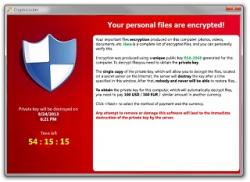
Researchers have also discovered that although it demands a ransom of $300, it is not truly ransomware, but instead it is malware designed to wipe computers outright, destroying all records from the targeted systems.
Source: The Hacker News
It's not actually a killswitch, but a script that users can add to the perfc file in the C:\Windows\ folder. The researchers have found that the ransomware looks for the file and if not found will begin encrypting Master Boot Record files. The fix was created by Bleeping Computer's Lawrence Abrams. He has provided a batch file that will make it easier for users to add the file. The batch file can be downloaded Here.
Amit Serper at Cybereason also discovered the fix, but calls it a vaccination, not a killswitch.
Paul Burbage, a malware researcher at Flashpoint, commented on the comparison with WannaCry and noted that this piece of ransomware does not need internet connectivity to strangle its victims' endpoints: “meaning, compared to attacks such as WannaCry, there is no killswitch as there is no C2 check in. WannaCry had a hardcoded ‘killswitch - in which if a URL connection succeeded, the code exited and infection / worm propagation did not occur.”
Researchers have also discovered that although it demands a ransom of $300, it is not truly ransomware, but instead it is malware designed to wipe computers outright, destroying all records from the targeted systems.
Source: The Hacker News
Comments
