


Review: Ryobi 18-Volt ONE+ Dual Function Inflator/Deflator
Posted by: Timothy Tibbetts on 11/27/16 12:38 am
[
 Comments
]
Comments
]
I grew tired of the old school tire inflator I owned with its antiquated dial system, power or car cord, and inaccurate inflating so I went off searching for something better. I found the Ryobi 18-Volt ONE+ Dual Function Inflator/Deflator.
If you're here for just an answer, this thing is awesome. You can find it for under 40 bucks at Home Depot or online at Amazon. The only downside is if you don't already have batteries and a charger the cost will be over $100 to get everything you need.
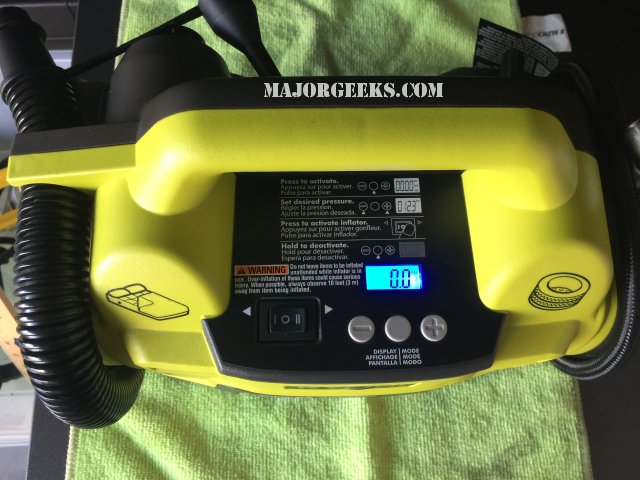
Because it's a little different than a plug-in inflator, I did spend about 2 minutes reading the manual to understand a few things. You'll want to know there are two sides and two different functions. One is low pressure, marked with an air mattress picture and the other is high pressure, marked with a picture of an automotive tire.
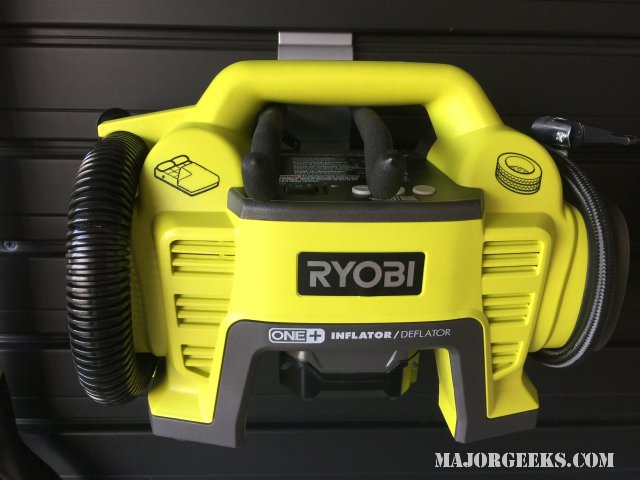
Let's start with high pressure, like an automotive tire. You have to turn it on first, then set the pressure you want for tires. Then you just hook it up, turn it on and wait. When you attach the inflator to your tires, it will take a few seconds to read and display the current pressure. It pumped faster than my old plugin air inflator, and the noise was roughly the same. These things will probably never be whisper-quiet.
It also filled a huge gap that was driving me nuts with my dial-style, plug-in inflator. It was accurate. I get a little OCD, and since I have tire pressure monitoring, I like all my tires to be the same pressure. It took me a bit to realize that you just have to trust it a little.
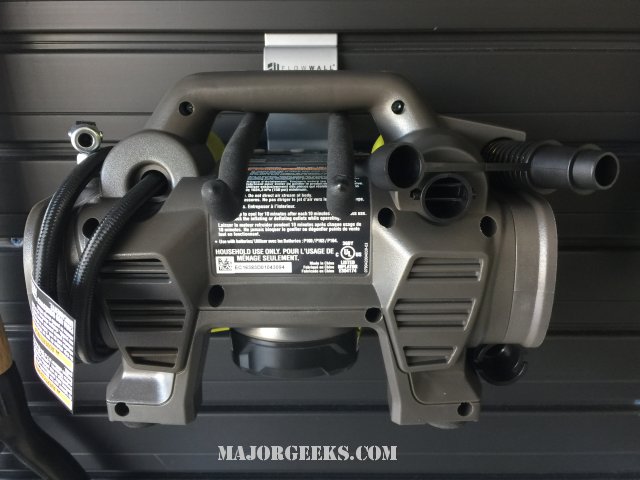
So, there you have it. But wait, there's more! It has a whole other half designed primarily for inflating low-pressure items including air mattresses, balls, and rafts. You simply twist the hose on to inflate whatever you need. It has an attachment to fit it into small places and numerous attachments for inflating balls and more. Instead of clicking the on button to the right you just click it to the left for low pressure.
Finally, if you were having trouble deflating something, you can disconnect the inflator for air mattresses, balls or raft and plug it into the left side to pull air out.
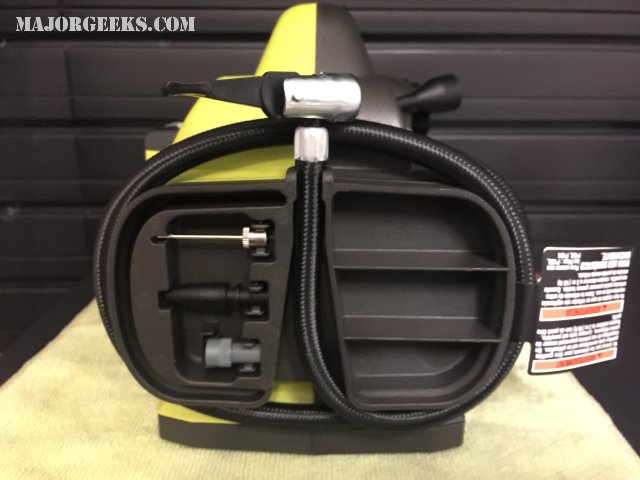
How many times have you lost the adapters to your inflator? Ryobi has storage for them on one side so as long as you put them back, you should never lose them. The only thing I can't address here is battery life. I used a battery that was in my Ryobi leaf blower already and put air in all 4 of my tires and the battery is still going. Since the odds of needing to inflate your tires for an hour is unlikely, I can't imagine battery life being a problem.
In the time I have spent using this so far, it is flawless and well-thought out. Even wrapping the cord up is neat and easy to do. Someone at Ryobi took the time to address all your needs before shipping it.
It's the best 40 bucks I've spent in some time; I think you'll agree. Check it out yourself on Amazon.
If you're here for just an answer, this thing is awesome. You can find it for under 40 bucks at Home Depot or online at Amazon. The only downside is if you don't already have batteries and a charger the cost will be over $100 to get everything you need.
Because it's a little different than a plug-in inflator, I did spend about 2 minutes reading the manual to understand a few things. You'll want to know there are two sides and two different functions. One is low pressure, marked with an air mattress picture and the other is high pressure, marked with a picture of an automotive tire.
Let's start with high pressure, like an automotive tire. You have to turn it on first, then set the pressure you want for tires. Then you just hook it up, turn it on and wait. When you attach the inflator to your tires, it will take a few seconds to read and display the current pressure. It pumped faster than my old plugin air inflator, and the noise was roughly the same. These things will probably never be whisper-quiet.
It also filled a huge gap that was driving me nuts with my dial-style, plug-in inflator. It was accurate. I get a little OCD, and since I have tire pressure monitoring, I like all my tires to be the same pressure. It took me a bit to realize that you just have to trust it a little.
So, there you have it. But wait, there's more! It has a whole other half designed primarily for inflating low-pressure items including air mattresses, balls, and rafts. You simply twist the hose on to inflate whatever you need. It has an attachment to fit it into small places and numerous attachments for inflating balls and more. Instead of clicking the on button to the right you just click it to the left for low pressure.
Finally, if you were having trouble deflating something, you can disconnect the inflator for air mattresses, balls or raft and plug it into the left side to pull air out.
How many times have you lost the adapters to your inflator? Ryobi has storage for them on one side so as long as you put them back, you should never lose them. The only thing I can't address here is battery life. I used a battery that was in my Ryobi leaf blower already and put air in all 4 of my tires and the battery is still going. Since the odds of needing to inflate your tires for an hour is unlikely, I can't imagine battery life being a problem.
In the time I have spent using this so far, it is flawless and well-thought out. Even wrapping the cord up is neat and easy to do. Someone at Ryobi took the time to address all your needs before shipping it.
It's the best 40 bucks I've spent in some time; I think you'll agree. Check it out yourself on Amazon.
Comments
