


Rokku Ransomware Comes With QR Code
Posted by: Timothy Weaver on 04/07/16 07:11 am
[
 Comments
]
Comments
]
If you are hit with ransomware, you know it will be a problem jumping through all the hoops to find and make the payment in bitcoins.
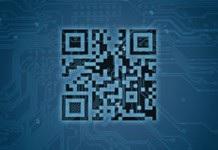 The cybercriminals behind this latest version of ransomware have your ease in mind. They have included a QR code for easy payment.
The ransomware, dubbed Rokku, is making the rounds via spear-phishing email. Once downloaded, it quickly adds the .Rokku extension to all your files and then displays a notice for the user to pick what language to use.
Rokku now makes the distinction in that it first asks for only 0.24 BTC (US $100.14) and second, it displays a QR code presumably in an effort to make paying the ransom as simple as possible.
Catalin Cimpanu explains:
"Scanning this QR code with your phone would allow you to easily pay the ransom money if you have a Bitcoin wallet app installed on the device. At the time of writing, no payments have been received in the Rokku Bitcoin account, but the ransomware was only spotted for the first time on March 19, so it may not have had time to spread to a large number of victims."
Rokku was first seen by the VirusTotal service earlier in March. At the time of writing, no anti-virus solutions detect the ransomware executable as malicious.
Source: Graham Cluley
The cybercriminals behind this latest version of ransomware have your ease in mind. They have included a QR code for easy payment. The ransomware, dubbed Rokku, is making the rounds via spear-phishing email. Once downloaded, it quickly adds the .Rokku extension to all your files and then displays a notice for the user to pick what language to use.
Rokku now makes the distinction in that it first asks for only 0.24 BTC (US $100.14) and second, it displays a QR code presumably in an effort to make paying the ransom as simple as possible.
Catalin Cimpanu explains:
"Scanning this QR code with your phone would allow you to easily pay the ransom money if you have a Bitcoin wallet app installed on the device. At the time of writing, no payments have been received in the Rokku Bitcoin account, but the ransomware was only spotted for the first time on March 19, so it may not have had time to spread to a large number of victims."
Rokku was first seen by the VirusTotal service earlier in March. At the time of writing, no anti-virus solutions detect the ransomware executable as malicious.
Source: Graham Cluley
Comments
