


Secure Notepad Data by Encrypting It With Crypto Notepad
Posted by: Jon Ben-Mayor on 06/28/17 01:47 am
[
 Comments
]
Comments
]
Crypto Notepad is a free, portable text editor for encrypting your notes by protecting your ideas, personal info, etc., with SHA1 or MD5 algorithms.
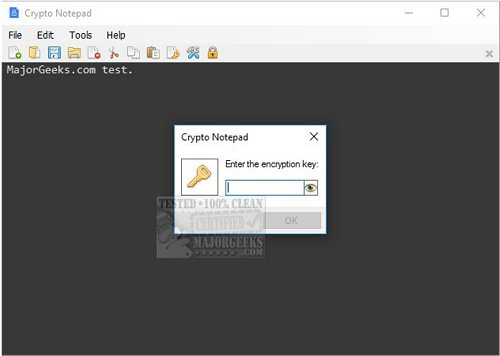
Crypto Notepad has both the traditional drop down menus with File, Edit, Tools, and Help as well as small icons below that for quick access to commonly used features including New, Open, Save, Open File Location, Cut, Copy, Paste, Change Key, Settings, and Lock.
Settings allow you to change fonts and colors, encrypt and decrypt settings as well as a few application settings.
For example, you can choose the hash algorithm from SHA1 or MD5, and the key size can be 128, 192 or 256. Finally, the salt and password iterations can be changed. If you don't know what any of these are then you'll want to leave it be. Also, you want to change anything here before you begin using it as you won't be able to encrypt previously encrypted files.
Overall, Crypto Notepad packs enough even for less savvy users. It's small, has a clean interface and just enough settings to tweak it to your liking.
Download @ http://www.majorgeeks.com/files/details/crypto_notepad.html
Crypto Notepad has both the traditional drop down menus with File, Edit, Tools, and Help as well as small icons below that for quick access to commonly used features including New, Open, Save, Open File Location, Cut, Copy, Paste, Change Key, Settings, and Lock.
Settings allow you to change fonts and colors, encrypt and decrypt settings as well as a few application settings.
For example, you can choose the hash algorithm from SHA1 or MD5, and the key size can be 128, 192 or 256. Finally, the salt and password iterations can be changed. If you don't know what any of these are then you'll want to leave it be. Also, you want to change anything here before you begin using it as you won't be able to encrypt previously encrypted files.
Overall, Crypto Notepad packs enough even for less savvy users. It's small, has a clean interface and just enough settings to tweak it to your liking.
Download @ http://www.majorgeeks.com/files/details/crypto_notepad.html
Comments
