


WannaCry Has Flaws That Allow Recovery
Posted by: Timothy Weaver on 06/01/17 10:24 am
[
 Comments
]
Comments
]
Kaspersky Lab has been studying the WannaCry ransomware and discovered a number of programming errors in the code.
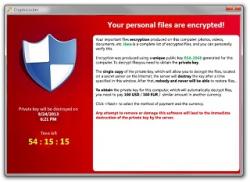 The company believes that these flaws can be leveraged to allow for recovery of encrypted files. So far, more than 200,000 computers have been compromised by the ransomware.
“Experienced ransomware authors do not make such errors,” said Anton Ivanov, senior malware analyst at Kaspersky Lab. “From our side we think that developers of WannaCry were not experienced at developing at all.”
A report on Securelist.com describes two critical errors made by WannaCry’s developers which will allow system admins to use recovery software to recover the files.
“Our internal tests show that there is a good probability to return a lot of files,” Ivanov said. “Sysadmins just can download freeware software and run it on affected computers. There is no need to have special experience for file recovery.”
The ransomware is meant to create a $RECYCLE folder that is hidden and where the original files are to be stored.
“However, because of synchronization errors in the ransomware code in many cases the original files stay in the same directory and are not moved into $RECYCLE,” they wrote. “The original files are deleted in an unsecure way. This fact makes it possible to restore the deleted files using data recovery software.”
Source: Threat Post
The company believes that these flaws can be leveraged to allow for recovery of encrypted files. So far, more than 200,000 computers have been compromised by the ransomware. “Experienced ransomware authors do not make such errors,” said Anton Ivanov, senior malware analyst at Kaspersky Lab. “From our side we think that developers of WannaCry were not experienced at developing at all.”
A report on Securelist.com describes two critical errors made by WannaCry’s developers which will allow system admins to use recovery software to recover the files.
“Our internal tests show that there is a good probability to return a lot of files,” Ivanov said. “Sysadmins just can download freeware software and run it on affected computers. There is no need to have special experience for file recovery.”
The ransomware is meant to create a $RECYCLE folder that is hidden and where the original files are to be stored.
“However, because of synchronization errors in the ransomware code in many cases the original files stay in the same directory and are not moved into $RECYCLE,” they wrote. “The original files are deleted in an unsecure way. This fact makes it possible to restore the deleted files using data recovery software.”
Source: Threat Post
Comments
