


Why Does Google Chrome Have Multiple Processes?
Posted by: Timothy Tibbetts on 04/09/2016 12:42 AM
[
 Comments
]
Comments
]
If you ever looked at your Task Manager, you might be surprised to see how many Google Chrome processes are running. Almost always you will find more Google Chrome (chrome.exe) processes running then tabs you have open. But not to worry, this behavior is normal.
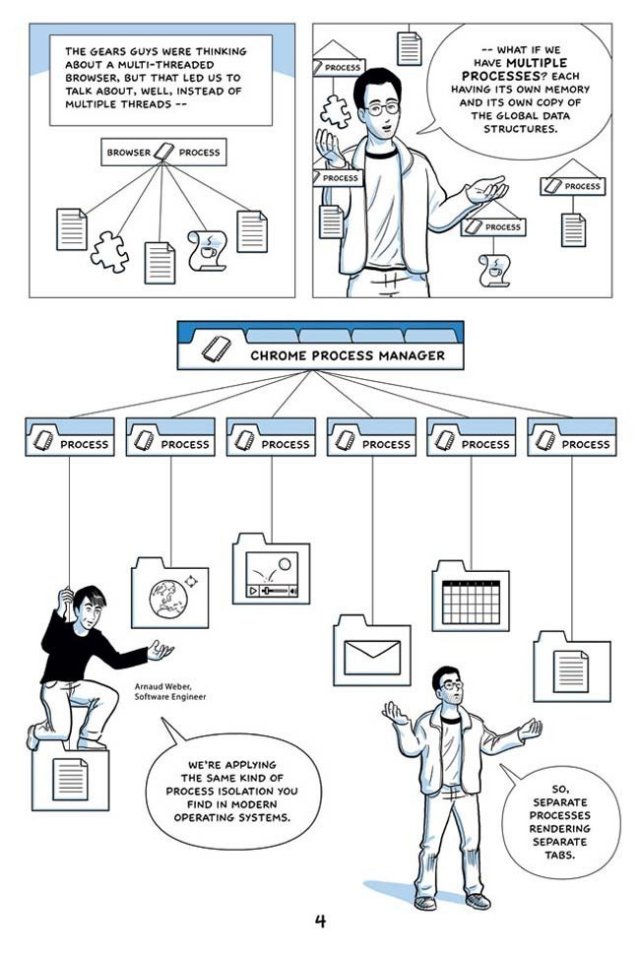
Nowadays, we run multiple tabs and in those tabs you could be running HTML5, Shockwave, Flash, Java or even an app like Gmail, or Google Docs. Chrome runs all of your tabs and extensions each as a process, and that’s what you’re seeing. This allows any individual tab or extension to crash independently without having to close your browser and restart it like you used to.
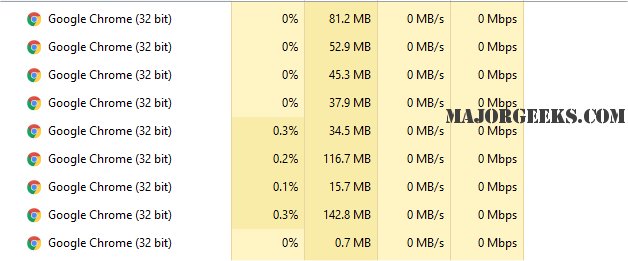
Of course, if you’re low on memory this is an issue you need to address. All browsers use tabs and extensions, so if memory is an issue, then we recommend you upgrade your memory. It’s cheap and easy to do. Typically, the best move is to double your RAM. You can try a memory booster, but that’s not going to change the fact that you’re using more memory than you have. You would be better off trying to disable some startup items to free available memory from programs that don’t need to be running. A program like CCleaner has an excellent startup manager, and you can clean up some junk files while you're at it.
Here’s a video on using it:
And finally, we have a comic from Google for those who don’t want to read or just like a visual explanation:
Nowadays, we run multiple tabs and in those tabs you could be running HTML5, Shockwave, Flash, Java or even an app like Gmail, or Google Docs. Chrome runs all of your tabs and extensions each as a process, and that’s what you’re seeing. This allows any individual tab or extension to crash independently without having to close your browser and restart it like you used to.
Of course, if you’re low on memory this is an issue you need to address. All browsers use tabs and extensions, so if memory is an issue, then we recommend you upgrade your memory. It’s cheap and easy to do. Typically, the best move is to double your RAM. You can try a memory booster, but that’s not going to change the fact that you’re using more memory than you have. You would be better off trying to disable some startup items to free available memory from programs that don’t need to be running. A program like CCleaner has an excellent startup manager, and you can clean up some junk files while you're at it.
Here’s a video on using it:
And finally, we have a comic from Google for those who don’t want to read or just like a visual explanation:
Comments
