


Retrieve Your Windows and Office Product Keys with These Free Apps
By Timothy Tibbettson 06/19/2023 |
Looking for your Windows and Microsoft Office product key? Typically, these are stored in the registry, and with the right tools, it's easy to find and retrieve.
Before you begin, make note that many of these utilities come from a category we call Covert Ops. Almost everything in the Covert Ops category will get flagged by your antivirus or security software because they assume something is trying to modify your registry. This is a false positive.
We do suggest that you back up the registry before you proceed. Here's how How to Back up or Restore the Windows Registry.
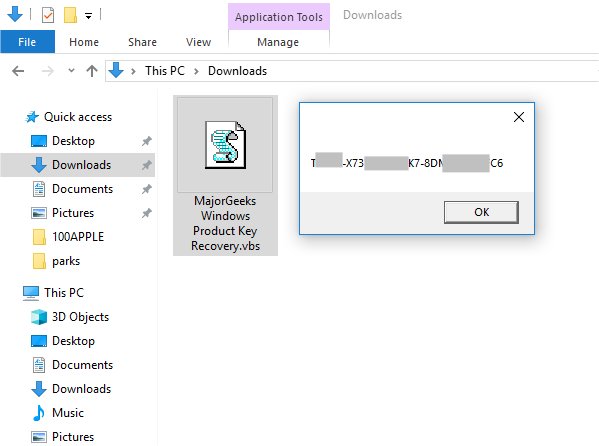
#1: MajorGeeks Windows Product Key Recovery is a simple VBS script to retrieve your Windows product key. We put this together because it uses a known trick that requires no installation and is only 1KB. If you just want to retrieve your key quickly and easily, give this one a try.
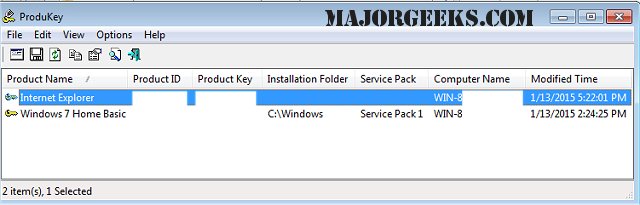
#2: ProduKey is our top download in this category. It can retrieve productIDs and CD-Keys for Microsoft Office, Windows and more. There's also a video tutorial from MajorGeeks to watch.
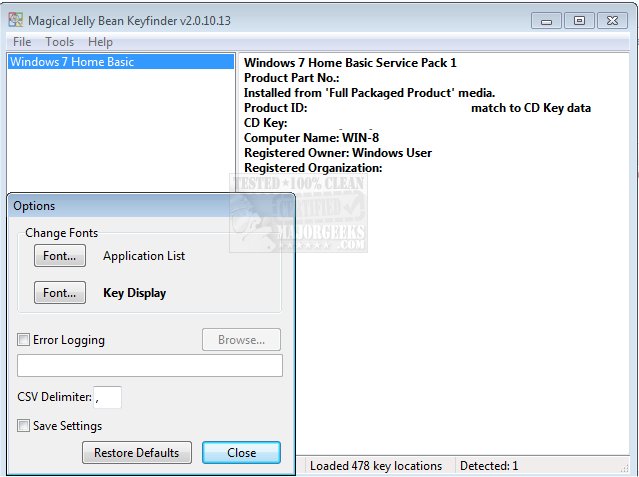
#3: Magical Jelly Bean Keyfinder is another tops downloader that uses a community-updated configuration file that retrieves product keys for many other applications besides Windows. Last we knew, it was unable to retrieve your product key if you upgraded to Windows 10 from 7 or 8.
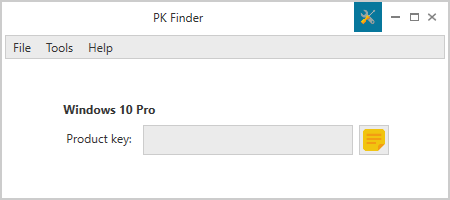
#5: PK Finder is much more simplistic than most. Just run it, and PK Finder will show you your Microsoft Windows key only. Our download mirrors are the portable version making it even more straightforward to use. If you're not a geek, this is an excellent choice to try first.
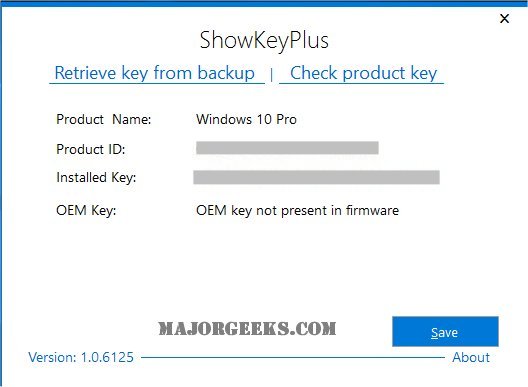
#4: ShowKeyPlus is for those who have not been able to find their key for one reason or another with the more basic apps. You can retrieve your product version or name, the product ID, the currently installed key and the OEM key. Your license key can be backed up to a text file, and you can even verify that it is valid. It can retrieve the following types of Microsoft Windows keys - OEM: DM, OEM: SLP, OEM: NONSLP, OEM: COA, Retail = Full Packaged Product (FPP), Volume: MAK = Multiple Activation Key, Volume: GVLK = Group Volume License Key, and WAU = Windows Anytime Upgrade.
While there are many tutorials on how to retrieve your product key from the registry or a command-prompt, the way Microsoft stores them seems to change frequently making the above app valuable.
Similar:
Retrieve Your Windows and Office Product Keys with These Free Apps
How-To Retrieve an Embedded Windows Key
How-to Transfer Your Windows 10 License to Another Computer
Will Windows 10 Receive Windows Updates if It's Not Activated?
Your Windows License Will Expire Soon
Windows 10 Setup Has Failed to Validate the Product Key
How to Reactivate Windows 10
Can I Have Multiple Windows 10 or Microsoft Office Keys One One Account?
comments powered by Disqus
Before you begin, make note that many of these utilities come from a category we call Covert Ops. Almost everything in the Covert Ops category will get flagged by your antivirus or security software because they assume something is trying to modify your registry. This is a false positive.
We do suggest that you back up the registry before you proceed. Here's how How to Back up or Restore the Windows Registry.
#1: MajorGeeks Windows Product Key Recovery is a simple VBS script to retrieve your Windows product key. We put this together because it uses a known trick that requires no installation and is only 1KB. If you just want to retrieve your key quickly and easily, give this one a try.
#2: ProduKey is our top download in this category. It can retrieve productIDs and CD-Keys for Microsoft Office, Windows and more. There's also a video tutorial from MajorGeeks to watch.
#3: Magical Jelly Bean Keyfinder is another tops downloader that uses a community-updated configuration file that retrieves product keys for many other applications besides Windows. Last we knew, it was unable to retrieve your product key if you upgraded to Windows 10 from 7 or 8.
#5: PK Finder is much more simplistic than most. Just run it, and PK Finder will show you your Microsoft Windows key only. Our download mirrors are the portable version making it even more straightforward to use. If you're not a geek, this is an excellent choice to try first.
#4: ShowKeyPlus is for those who have not been able to find their key for one reason or another with the more basic apps. You can retrieve your product version or name, the product ID, the currently installed key and the OEM key. Your license key can be backed up to a text file, and you can even verify that it is valid. It can retrieve the following types of Microsoft Windows keys - OEM: DM, OEM: SLP, OEM: NONSLP, OEM: COA, Retail = Full Packaged Product (FPP), Volume: MAK = Multiple Activation Key, Volume: GVLK = Group Volume License Key, and WAU = Windows Anytime Upgrade.
While there are many tutorials on how to retrieve your product key from the registry or a command-prompt, the way Microsoft stores them seems to change frequently making the above app valuable.
Similar:
comments powered by Disqus
