


4 Quick Ways To Restore Deleted Items From the Recycle Bin
By selma čitakovićon 06/14/2026 |
![{$insert['content_title']](/content/file/6081_image2.png
)
If you accidentally delete a file, you can rely on the Recycle Bin as a safety net. It keeps your deleted items all in one place, waiting for you to restore them or permanently delete them. So, if your hand slips, don't worry - your files are only a couple of clicks away.
However, keep in mind these methods will only work if you haven't emptied your Recycle Bin. To bring back permanently deleted files, you'll have to try your luck with data recovery tools or cloud backups.
Via Undo Delete
This trick works only on the last thing you deleted. Basically, you can undo your action by either:
- Pressing Ctrl + Z
- Right-clicking an empty spot within File Explorer, or on your desktop, and selecting Undo Delete.
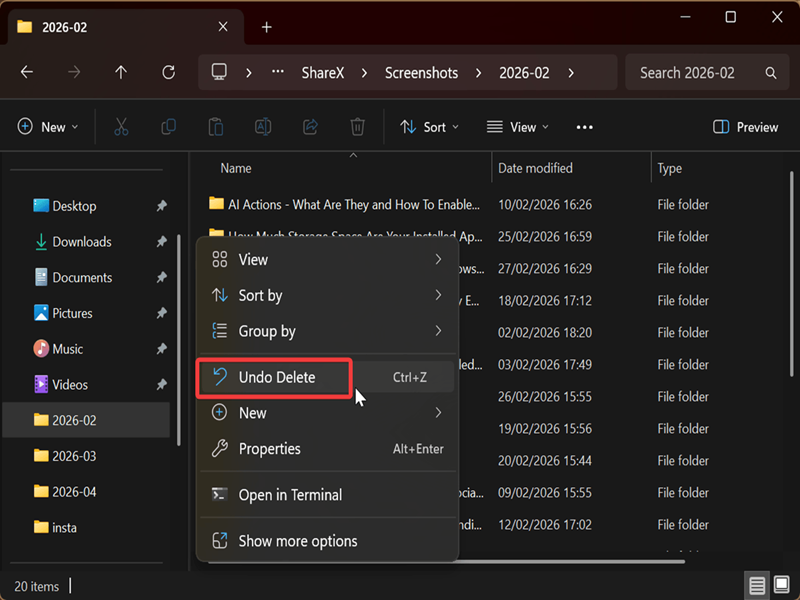
Both options work!
Via "Restore the selected items"
Or you can restore them right from the Recycle Bin, like this:
- Open the Recycle Bin, and select the files you want to restore. You can hold Ctrl and click on multiple files to select them all.
- Right-click the file(s) and select Restore.
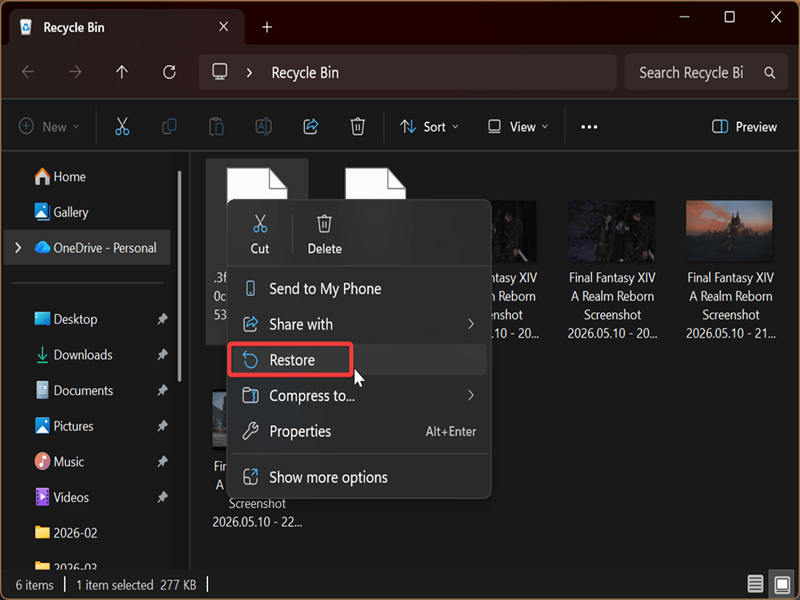
The items will return to their previous, original location.
Alternatively, you can click the three dots under the address bar, and then Restore the selected items.
Via drag and drop
Try this if you want to restore files to another location (not the original one). Go to the Recycle Bin, grab the items you need, and just drop them off where you want them to be.
Via "Restore all items"
Finally, you can bring back all the deleted files at once:
- Open the Recycle Bin.
- Click the three dots under the address bar and select Restore all items.
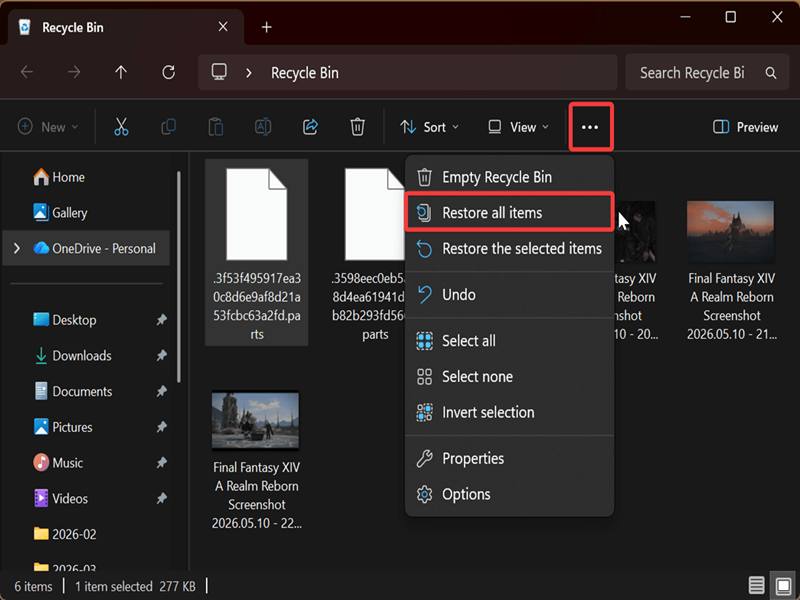
Still, keep in mind that the Recycle Bin may automatically empty itself if Storage Sense is turned on, or you're running low on space. So, if you want to recover something, don't put it off for too long - try to do it as soon as possible.

|
selma citakovic
Selma is a gamer, geek and gremlin hunter with a passion for cyber security and smashing Windows bugs before they bite. She’s IBM-certified, loves real freeware, despises bloatware, and powers most of her troubleshooting with an unhealthy amount of coffee. |
comments powered by Disqus
