


Automatically Hide the Windows 11 Taskbar in Just a Few Clicks
By selma čitakovićon 07/20/2026 |
![{$insert['content_title']](/content/file/6215_image3.jpg
)
If you prefer to keep your taskbar out of the way, you can automatically hide it in Windows 11. You can then bring it up whenever you need it by hovering your mouse over its location or pressing Win + T.
Here are the steps!
Via Settings
You can enable (or disable) the option to automatically hide the taskbar right here:
- Go to Settings > Personalization > Taskbar.
- Click on Taskbar behaviors to expand that section.
- Check or uncheck Automatically hide the taskbar.
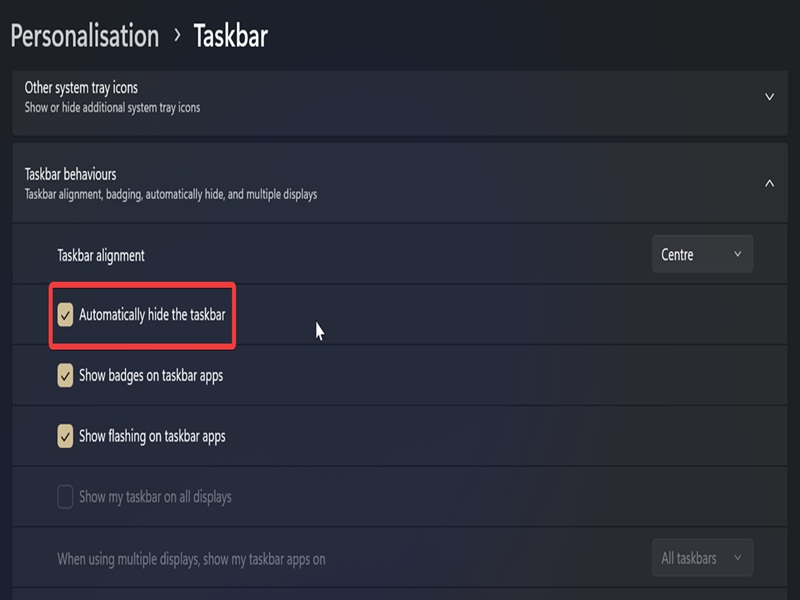
Occasionally, the changes do not apply immediately.
In that case, you'll have to restart the Windows Explorer process. Press Win + X, select Task Manager, and go to the Processes tab. There, find the Windows Explorer process, right-click it, and select Restart. Your taskbar should work normally now!
Via Command Prompt
Alternatively, if you prefer a command-based approach:
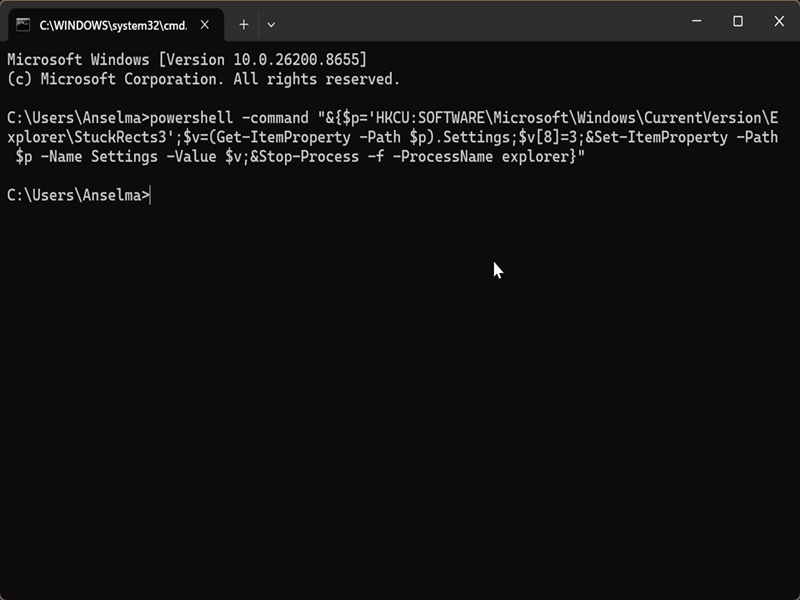
- Press Win + R, type cmd, and hit Enter.
- Paste the following command to auto-hide the taskbar: powershell -command "&{$p='HKCU:SOFTWARE\Microsoft\Windows\CurrentVersion\Explorer\StuckRects3';$v=(Get-ItemProperty -Path $p).Settings;$v[8]=3;&Set-ItemProperty -Path $p -Name Settings -Value $v;&Stop-Process -f -ProcessName explorer}"
- Or, if you want to unhide it instead: powershell -command "&{$p= 'HKCU:SOFTWARE\Microsoft\Windows\CurrentVersion\Explorer\StuckRects3' ;$v=(Get-ItemProperty -Path $p).Settings;$v[8]=2;&Set-ItemProperty -Path $p -Name Settings -Value $v;&Stop-Process -f -ProcessName explorer}"
Personally, I don't hide my taskbar because I'm too used to seeing it. Without it, my desktop looks weirdly naked to me. But if you prefer it that way, you can also check out some taskbar customization tools for even more options.

|
selma citakovic
Selma is a gamer, geek and gremlin hunter with a passion for cyber security and smashing Windows bugs before they bite. She’s IBM-certified, loves real freeware, despises bloatware, and powers most of her troubleshooting with an unhealthy amount of coffee. |
comments powered by Disqus
