


Best Audio Players for Windows - Treat Your Local Music Library Right
By selma čitakovićon 12/17/2025 |
Streaming might be popular and convenient, but I prefer keeping a local music library on my computer. I like owning the stuff I listen to and hoarding it on my drive. And with the right audio player, it's easy to keep things organized. I've hunted down five free Windows apps, suitable for music collections of all sizes. I tried to include something for everyone: whether you're that guy who's really serious about tags, or you just want to fire it up and listen without too many distractions.
To be honest, it took a lot of self-restraint for me not to recommend Winamp in this list. (...I still like it.) But here it is!
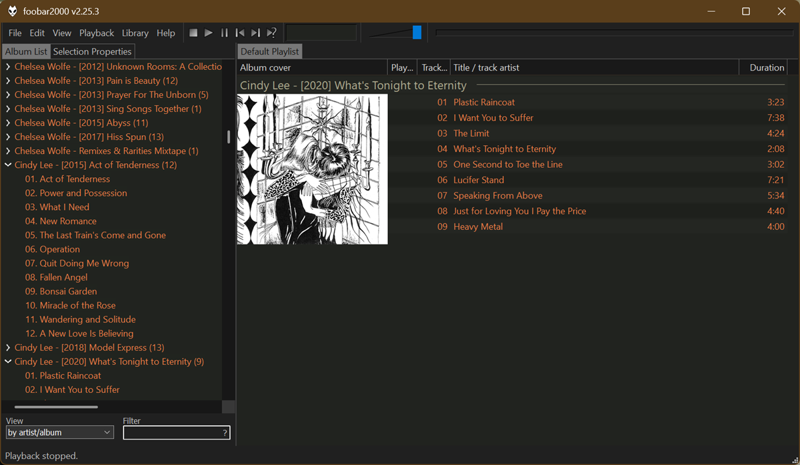
foobar2000
foobar2000 is a powerful but lightweight freeware audio player. It's available on Windows, macOS, Android, and iOS. On the official website, the system requirements are listed as: "A computer not older than 20 years, running Windows 7 or newer." So, you could run it on a toaster pretty much. When you open the app for the first time, you can adjust it to your liking in the quick layout setup window.
It supports an extensive list of audio file formats, including MP3, M4A, AAC, OGG, FLAC, Opus, WAV, etc. Even if you find an exotic format that foobar doesn't natively support, you can add it with FFmpeg Decoder Wrapper. Additionally, you can listen to internet radio streams in MP3, AAC, Ogg Vorbis, Ogg FLAC, and other formats. It also supports gapless playback, advanced tagging, ripping audio CDs, DSP and VST effects, and more. And if that's somehow not enough, you can enhance it further with various add-ons.
It's an excellent pick if you want a fully customizable audio player and you're not scared of detailed configuration menus.
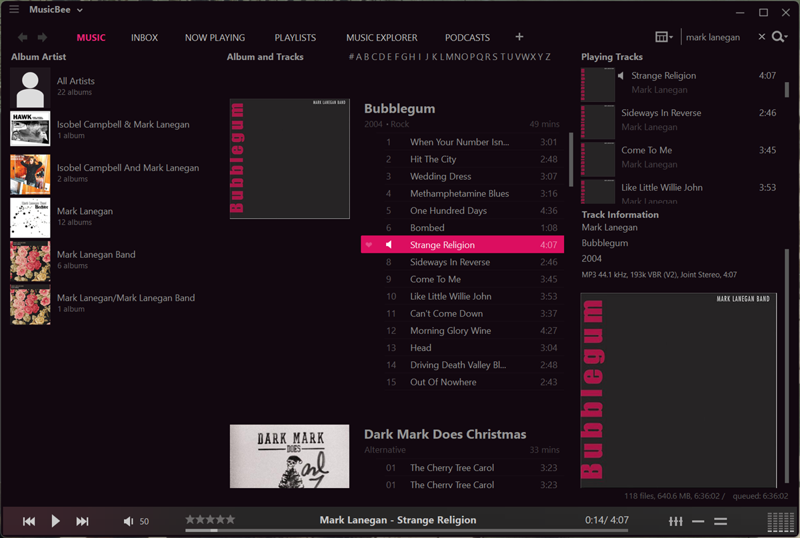
Musicbee
Musicbee is a freeware Windows music player and library organizer. After installing the app, you can choose to create a library from specific folders, import music from Windows Media Library or iTunes, or just create an empty library for now. Right from the start, you can tell it's focused on managing and organizing music. You can easily edit the tags yourself or use auto-tagging. You can even create organization templates in the Presets section to speed up the process when you're adding new music. Moreover, Musicbee can access album art, tags, lyrics, and other metadata from the web.
As an audio player, it stands out for its ASIO and WASAPI support, extensive DSP and equalizer effects, and, to my surprise, WinAmp plugin support. Now that's a blast from the past! I also noticed that the app has a dedicated podcasts tab, and you can add new tabs for audiobooks and radio. One last thing: If you want a more cinematic and visual music listening experience, check out Theater mode.
Overall, if you want to quickly bring some order into your messy music library, try Musicbee.
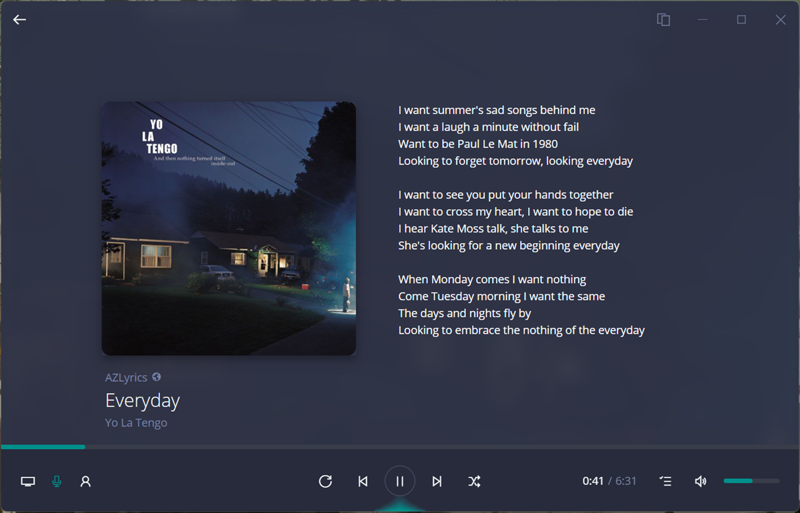
Dopamine 3
Dopamine 3 is a free audio player for Windows, Linux, and Mac. It's the successor to Dopamine 2, which is Windows-only. Its self-ascribed goal is to "make organizing and listening to music as simple and pretty as possible." And I think it does just that! The UI is stylish and easy to navigate. It might not be as customizable as foobar2000 or Musicbee, but that's part of its charm.
You can organize your playlists in folders and group albums by date added, date created, album artist, year ascending/descending, last played, and more. Dopamine also supports gapless playback and logarithmic volume control. You can download lyrics and artist information online, and connect with last.fm to scrobble. You can integrate it with Discord as well, to show your currently playing tracks. This is a tiny detail, but I like how you can rate and fave the songs you're listening to within the app.
If you're looking for a simple out-of-the-box listening experience, Dopamine 3 is worth a try.
AIMP
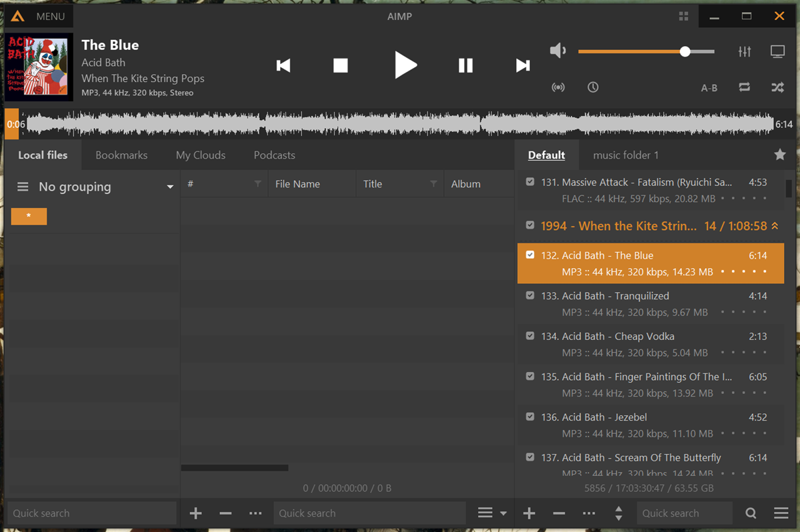
AIMP is a versatile free audio player for Windows and Android. You can also use it on Linux via Wine. It can reproduce an impressive range of audio formats, including CDA, AAC, AC3, APE, DTS, FLAC, and more obscure ones. It also supports CUE sheets, 32-bit audio processing, and ASIO, WASAPI, and DirectSound output.
What really stood out to me was its 20-band equalizer and sound effects. You can adjust echo, reverb, speed, tempo, pitch, headphone balance, and more. As for volume, you can tweak peak normalization and replay gain normalization. You can also fine-tune mixing, remove silences, and add DSP/VST2 plugins. Additionally, AIMP supports audio conversion with multi-threaded encoding and scheduling tasks. The only downside is its UI. Maybe it's just me, but the default layouts take some getting used to.
Still, if you're an audiophile and you want to calibrate your songs to the tiniest details, you'll love AIMP's sound effects.
MediaMonkey
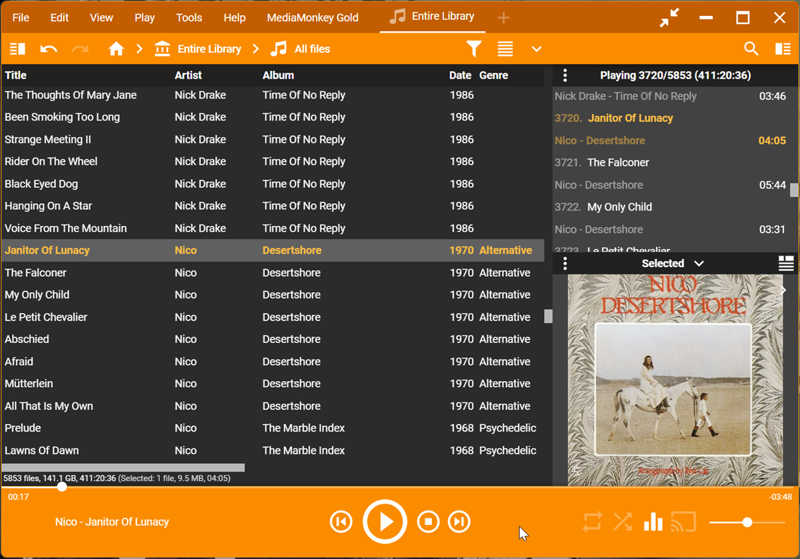
MediaMonkey is a freemium media organizer and player for Windows and Android. I've only had the chance to use the free version, but despite some limitations, it works great. Going premium unlocks automatic organization, automatic volume leveling, high-speed encoding, and other minor things. Most importantly, even the free app can easily handle thousands of tracks.
It has a comprehensive set of tools for auto-tagging, manual tagging, and looking up missing metadata. You can reorganize and rename files, clean up duplicates, and create collections. Furthermore, you can save metadata with standard tags readable by other apps to prevent conflicts. Of course, MediaMonkey isn't all about organizing. It's also a hi-fi audio player with volume leveling, DSP effect addons, and Winamp plugins. And if you're like me and you like analyzing your listening habits, you'll be glad to know that
it can create in-app reports and statistics.
So, if you're a serious music collector (with some OCD tendencies), MediaMonkey has all the tools you need to manage your library.
That's all for now. Hopefully, this list will help you keep some order in your music folder. Whether you're an audiophile or a casual listener who doesn't really care for lossless vs lossy discussions, I've got you covered.

|
selma citakovic
Selma is a gamer, geek and gremlin hunter with a passion for cyber security and smashing Windows bugs before they bite. She’s IBM-certified, loves real freeware, despises bloatware, and powers most of her troubleshooting with an unhealthy amount of coffee. |
comments powered by Disqus
