


What is a HEIC File?
By Timothy Tibbettson 06/15/2023 |
You might have found an image on your computer with the HEIC extension and wondered what it was or how you could open it.
HEIC (High Efficiency Image Container) is another image format similar to JPG or PNG. HEIC is the container that holds HEIF images or sequences of images. Apple adopted this format in 2017 with iOS 11, so there's a good chance the image came from an iPhone or iPad.
The goal of HEIC is to be half the size of JPG, but with better quality.
According to Wikipedia, HEIC and HEIF files can store the following types of data:
Image items
Image derivations
Image sequences
Auxiliary image items
Image metadata
If you're using a graphics program older than 2017, odds are your app won't recognize the image.
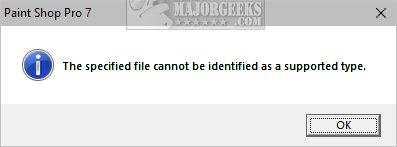
Some people might want to convert a HEIC image to a better-known format (JPG, PNG) if they share it, so the receiver is familiar with it.
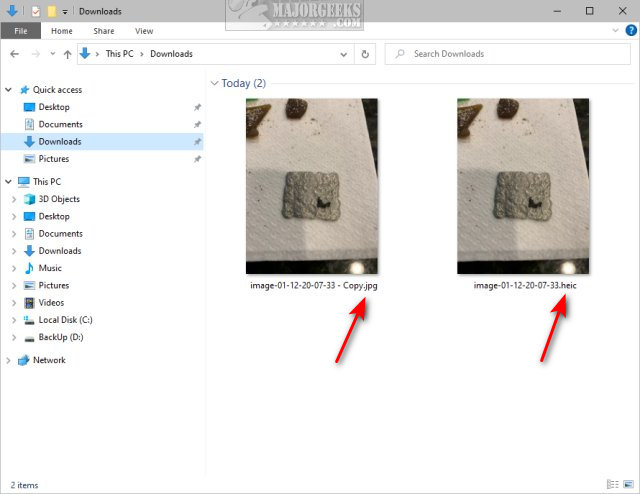
While there are a handful of apps or online tools to convert HEIC to another format, don't panic. The first thing to try is to rename the file as a JPG.
Similar:
What is a JFIF File?
comments powered by Disqus
HEIC (High Efficiency Image Container) is another image format similar to JPG or PNG. HEIC is the container that holds HEIF images or sequences of images. Apple adopted this format in 2017 with iOS 11, so there's a good chance the image came from an iPhone or iPad.
The goal of HEIC is to be half the size of JPG, but with better quality.
According to Wikipedia, HEIC and HEIF files can store the following types of data:
If you're using a graphics program older than 2017, odds are your app won't recognize the image.
Some people might want to convert a HEIC image to a better-known format (JPG, PNG) if they share it, so the receiver is familiar with it.
While there are a handful of apps or online tools to convert HEIC to another format, don't panic. The first thing to try is to rename the file as a JPG.
Similar:
comments powered by Disqus
