


How to Fix Reddit Search Not Working
By Timothy Tibbettson 07/21/2023 |
Reddit is undoubtedly a very popular website but with a mediocre search engine at best. In some cases, an error that reads "Sorry we couldn’t load search results" may appear. In this article, we look at possible fixes when the search isn't working for you, or other ways to make use of the Reddit search.
1: Use Google Instead
The best and possibly only method you need is to use Google search. Type in your search and add Reddit to the end of the search. For example, here's a search for MajorGeeks Reddit.
As mentioned, the Reddit search isn't perfect, probably due to its massive size, but you can count on Google to have everything indexed.
2: Issues With Reddits Servers
Reddit, like any website, experiences problems, and occasional downtimes. Errors including the infamous "Sorry we couldn’t load search results" are typical in this situation.
3: Clear Cookies & Temporary Files
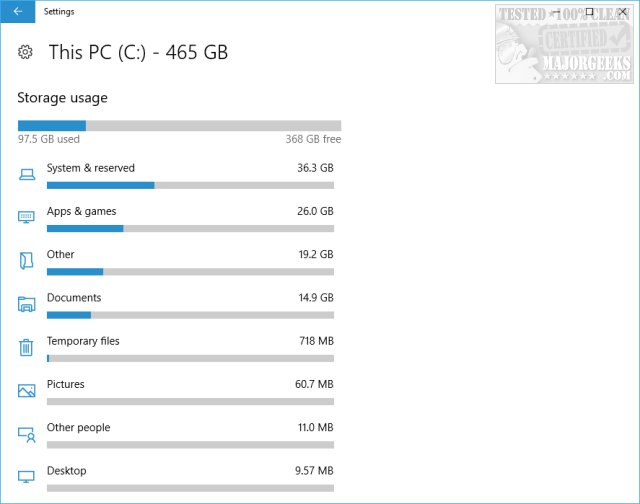
Many internet connectivity issues can be fixed by cleaning temporary files. Close your browser and open your favorite drive cleaner or use Windows 10 Storage Sense.
4: Disable Ad Blockers
While many of us use ad blocking, many websites tinker around with different ways to annoy you into turning off your ad blocker. It's worth a try, especially if you just enabled, or added a new ad blocker.
comments powered by Disqus
1: Use Google Instead
The best and possibly only method you need is to use Google search. Type in your search and add Reddit to the end of the search. For example, here's a search for MajorGeeks Reddit.
As mentioned, the Reddit search isn't perfect, probably due to its massive size, but you can count on Google to have everything indexed.
2: Issues With Reddits Servers
Reddit, like any website, experiences problems, and occasional downtimes. Errors including the infamous "Sorry we couldn’t load search results" are typical in this situation.
3: Clear Cookies & Temporary Files
Many internet connectivity issues can be fixed by cleaning temporary files. Close your browser and open your favorite drive cleaner or use Windows 10 Storage Sense.
4: Disable Ad Blockers
While many of us use ad blocking, many websites tinker around with different ways to annoy you into turning off your ad blocker. It's worth a try, especially if you just enabled, or added a new ad blocker.
comments powered by Disqus
