


How to Save and Reuse Custom Themes in Windows 11
By selma čitakovićon 10/12/2026 |
![{$insert['content_title']](/content/file/6482_image1.jpg
)
If you put a lot of effort into your custom Windows theme, you'll be happy to hear that you can save it as a preset. To be more precise, you can export it as a .theme or .deskthemepack file. This includes your choice of desktop background, accent color, mouse cursor, and sounds.
All .theme files will be saved in the %LocalAppData%\Microsoft\Windows\Themes folder by default. You'll then be able to easily access them from Settings. On the other hand, .deskthemepack files are useful as a backup. You can share them with other users as well.
Either way, here's how to keep your custom themes in Windows 11.
Via Settings
One of the easiest ways to save your created theme is directly via Settings. Let me show you how:
- Go to Settings > Personalization > Themes.
- You'll see your current theme at the top.
- Click the Save button next to it.
- Name your custom theme and click Save again.
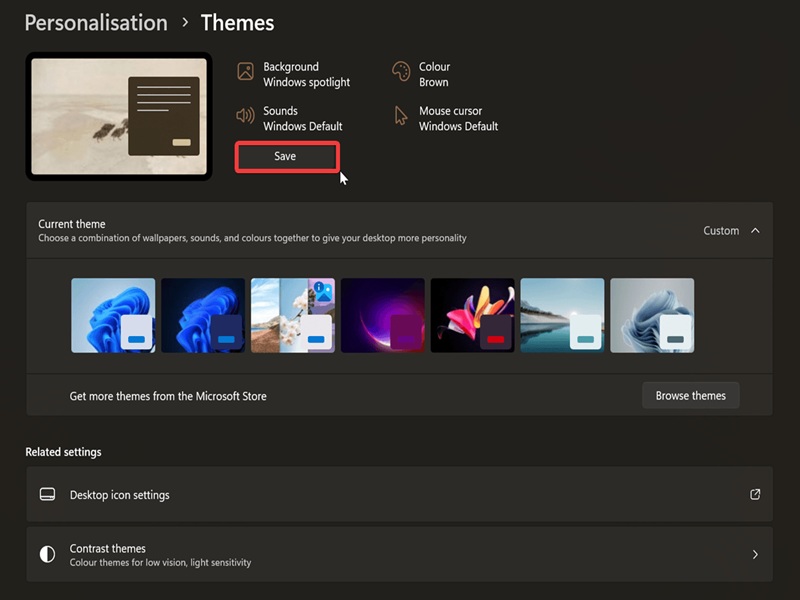
This will export it as a .theme file.
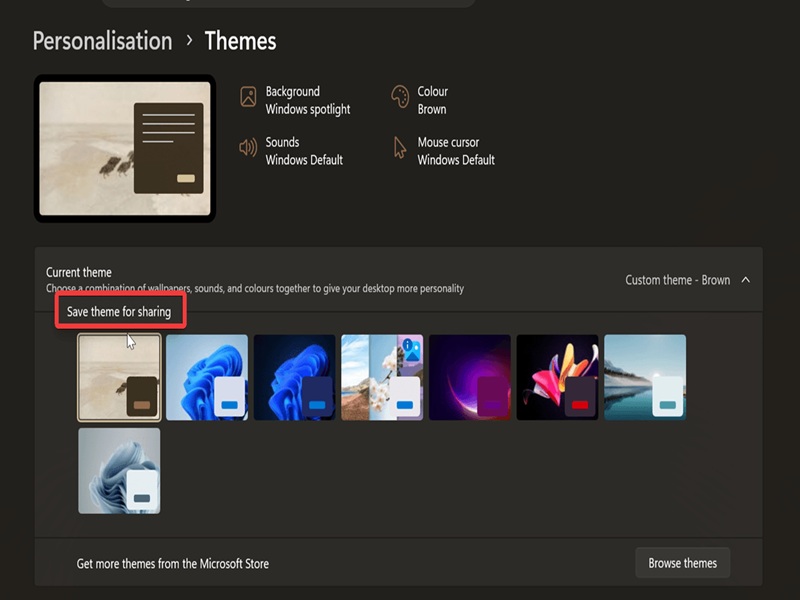
After that, you can save it as a .dekthemepack file as well. Here's how:
- Go to Settings > Personalization > Themes.
- Right-click your custom theme and select Save theme for sharing.
- In the new window, navigate to where you want to keep the file, name it, and click on Save.
Via Control Panel
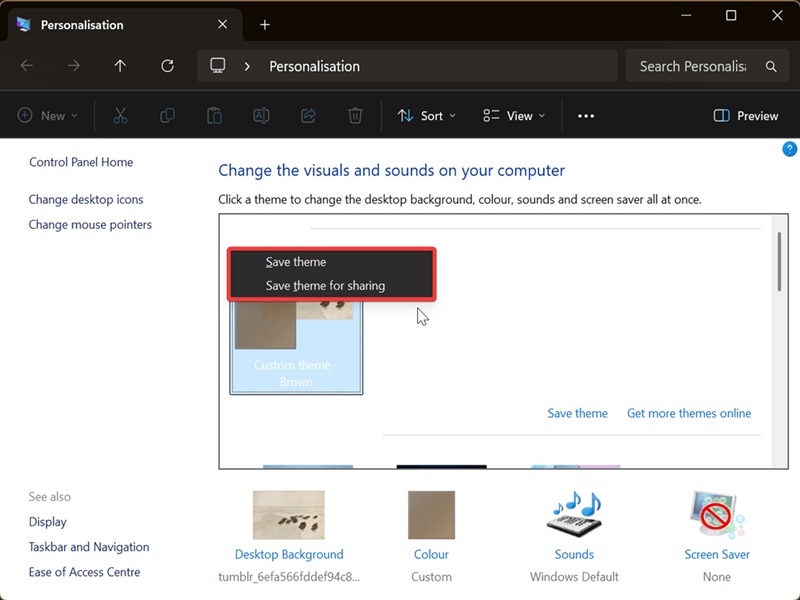
Or, if you're one of those users who are still holding onto Control Panel (I get it), you can try this method:
- Press Win + R, and copy and paste shell:::{ED834ED6-4B5A-4bfe-8F11-A626DCB6A921}. Press Enter.
- Right-click your custom theme and select Save theme or Save theme for sharing.
- Name it and click Save.
That's it!
This way, you can keep your favorite background and color combos and switch between them as you like. Feel free to check out our themes archive for even more ideas.

|
selma citakovic
Selma is a gamer, geek and gremlin hunter with a passion for cyber security and smashing Windows bugs before they bite. She’s IBM-certified, loves real freeware, despises bloatware, and powers most of her troubleshooting with an unhealthy amount of coffee. |
comments powered by Disqus
