


Microsoft is Forcing Windows PC Health Check on Windows 10
By Timothy Tibbettson 02/24/2023 |
Windows 10 previously notified you if your computer was ready for Windows 11 and optionally offered PC Health Check. Recently, Microsoft released KB5005463 as part of Windows Update that forces the installation of PC Health Check.
While you don't need to do anything, you might not want PC Health Check or upgrade to Windows 11, so you have some options. This is not a big deal because Microsoft PC Health Check does not run or waste resources unless you start the app yourself. It also does not use a lot of space. You can always download Microsoft PC Health Check manually any time you want. Our one PC that does not meet the requirements did not have PC Health Check installed.
Because of these reasons, the recommendation for most users is to leave it alone.
But, MajorGeeks readers aren't most users, so let's look at what we know.
Our Windows 10 installation in VMWare does not "meet the requirements" for Windows 11, and we do not see this update. One can assume this is a push from Microsoft to get Windows 11 installed on as many computers as possible that meet the requirements. Instead, we see a separate link to download PC Health Check.
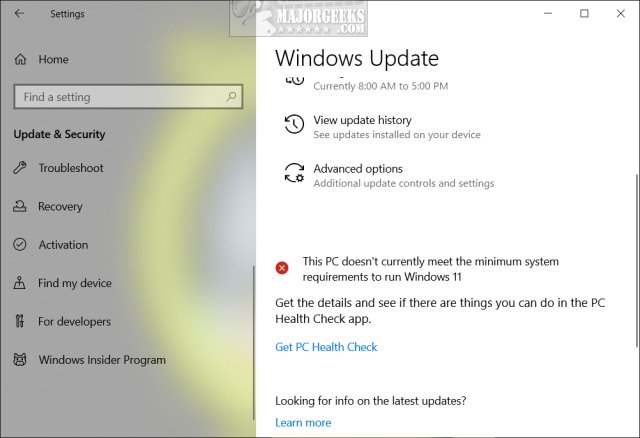
Microsoft says you can uninstall Microsoft PC Health Check in Settings, but some users report that they had to uninstall it repeatedly. Even then, it installs again the next time you check for Windows Updates.
When you uninstall PC Health Check, a DWORD PreviousUninstall is created under HKEY_LOCAL_MACHINE\SOFTWARE\Microsoft\PCHC with a Value_data of 1.
Bleeping Computer is reporting that you might be able to block the installation by creating a new DWORD (32-Bit value) under HKEY_LOCAL_MACHINE\SOFTWARE\Microsoft\PCHealthCheck with a Value data of 1 to block it from installing. However, there's no guarantee that it will work; and it could potentially cause problems.
Similar:
How to Block Windows 11 From Installing
6 Ways to See if Your Computer Has a Trusted Platform Module (TPM) Chip
How to Bypass Secure Boot and Trusted Platform Module (TPM) 2.0 Requirements and Install Windows 11
Get Microsoft Windows PC Health Check Now
This PC Can't Run Windows 11
Why Windows 10 Isn't the Last Version of Windows
comments powered by Disqus
While you don't need to do anything, you might not want PC Health Check or upgrade to Windows 11, so you have some options. This is not a big deal because Microsoft PC Health Check does not run or waste resources unless you start the app yourself. It also does not use a lot of space. You can always download Microsoft PC Health Check manually any time you want. Our one PC that does not meet the requirements did not have PC Health Check installed.
Because of these reasons, the recommendation for most users is to leave it alone.
But, MajorGeeks readers aren't most users, so let's look at what we know.
Our Windows 10 installation in VMWare does not "meet the requirements" for Windows 11, and we do not see this update. One can assume this is a push from Microsoft to get Windows 11 installed on as many computers as possible that meet the requirements. Instead, we see a separate link to download PC Health Check.
Microsoft says you can uninstall Microsoft PC Health Check in Settings, but some users report that they had to uninstall it repeatedly. Even then, it installs again the next time you check for Windows Updates.
When you uninstall PC Health Check, a DWORD PreviousUninstall is created under HKEY_LOCAL_MACHINE\SOFTWARE\Microsoft\PCHC with a Value_data of 1.
Bleeping Computer is reporting that you might be able to block the installation by creating a new DWORD (32-Bit value) under HKEY_LOCAL_MACHINE\SOFTWARE\Microsoft\PCHealthCheck with a Value data of 1 to block it from installing. However, there's no guarantee that it will work; and it could potentially cause problems.
Similar:
comments powered by Disqus
