


What Does PEBKAC Mean?
By Timothy Tibbettson 06/15/2023 |
PEBKAC is a term you might have heard but might wish you hadn't unless your a computer technician or in the IT field.
PEBKAC is an acronym for Problem Exists Between Keyboard and Chair.
PEBKAC is often used to refer to an error directed at the person who caused the problem. IT departments or computer technicians might use it.
It's not the easiest to say, and it certainly doesn't roll off the tongue. Other related derogatory terms include identity error or ID-10T/1D-10T error (idiot error), PICNIC (problem in chair, not in computer), Luser (loser) and IBM error (idiot behind machine error).
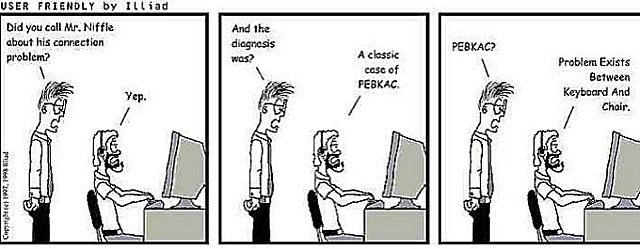
PEBKAC reminds me of my favorite "there's a nut loose behind the keyboard." While there's no acronym used for this, it's still my personal favorite when repairing a friend's computer.
I found the problem.
What is it?
There's a nut loose behind the keyboard!
PEBKAC is believed to be used as early as the 1970s by IBM technicians.
Similar:
What Does SGTM Mean?
What Does YOLO Mean?
What Does ISWYDT or ICWYDT Mean?
What Does Bae Mean?
What Does SMTH Mean?
comments powered by Disqus
PEBKAC is an acronym for Problem Exists Between Keyboard and Chair.
PEBKAC is often used to refer to an error directed at the person who caused the problem. IT departments or computer technicians might use it.
It's not the easiest to say, and it certainly doesn't roll off the tongue. Other related derogatory terms include identity error or ID-10T/1D-10T error (idiot error), PICNIC (problem in chair, not in computer), Luser (loser) and IBM error (idiot behind machine error).
PEBKAC reminds me of my favorite "there's a nut loose behind the keyboard." While there's no acronym used for this, it's still my personal favorite when repairing a friend's computer.
I found the problem.
What is it?
There's a nut loose behind the keyboard!
PEBKAC is believed to be used as early as the 1970s by IBM technicians.
Similar:
comments powered by Disqus
