


The Differences Between the Program Files Folder and Program Files (x86) Folders
By Timothy Tibbettson 12/16/2022 |
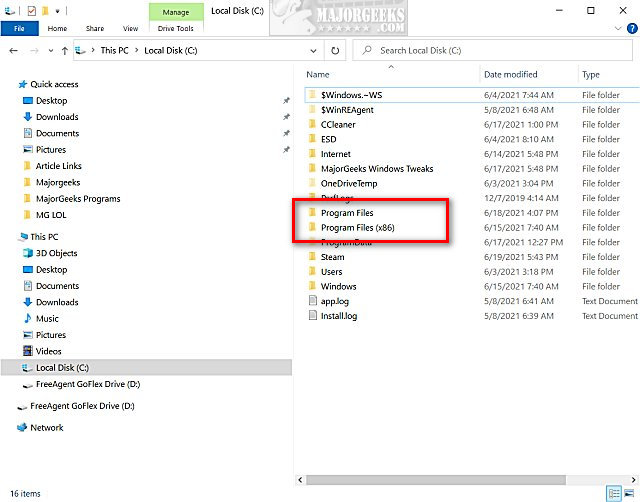
Anyone who has used Windows for years knows there are two Program Files folders; Program Files and Program Files (x86). In this tutorial, we explain the difference between the two folders.
Program Files is used for 64-Bit applications, and Program Files (x86) is used for 32-Bit applications. Thus, 64-Bit programs are sometimes referred to as x64, while 32-Bit programs are sometimes referred to as x86. Had Microsoft decided to call Program Files Program Files (x64), the differences might be more obvious.
 folders.jpg)
If you have a 32-Bit version of Windows, you will notice that you only have the Program Files folder. This is because early versions of Windows were 16-Bit based on the Intel 8086 chip and updated to 32-Bit. Future chipsets, including the 286, 386, 486, and 586, used a 64-Bit architecture, causing Microsoft to find a way to separate and allow both 32 and 64-Bit applications to run on Windows.
A 32-bit application will run on a 64-bit operating system, whereas a 64-bit application will not run on a 32-bit operating system.
The most obvious difference is that 32-bit applications support up to 4GB of RAM, and a 64-bit operating system can support over 4GB. Eventually, we will see the end of 32-bit operating systems and applications as computers have become faster and come with more RAM.
If you have a 64-bit operating system, then you want to use the 64-bit version of any application, if available.
Similar:
The Differences Between 32-Bit and 64-Bit Applications.
How to Find Out if Your Operating System Is 32-Bit or 64-Bit
comments powered by Disqus
Program Files is used for 64-Bit applications, and Program Files (x86) is used for 32-Bit applications. Thus, 64-Bit programs are sometimes referred to as x64, while 32-Bit programs are sometimes referred to as x86. Had Microsoft decided to call Program Files Program Files (x64), the differences might be more obvious.
If you have a 32-Bit version of Windows, you will notice that you only have the Program Files folder. This is because early versions of Windows were 16-Bit based on the Intel 8086 chip and updated to 32-Bit. Future chipsets, including the 286, 386, 486, and 586, used a 64-Bit architecture, causing Microsoft to find a way to separate and allow both 32 and 64-Bit applications to run on Windows.
A 32-bit application will run on a 64-bit operating system, whereas a 64-bit application will not run on a 32-bit operating system.
The most obvious difference is that 32-bit applications support up to 4GB of RAM, and a 64-bit operating system can support over 4GB. Eventually, we will see the end of 32-bit operating systems and applications as computers have become faster and come with more RAM.
If you have a 64-bit operating system, then you want to use the 64-bit version of any application, if available.
Similar:
comments powered by Disqus
