


Remap Your Keyboard's Copilot Key Without Third-Party Apps
By selma čitakovićon 10/18/2026 |
![{$insert['content_title']](/content/file/6499_image2.jpg
)
Unwilling Copilot key-havers, rejoice: you can now finally customize what it does without having to jump through numerous hoops and use third-party apps. Previously, I've covered how to remap it using PowerToys. It still works, but it relies on PowerToys running in the background all the time, which is a bit annoying.
But with the October 2026 update (KB5127648), you can now go to Settings and configure it to work like the right Ctrl key or the context menu (right-click menu). So, if you've been missing your right Control key (I know I have), you can now easily restore it.
Before the update, the options were more limited. You could use it to open an MSIX-packaged and signed app, Windows Search, or Copilot, of course.
Still, the one advantage of using a third-party app like PowerToys is that you can remap the key to a wider range of shortcuts and key combos. But if you just want your right Control key back (or an extra context menu key), this is the best solution for you.
Here's how to use it.
Via Settings
First, download and install the latest cumulative update for Windows 11. Go to Settings > Windows Update, and look for the 2026-10 Security Update (KB5127648). You can also check your Update history and see if you've already automatically installed it.
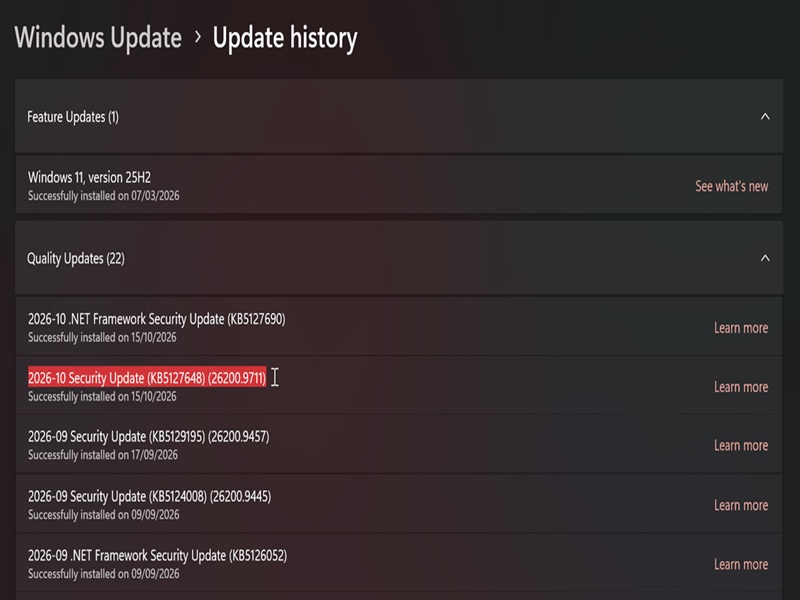
Once you've confirmed it's been installed, do the following:
- Go to Settings > Bluetooth & devices > Keyboard.
- Under Shortcuts and hotkeys, you'll see Customize Copilot key on keyboard.
- Select the option you want: Context menu, Right control, Search, or Open an app.
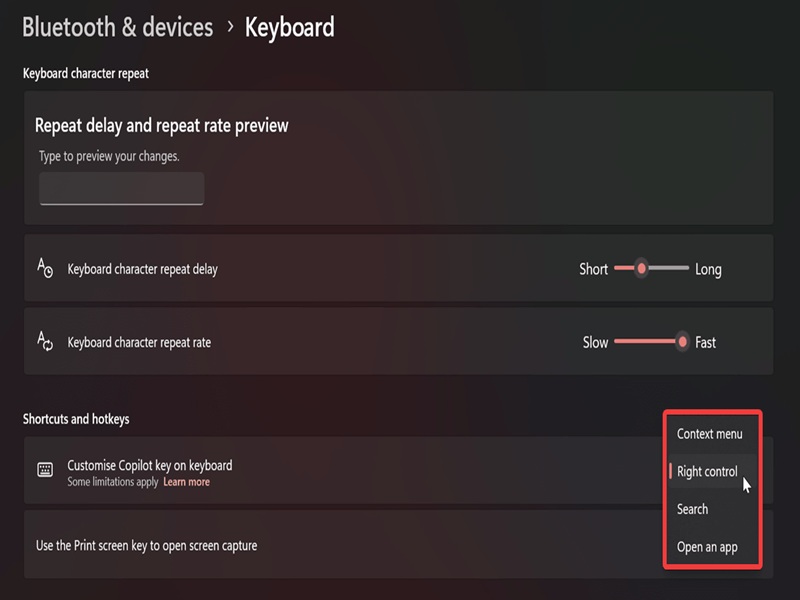
However, if you remap it to right Ctrl, you should know that certain key combos like RCtrl+Win and RCtrl+Shift won't work. You should use left Ctrl for those.
Lastly, here's a reminder that if you want to remap the Copilot key to another key or shortcut, PowerToys is your friend.

|
selma citakovic
Selma is a gamer, geek and gremlin hunter with a passion for cyber security and smashing Windows bugs before they bite. She’s IBM-certified, loves real freeware, despises bloatware, and powers most of her troubleshooting with an unhealthy amount of coffee. |
comments powered by Disqus
