


Auslogics Disk Defrag 12.3.0.1
|
Author:
AusLogics, Inc
Date: 08/03/26 Size: 24 MB License: Ad-Supported / Freemium Requires: 11|10|8|7 Downloads: 632152 times  TIP:
Click Here to Repair or
TIP:
Click Here to Repair orRestore Missing Windows Files |
 Download (EXE) Download@MajorGeeks Download@MajorGeeks
|
MajorGeeks: Setting the standard for editor-tested, trusted, and secure downloads since 2002. |
 Avast Free Antivirus Worried about finance scams?
Get free antivirus with AI-powered online scam detection Download Free!
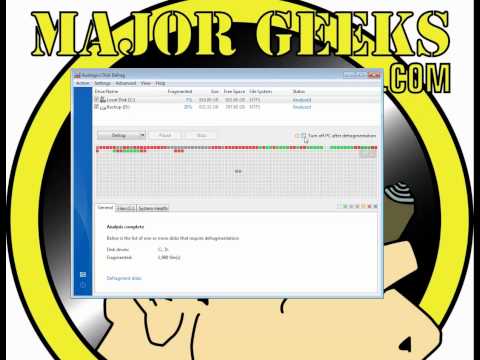
Auslogics Disk Defrag is designed specifically for fast optimizing today's modern hard disks.
Disk fragmentation leads to system slowdowns, PC crashes, slow startup and shutdowns, and sometimes to system failures.
Hard disks are by far the slowest component of your computer. Therefore fragmented disks often become a bottleneck of the system performance. Besides causing slowdowns, fragmentation makes the hard drive disk heads frequently move when reading files, leading to freeze-ups and system crashes. It is important to keep your disks defragmented and optimized as much as possible.
Auslogics Disk Defrag Features:
● Improve computer performance and stability
● Increase your productivity - no more waiting for files to open
● Defragment disks in only a few minutes
● Useful disk fragmentation map and detailed fragmentation report
Similar:
● How to Defragment Your Hard Drive
● Best Drive Cleaner? CCleaner VS Wise Disk Cleaner VS PrivaZer
Disk fragmentation leads to system slowdowns, PC crashes, slow startup and shutdowns, and sometimes to system failures.
Hard disks are by far the slowest component of your computer. Therefore fragmented disks often become a bottleneck of the system performance. Besides causing slowdowns, fragmentation makes the hard drive disk heads frequently move when reading files, leading to freeze-ups and system crashes. It is important to keep your disks defragmented and optimized as much as possible.
Auslogics Disk Defrag Features:
● Improve computer performance and stability
● Increase your productivity - no more waiting for files to open
● Defragment disks in only a few minutes
● Useful disk fragmentation map and detailed fragmentation report
▶
Similar:
● How to Defragment Your Hard Drive
● Best Drive Cleaner? CCleaner VS Wise Disk Cleaner VS PrivaZer
Version History for Auslogics Disk Defrag:
https://www.auslogics.com/en/software/disk-defrag/popup/history/
Limitations:
The free version includes nag-screens and offers other Auslogics apps during install as well as in-app. For $99.95 you can upgrade to the pro version which additionally includes Special Algorithms for SSD, Disk Cleanup before Defrag, Wipe Free Space on Drives, and Schedule Automatic Defrags.
 Screenshot for Auslogics Disk Defrag
Top Downloads In Defragmentors and TRIM
 Smart Defrag 11.4.0.508 [ 2026-06-14 02:49:16 | 16 MB | Freeware | 11|10|8|7|Vista|XP | 5 ] Auslogics Disk Defrag 12.3.0.1 [ 2026-08-03 10:21:56 | 24 MB | Ad-Supported / Freemium | 11|10|8|7 | 5 ] Defraggler 2.22.33 [ 2018-05-22 07:04:55 | 8 MB | Ad-Supported / Freemium | 11|10|8|7 | 5 ] MyDefrag (formerly JkDefrag) 4.3.1 [ 2010-05-21 09:10:31 | 1.98 MB | Freeware | Win 10 / 8 / 7 / Vista / XP | 5 ] Smart Defrag RC 6.0.0.88 [ 2018-05-10 07:13:04 | 11.9 MB | Ad-Supported | 11|10|8|7|Vista|XP | 5 ]
 Tactical Briefings
Comment Rules & Etiquette - We welcome all comments from our readers, but any comment section requires some moderation. Some posts are auto-moderated to reduce spam, including links and swear words. When you make a post, and it does not appear, it went into moderation. We are emailed when posts are marked as spam and respond ASAP. Some posts might be deleted to reduce clutter. Examples include religion, politics, and comments about listing errors (after we fix the problem and upvote your comment). Finally, be nice. Thank you for choosing MajorGeeks.

© 2000-2026 MajorGeeks.com
Powered by Contentteller® CMS System