


K-Lite Mega Codec Pack
20.0.0 Final 
|
Author:
Codec Guide
Date: 09/17/26 Size: 66 MB License: Freeware Requires: 11|10|8|7 Downloads: 5771053 times  TIP:
Click Here to Repair or
TIP:
Click Here to Repair orRestore Missing Windows Files |
 Download@MajorGeeks Download@MajorGeeks
|
MajorGeeks: Setting the standard for editor-tested, trusted, and secure downloads since 2002. |
 Avast Free Antivirus Worried about finance scams?
Get free antivirus with AI-powered online scam detection Download Free!
K-Lite Mega Codec Pack: The All-in-One Solution for Media Playback Bliss
Meet the K-Lite Mega Codec Pack, your ultimate sidekick for ensuring your computer plays *any* video or audio file you throw at it. This carefully crafted codec collection eliminates those annoying ""file not supported"" messages, transforming your PC into the ultimate media hub. Whether you're a casual binge-watcher, a nostalgic Blu-ray collector, or an aspiring video editor, this package has your back.
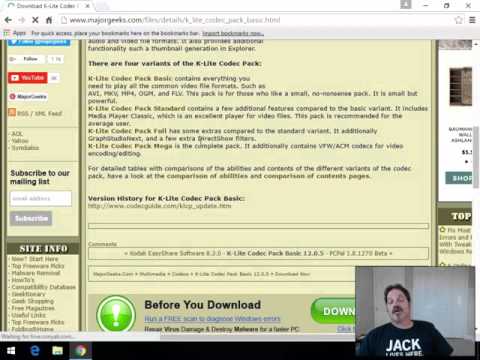
K-Lite Codec Pack is a free collection of components needed for audio and video playback in DirectShow players such as Windows Media Player, Media Center, and Media Player Classic. Basic, Standard, Full, Mega as well as the latest update.
▶
Designed for ease of use, K-Lite Mega Codec Pack bundles all the necessary components to ensure flawless playback without needing to hunt for codecs from questionable sources or decipher cryptic errors. But it doesn’t stop at solving playback woes—it packs plenty of extras for power users who want to tweak, encode, and explore advanced media functionality.
Key Features That Make K-Lite Mega Codec Pack a Must-Have
● Wide Format Support: From common formats like MP4, AVI, and MKV to lesser-known file types, this codec pack ensures no format gets left behind.
● Media Player Classic (MPC-HC): Play your files using the included lightweight yet powerful Media Player Classic, a fan-favorite player with superior performance for HD content.
● Enhanced HDR Playback: Watching HDR videos? K-Lite optimizes playback with included renderers like MPC Video Renderer and MadVR to provide vibrant colors and improved brightness—whether you’re watching on an HDR-capable TV or a regular monitor.
● Blu-ray Playback Made Simple: Enjoy Blu-ray discs without the fuss. While it skips menus, it automatically finds the longest title (usually the main movie) for a hassle-free experience.
● 3D Video Compatibility: Own a collection of 3D movies? This pack includes tools to decode H.264 MVC 3D video, letting you immerse yourself in your favorite flicks with the right hardware and settings.
● Explorer Thumbnails: Take organization to the next level with thumbnail previews for video files right in File Explorer. Categorizing files becomes quicker and more intuitive.
● ACM/VFW Codecs: Exclusive to this Mega variant, these are perfect for older video editing software like VirtualDub, providing advanced encoding and re-encoding capabilities.
● Ultra-Customizable: With flexible installation options, you control what’s added. Select just the codecs and tools you need or go all-in for the mega experience.
Why Should You Care?
Let’s be real—media playback can feel like a nightmare when you're missing codecs. Instead of googling and downloading several tools that may or may not work, why not simplify? Install the K-Lite Mega Codec Pack and gain access to decades’ worth of codec wizardry that just *works*.
It’s great for gamers, developers, and editors, too. Game engines or editing workflows clinging to legacy codecs? K-Lite’s Mega version includes rarities such as ACM/VFW codecs to ensure compatibility even with outdated systems.
Pro Tips for Smoothest Playback
Variants to Suit Every User
K-Lite doesn’t tie you down to one-size-fits-all. Choose among four options, all tailored for specific needs:
● Basic: Ideal for minimalists—play common formats without frills.
● Standard: Adds Media Player Classic and a few extra tools for everyday use.
● Full: Packed with advanced filters and GraphStudioNext for detailed tweaking.
● Mega (this one): Everything from the Full version plus ACM/VFW codecs and additional goodies for advanced encoding. Perfect for media nerds (ahem, experts).
Stay Regularly Updated
The developers of K-Lite Codec Pack spoil us. With regular updates, you’re always equipped with the latest codecs, filters, and tools. If a format changes or a new improvement emerges, your playback capabilities will stay ahead of the curve.
Geek Verdict: An Instant Media Game Changer
K-Lite Mega Codec Pack earns its spot as a PC media essential. It doesn’t just solve one-off format issues—it completely overhauls your computer’s playback capabilities, making it ready to handle *almost anything.* Casual users will love its ease of use and reliable playback, while tech enthusiasts can lose themselves in advanced settings and customization options.
Why waste time fiddling with trial-and-error codec hunts when K-Lite Mega Codec Pack is free, comprehensive, and continually updated? It’s a must-download for anyone who puts their PC to work for music, movies, editing, or beyond.
Bottom Line: Rid your PC of media headaches and install K-Lite Mega Codec Pack today—you’ll wonder how you ever lived without it!
For detailed tables with comparisons of the abilities and contents of the different variants of the codec pack, have a look at the comparison of abilities and comparison of contents pages.
Similar
● Format Factory : One-stop shop for all things media conversion.
● VLC Media Player: Doesn’t just stop at basic playback—it’s loaded with features that make it stand out.
Version History for K-Lite Mega Codec Pack:
https://codecguide.com/changelogs_mega.htm
Top Downloads In Codecs
 ADVANCED Codecs 16.5.0 [ 2022-10-24 07:56:41 | 56 MB | Freeware | 11|10|8|7 | 5 ] K-Lite Codec Pack Update 19.9.9 Build 2026-09-12 [ 2026-09-13 15:18:22 | 24 MB | Freeware | 11|10|8|7 | 5 ] K-Lite Mega Codec Pack 20.0.0 Final [ 2026-09-17 16:05:11 | 66 MB | Freeware | 11|10|8|7 | 5 ] K-Lite Codec Pack Full 20.0.0 Final [ 2026-09-17 16:05:08 | 55 MB | Freeware | 11|10|8|7 | 5 ] STANDARD Codecs 12.9.0 [ 2022-10-24 07:56:26 | 42 MB | Freeware | 11|10|8|7 | 5 ]
 Tactical Briefings
Comment Rules & Etiquette - We welcome all comments from our readers, but any comment section requires some moderation. Some posts are auto-moderated to reduce spam, including links and swear words. When you make a post, and it does not appear, it went into moderation. We are emailed when posts are marked as spam and respond ASAP. Some posts might be deleted to reduce clutter. Examples include religion, politics, and comments about listing errors (after we fix the problem and upvote your comment). Finally, be nice. Thank you for choosing MajorGeeks.

© 2000-2026 MajorGeeks.com
Powered by Contentteller® CMS System