


PeaZip 11.3.0
|
Author:
PeaZip
Date: 09/26/26 Size: 10-18 MB License: Open Source Requires: 11|10|8|7|Linux|macOS Downloads: 319192 times  TIP:
Click Here to Repair or
TIP:
Click Here to Repair orRestore Missing Windows Files |
Download (32-Bit) Download (64-Bit) Download (32-Bit Portable) Download (64-Bit Portable) Download (Linux Tarball) Download (Mac Intel) Download (Mac Apple Silicon)
|
MajorGeeks: Setting the standard for editor-tested, trusted, and secure downloads since 2002. |
 Avast Free Antivirus Worried about finance scams?
Get free antivirus with AI-powered online scam detection Download Free!
PeaZip is an Open Source file manager or file archiver that can open all popular compression types (over 200), including ZIP, ZIPX, RAR, 7Z, DMG, ACE, CAB, TAR, and ISO.
PeaZip has an excellent-looking user interface making it easy to use but also features Drag&Drop for both extraction and archiving and can be integrated into your Windows context menu (right-click menu).
PeaZip is secure and supports encryption, two-factor authentication, an encrypted password manager, and secure delete functions for your online and offline data privacy.
But that's not all. You can also use it as a file manager to find duplicates, verify hashes, split and merge files, and many other features to manage your files. You can now also open/extract the new RAR5 format, full support for Unicode filenames, quick search, and new themes to customize the application's look & feel.
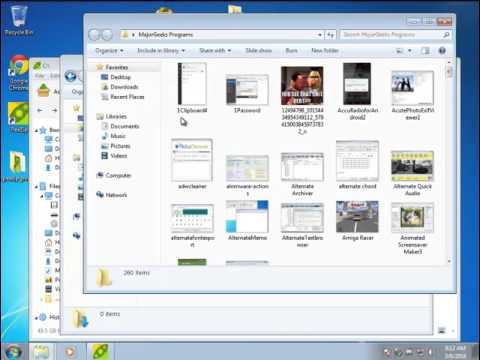
PeaZip has been around for many years and has earned a solid reputation as one of the best tools in this category.
Similar:
● How to Open and Use a Cab File in Windows
● Extract, Expand or Create CAB Files With the Command-Line
● What Is a RAR File and How to Open Them
● What is LZMA Compression?
PeaZip has an excellent-looking user interface making it easy to use but also features Drag&Drop for both extraction and archiving and can be integrated into your Windows context menu (right-click menu).
PeaZip is secure and supports encryption, two-factor authentication, an encrypted password manager, and secure delete functions for your online and offline data privacy.
But that's not all. You can also use it as a file manager to find duplicates, verify hashes, split and merge files, and many other features to manage your files. You can now also open/extract the new RAR5 format, full support for Unicode filenames, quick search, and new themes to customize the application's look & feel.
▶
PeaZip has been around for many years and has earned a solid reputation as one of the best tools in this category.
Similar:
● How to Open and Use a Cab File in Windows
● Extract, Expand or Create CAB Files With the Command-Line
● What Is a RAR File and How to Open Them
● What is LZMA Compression?
Version History for PeaZip:
Verison 11.+ is a big change. This build has an improved archive browsing speed, especially with large files, and cut loading time dramatically for huge archives with tens of thousands of items. The file manager has also been cleaned up with better bookmarks, improved drag and drop, batch archive testing with CRC results, sharper scaling, and a refreshed password manager that now shows password strength. Small stuff matters too, and PeaZip fixed a bunch of little annoyances, including icon inconsistencies, breadcrumb refresh issues, and password prompts for encrypted ARC files.
https://peazip.github.io/changelog.html
 Screenshot for PeaZip
Top Downloads In Compression (ZIP, RAR)
 7-Zip 26.03 [ 2026-09-04 08:33:20 | 3 MB | Open Source | 11|10|8|7 | 5 ] WinRAR 7.30 Beta 1 / 7.23 [ 2026-09-10 09:25:50 | 4 MB | Shareware $29.00+ | 11|10|8|7|Android|Linux|macOS | 5 ] PeaZip 11.3.0 [ 2026-09-26 07:11:35 | 10-18 MB | Open Source | 11|10|8|7|Linux|macOS | 5 ] Bandizip 8.0 Beta 42 / 7.46 [ 2026-09-19 12:27:06 | 17 MB | Ad-Supported / Freemium | 11|10|8|7|macOS | 5 ] 7-Zip ZS 26.02 - v1.5.7 - Release 2 [ 2026-07-09 10:29:05 | 4 MB | Open Source | 11|10|8|7 | 5 ]
 Tactical Briefings
Comment Rules & Etiquette - We welcome all comments from our readers, but any comment section requires some moderation. Some posts are auto-moderated to reduce spam, including links and swear words. When you make a post, and it does not appear, it went into moderation. We are emailed when posts are marked as spam and respond ASAP. Some posts might be deleted to reduce clutter. Examples include religion, politics, and comments about listing errors (after we fix the problem and upvote your comment). Finally, be nice. Thank you for choosing MajorGeeks.

© 2000-2026 MajorGeeks.com
Powered by Contentteller® CMS System