


Windows Repair Toolbox 3.0.4.8
|
Author:
Windows Repair Toolbox
Date: 09/29/25 Size: 7 MB License: Freeware Requires: 11|10|8|7 Downloads: 144847 times  TIP:
Click Here to Repair or
TIP:
Click Here to Repair orRestore Missing Windows Files |
 Download@MajorGeeks Download@MajorGeeks
|
MajorGeeks: Setting the standard for editor-tested, trusted, and secure downloads since 2002. |
 Avast Free Antivirus Worried about finance scams?
Get free antivirus with AI-powered online scam detection Download Free!
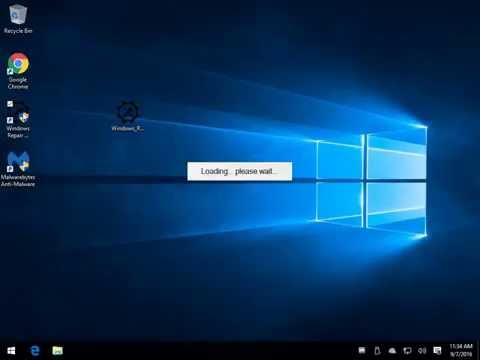
Windows Repair Toolbox includes most third-party applications and utilities you might need to repair any Windows problems in one small application. Video tutorial available.
It's broken down into categories for Tools, Malware Removal, Tests, Notes, and Settings. When required, the program will download what it needs and optionally run many unattended mode tools.
Of course, you can download any of these tools individually or another similar ISO-based third-party program, but those are only as good as their updates. Since these downloads come directly from the homepage, you always have the latest version and only what you need.
Another considerable advantage any tech will appreciate is the links to Windows utilities, including chkdsk, MSConfig, Regedit, and much more. Sometimes you get stuck on a repair job, and seeing one of these tools might jog your memory.
If there is one complaint, there are some tools I would add and some tools I would remove, but that's mostly a personal choice, so I see no problem getting the job done with most issues with the tools he has chosen. Of course, he knows you can't please everyone, so he even uses the tagline "(Almost) everything you need to repair Windows problems in one small handy tool."
Similar:
● Fix Most Windows Errors With Windows Repair
● How to Enable and Use Diagnostic Data Viewer in Windows 10 & 11
● Windows 10 Problems You Can Fix Yourself With Included Troubleshooters
It's broken down into categories for Tools, Malware Removal, Tests, Notes, and Settings. When required, the program will download what it needs and optionally run many unattended mode tools.
Of course, you can download any of these tools individually or another similar ISO-based third-party program, but those are only as good as their updates. Since these downloads come directly from the homepage, you always have the latest version and only what you need.
Another considerable advantage any tech will appreciate is the links to Windows utilities, including chkdsk, MSConfig, Regedit, and much more. Sometimes you get stuck on a repair job, and seeing one of these tools might jog your memory.
If there is one complaint, there are some tools I would add and some tools I would remove, but that's mostly a personal choice, so I see no problem getting the job done with most issues with the tools he has chosen. Of course, he knows you can't please everyone, so he even uses the tagline "(Almost) everything you need to repair Windows problems in one small handy tool."
▶
Similar:
● Fix Most Windows Errors With Windows Repair
● How to Enable and Use Diagnostic Data Viewer in Windows 10 & 11
● Windows 10 Problems You Can Fix Yourself With Included Troubleshooters
Version History for Windows Repair Toolbox:
https://windows-repair-toolbox.com/changelog.txt
 Screenshot for Windows Repair Toolbox
Top Downloads In Diagnostics
 Tweaking.com - Windows Repair 4.14.0 [ 2023-06-01 07:05:57 | 55 MB | Freeware | 11|10|8|7|Vista|XP | 5 ] Sergei Strelec's WinPE 2026.04.14 [ 2026-04-14 09:54:06 | 4.9 GB | Freeware | Windows Any | 5 ] Tweaking.com - Windows Repair Portable 4.14.0 [ 2023-06-01 07:08:20 | 56 MB | Freeware | 11|10|8|7|Vista|XP | 5 ] Ultimate Boot CD (UBCD) 5.3.9 [ 2020-08-18 08:25:30 | 803.4 MB | Freeware | Windows Any | 5 ] Microsoft Sysinternals Suite 15.10.2026 [ 2026-10-15 09:54:18 | 193 MB | Freeware | 11|10|8|7 | 5 ]
 Tactical Briefings
Comment Rules & Etiquette - We welcome all comments from our readers, but any comment section requires some moderation. Some posts are auto-moderated to reduce spam, including links and swear words. When you make a post, and it does not appear, it went into moderation. We are emailed when posts are marked as spam and respond ASAP. Some posts might be deleted to reduce clutter. Examples include religion, politics, and comments about listing errors (after we fix the problem and upvote your comment). Finally, be nice. Thank you for choosing MajorGeeks.

© 2000-2026 MajorGeeks.com
Powered by Contentteller® CMS System