


The Ultimate List of Every Known File Explorer Keyboard Shortcut
By Timothy Tibbettson 07/21/2023 |
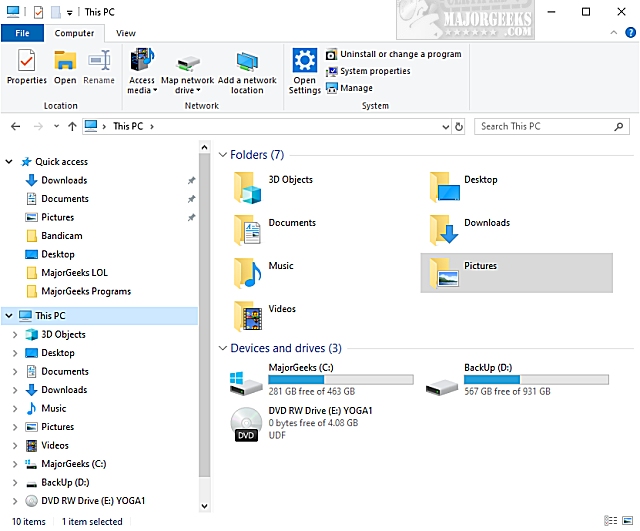
Computer geeks love our keyboard shortcuts. To most of us, they are time-saving second nature habits we've acquired over time. In this article, we look at all of the known shortcuts for File Explorer to get you started, or just as a refresher. Many of these commands also work for Windows Explorer before becoming File Explorer on Windows 10.
Alt + D - Select the address bar
Alt + P - Display the preview pane
Alt + Fn4 - Close application
Alt + Enter - Open the Properties dialog box for the selected item
Alt + Left arrow - View the previous folder
Alt + Right arrow - View the next folder
Alt + Up arrow - View the folder that the folder was in
Ctrl + D - Delete File / Folder
Ctrl + E - Select the search box
Ctrl + F - Select the search box
Ctrl + N - Open a new window
Ctrl + W - Close the current window
Ctrl+ Fn4 - Close Window
Ctrl + Alt + Number from 1 to 8 - Switch between folder views
Ctrl + Shift + E - Display all folders above the selected folder
Ctrl + Shift + N - Create a new folder
Ctrl + mouse scroll wheel - Change the size and appearance of file and folder icons
Num Lock + asterisk - Display all subfolders under the selected folder
Num Lock + minus - Collapse the selected folder
Num Lock + plus - Display the contents of the selected folder
Backspace - View the previous folder
Left arrow - Collapse the current selection if expanded
Right arrow - Display the current selection if collapsed
End - Display the bottom of the active window
ESC - Undo or ignore the last command
Home - Display the top of the active window
F2 - Rename File / Folder
F11 - Maximize or minimize the active window
Did we miss one? Let us know in the comments below!
Similar:
The Ultimate List of Every Known File Explorer Keyboard Shortcut
Here Are All the Copy, Paste, General, File Explorer and Windows Logo Keyboard Shortcuts Available in Windows
Disable Quick Access, Recent Files, Favorite Folders, and Other File Explorer Tips
File Explorer or Windows Explorer Crashes or Freezes
File Explorer Cannot Connect to Other Devices on the Local Network
7 Ways to Show, Hide, or Diagnose the 'Show Ribbon Option' in Windows 10 File Explorer
How to Fix Missing DVD/CD Drives in Windows File Explorer
comments powered by Disqus
Alt + D - Select the address bar
Alt + P - Display the preview pane
Alt + Fn4 - Close application
Alt + Enter - Open the Properties dialog box for the selected item
Alt + Left arrow - View the previous folder
Alt + Right arrow - View the next folder
Alt + Up arrow - View the folder that the folder was in
Ctrl + D - Delete File / Folder
Ctrl + E - Select the search box
Ctrl + F - Select the search box
Ctrl + N - Open a new window
Ctrl + W - Close the current window
Ctrl+ Fn4 - Close Window
Ctrl + Alt + Number from 1 to 8 - Switch between folder views
Ctrl + Shift + E - Display all folders above the selected folder
Ctrl + Shift + N - Create a new folder
Ctrl + mouse scroll wheel - Change the size and appearance of file and folder icons
Num Lock + asterisk - Display all subfolders under the selected folder
Num Lock + minus - Collapse the selected folder
Num Lock + plus - Display the contents of the selected folder
Backspace - View the previous folder
Left arrow - Collapse the current selection if expanded
Right arrow - Display the current selection if collapsed
End - Display the bottom of the active window
ESC - Undo or ignore the last command
Home - Display the top of the active window
F2 - Rename File / Folder
F11 - Maximize or minimize the active window
Did we miss one? Let us know in the comments below!
Similar:
comments powered by Disqus
