


The Advantages of PDF Behind a Smarter Document Management Tool
By Jim McMahonon 09/19/2026 |
Key Takeaways
Key takeaways: - PDF files provide a consistent layout across different devices and systems, preventing formatting shifts when sharing.
- Built-in advantages like security features, smaller file sizes, and digital signatures make PDFs ideal for official records.
- Handling everyday tasks like translation or compression becomes easier when using unified platforms such as PDFFly.
When I open almost any contract, resume, or user manual, there is a good chance it is a PDF. The format has outlasted dozens of rivals since the 1990s, and I still consider it the default choice for anything that needs to look the same on every screen and every device, for as long as the file exists.
That reliability is also why a growing number of document management tools are now built entirely around PDF, turning the format's built-in strengths into features anyone can use without technical know-how.
What Are PDF Files?
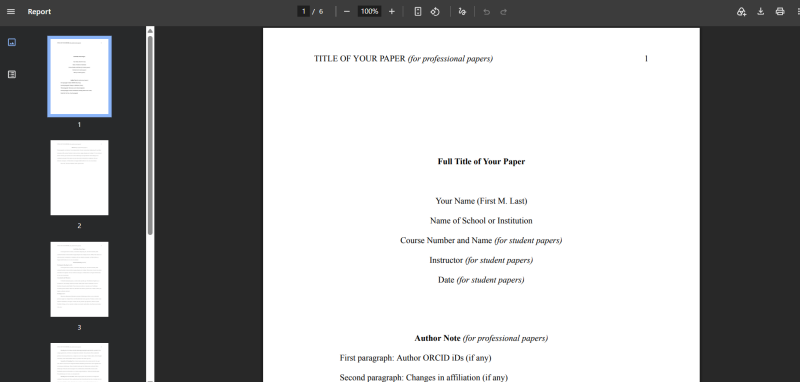
A PDF, short for Portable Document Format, is a file type Adobe built in 1993 to solve one specific problem: documents looked different depending on the software, printer, or operating system used to open them. A PDF locks in fonts, images, and layout, so the file looks identical across devices, whether it is opened on a laptop, tablet, or phone.
Simply stated, it is a snapshot of a document that does not shift when the device changes. Word processors reflow text and swap fonts depending on what is installed. A PDF does not. Open the same file on ten different computers, and it looks the same on all ten. If you want to learn how to generate your own files properly, check out how to create a PDF.
What Are PDF Files Used For?
PDFs show up anywhere a document needs to stay fixed and shareable. Businesses use them for invoices, contracts, and reports that cannot shift after signing. Job seekers use them for resumes, since a PDF will not reformat itself in a stranger's word processor. Publishers use them for ebooks and manuals that need to look right on any screen.
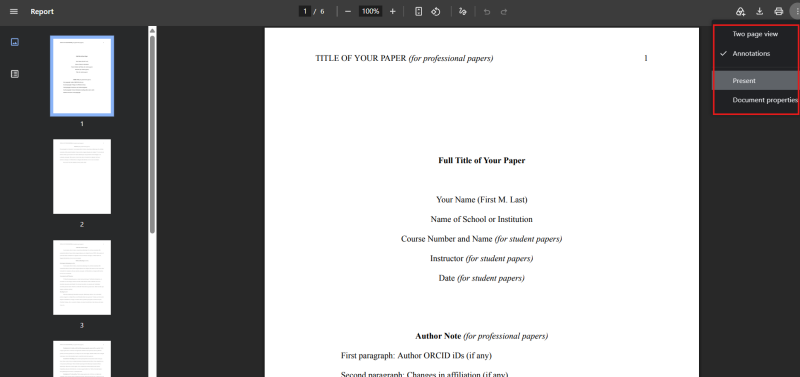
Schools and government agencies rely on PDFs for forms, because the file can be filled out, signed, and returned without altering its original structure. Anyone who has downloaded a manual, signed a lease, or filed paperwork online has already relied on exactly this without thinking twice. If your browser keeps opening these files incorrectly, you can fix it by learning how to stop Microsoft Edge from opening PDF and HTML files.
Legal teams archive court filings as PDFs because the format resists changes once a document is finalized. Libraries and universities distribute research papers the same way, since a PDF prints and reads identically no matter which country downloads it.
Key Advantages of PDF
PDF holds its ground for a few clear reasons:
- A file looks the same on every device, browser, and printer, with no surprises when it opens on someone else's screen.
- Password protection and encryption make PDF one of the safer ways to send sensitive paperwork, such as tax records or signed agreements.
- File sizes remain smaller than those of equivalent Word documents or raw image files, which matters when emailing large reports or archiving years of records.
- Digital signatures carry legal weight in most countries, which is one reason banks and courts accept a signed PDF instead of a paper copy.
These PDF advantages explain why the format remains standard for anything meant to be printed, signed, or kept long-term. The benefits of PDF add up to a format solid enough to build a whole document management tool around, not just a place to store files, and also why it's so important to have free, reliable online tools such as PDFFly that can basically handle all your translation, annotating, and merging tasks for you.
PDF Compared to Other File Formats
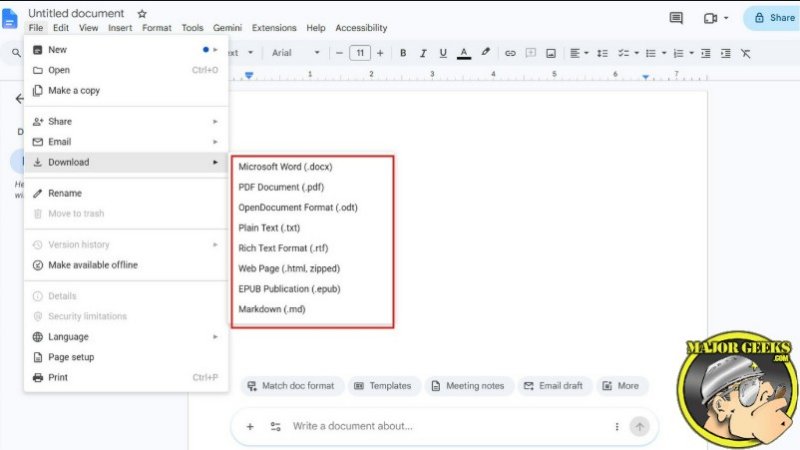
A Word document is easy to edit, but that flexibility is exactly what makes it unreliable for sharing. Margins shift, fonts change, and page counts vary depending on who opens it. A JPG can hold a scanned page, but it is a single flat image, not a searchable, fillable document.
PDF sits between the two: locked down enough to stay consistent, but still able to hold text you can search, copy, and sign. That balance is why so many industries settled on PDF as the format for anything official.
Managing PDFs Without Library Clutter
A few habits make PDFs easier to manage at scale. Name files clearly instead of leaving default scan names like scan001.pdf, and keep a dedicated folder for anything signed or notarized, since those copies often need to be pulled up again months later.
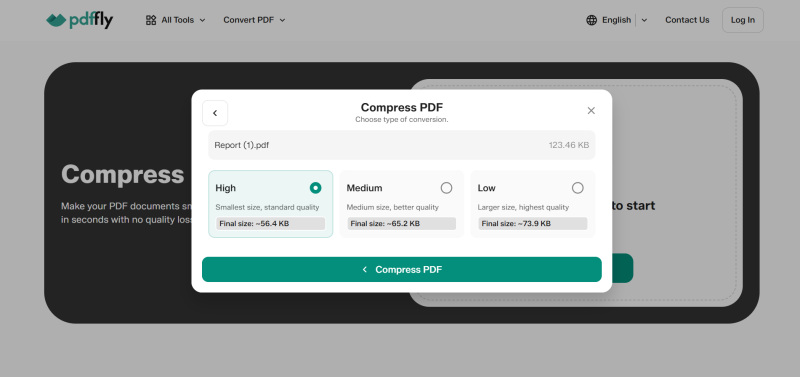
Compressing large PDFs before emailing keeps attachments from bouncing, and splitting a long PDF into sections makes big manuals easier to search. Most of this used to mean separate desktop software for every task, until browser-based document management tools started bundling compression, splitting, merging, and editing into one place. If you ever need to adjust your viewing layout for multi-page documents, you can see how to enable two-page view for PDF documents in Google Chrome.
How to Handle Advanced PDF Tasks
When I need to tackle heavier workflow tasks like translating documents or compressing large batches, I use integrated online platforms. These allow you to handle tasks like translation or file merging directly in your browser. If you want to clean up your system print options while organizing your workflow, you can look into how to remove Microsoft Print to PDF.
To make the most of these utilities, follow these simple steps:
- Open your preferred browser-based document manager.
- Upload your target file, whether it is a contract, manual, or scanned report.
- Select the specific action you need, such as compression, merging, or text conversion.
- Download the finalized file directly to your system without installing heavy desktop software.
Conclusion
PDF earned its place as the default document format by solving a simple problem: keeping a file looking the same everywhere it opens. Understanding what PDF files are and what they are used for makes it easier to see why modern document tools rely so heavily on these core strengths. If you want to share your own tech tips or discuss document workflows, drop by the Majorgeeks Forums.

|
Jim McMahon
Jim McMahon, aka Corporal Punishment, is the founder of MajorGeeks.com. He has spent decades testing software, troubleshooting Windows, and helping users cut through the nonsense. He loves real freeware, hates bloatware, and runs on caffeine, sarcasm, and questionable choices. |
Similar Reads:
- How to Sign a PDF in Microsoft Edge in Windows 10 & 11
- How to Make Microsoft Edge Download PDF Instead of Opening
comments powered by Disqus
