


How To Install and Restore WMIC in Windows 11
By selma čitakovićon 05/09/2026 |
![{$insert['content_title']](/content/file/5984_image1.png
)
Windows Management Instrumentation Command-line (WMIC) has been deprecated since Windows 10 21H2 and turned into a Feature on Demand in Windows 11 22H2. It's removed by default in the latest installations of 24H2 and 25H2.
Still, this change affects only the command-line tool, not WMI itself. You can use PowerShell for various WMI tasks.
But if you'd like to still use WMIC, you can restore it. I'll show you how below!
Via Settings
This option worked for me, but some users have noticed that it's no longer available. Still, it only takes a minute to check. If you can't find it, you can skip to the next method.
First, make sure you sign in as an administrator and then do the following:
- Go to Settings > System > Optional features.
- Click the View features button.
- You may be prompted by User Account Control. Click Yes.
- Select See available features and find WMIC.
- Click the checkbox next to it, and then hit the Add button below.
- Wait for the process to complete.
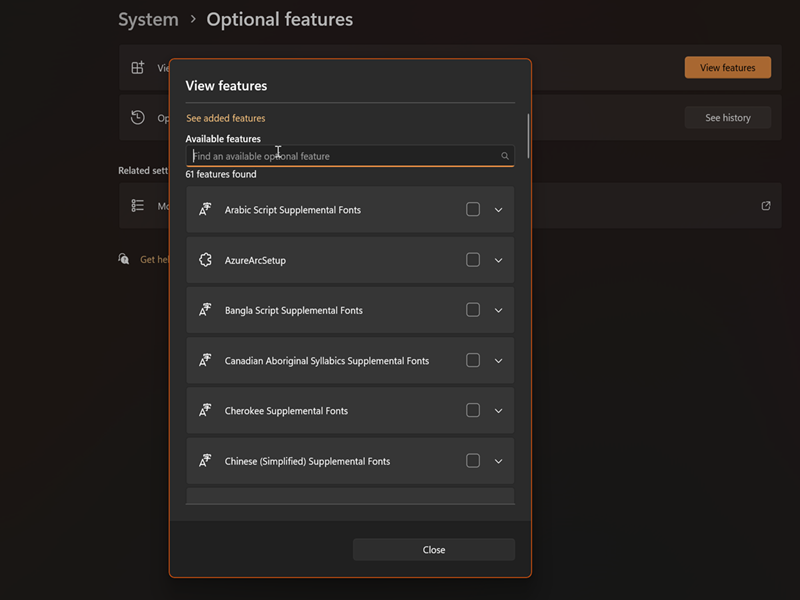
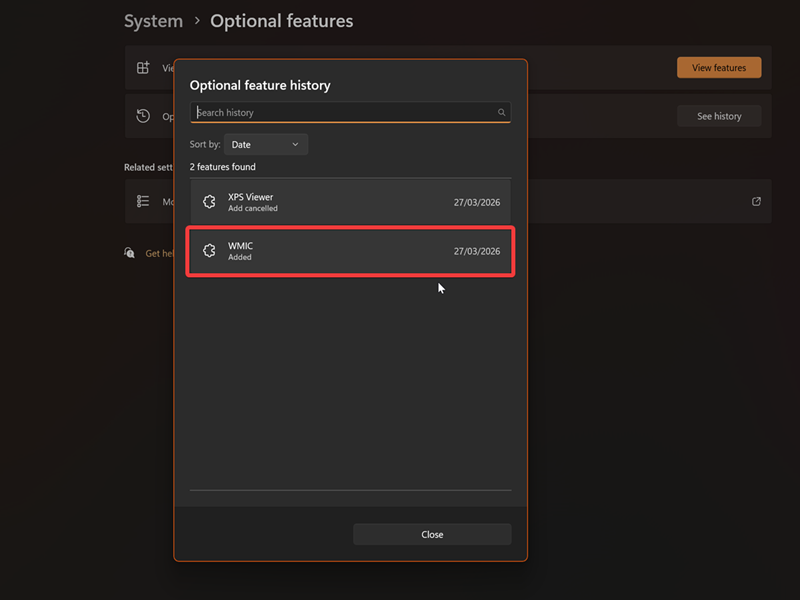
You should then be able to find WMIC in your added features when you click on View features. You can also confirm it's been installed by clicking on See history.
Via Command
Alternatively, you can use either Command Prompt or PowerShell to install WMIC. Like in the previous method, you should sign in as an admin first.
Here are the steps:
- Type either CMD or PowerShell in Windows Search, and select Run as administrator.
- Type the following command and press Enter: DISM /Online /Add-Capability /CapabilityName:WMIC~~~~
- Wait for it to install.
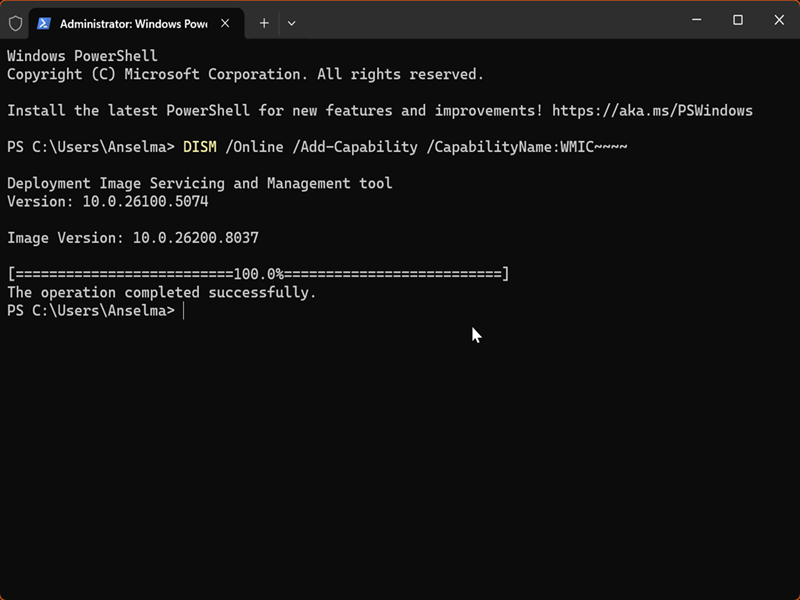
You should see a message saying the operation completed successfully.
All in all, it's still possible to restore WMIC. But given the fact that its deprecation timeline states it will eventually be removed, you shouldn't get too attached to it. Windows wants you to move on to PowerShell or use WMI programmatically if any of your apps are dependent on WMIC.

|
selma citakovic
Selma is a gamer, geek and gremlin hunter with a passion for cyber security and smashing Windows bugs before they bite. She’s IBM-certified, loves real freeware, despises bloatware, and powers most of her troubleshooting with an unhealthy amount of coffee. |
comments powered by Disqus
