


You Can Now Automatically Maximize App Windows in Windows 11
By selma čitakovićon 10/17/2026 |
![{$insert['content_title']](/content/file/6496_image1.jpg
)
The latest Patch Tuesday for October 2026 is pretty unremarkable, except for a couple of highlights. One of them is a new accessibility feature: you can now open all apps in maximized windows by default, if you want to. It's a handy option for smaller screens, especially.
So, check if you've installed the October cumulative update (KB5127648) in Settings > Windows Update. If you did, you're good to go.
Here's where you can find the option.
Via Settings
To enable it, follow these steps:
- Go to Settings > Accessibility > Visual effects.
- Toggle Open apps maximized on or off (default). The option should be right under Animation effects.
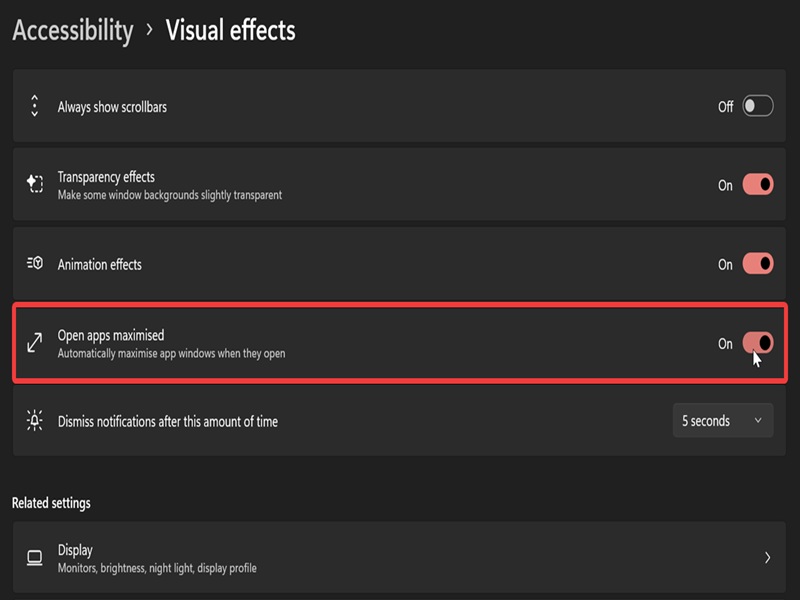
It's that easy.
However, keep in mind that if you turn it on and then off, all the apps will still remember the maximized setting. You may have to resize them manually again.
Via Registry Editor
Alternatively, you can configure the same setting in the registry. You may first have to create the relevant DWORD value for it, though. As always, I recommend you set up a system restore point first, just in case you misclick something in the registry.
Here are the steps:
- Press Win + R, type regedit, and hit Enter.
- Navigate to HKEY_CURRENT_USER\Software\Microsoft\Accessibility on the left.
- While in the Accessibility key, look for MaximizeWindowsByDefault on the right. If you can't find it, right-click an empty spot, select New > DWORD (32-bit) Value. Name the new DWORD value MaximizeWindowsByDefault.
- Double-click MaximizeWindowsByDefault, and in the Value data field, type 1 to enable it. Click OK.
- To disable it (default), type 0 and click OK.
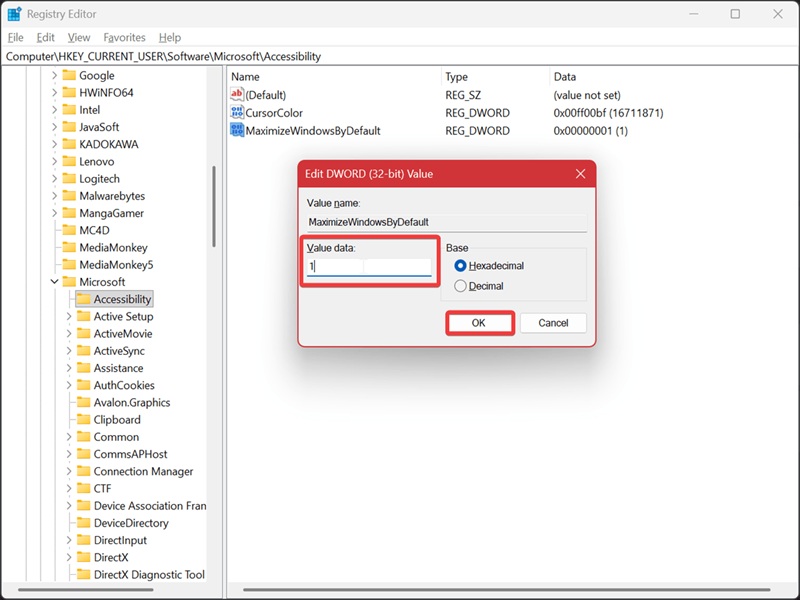
It's trickier than simply toggling it on or off in Settings, for sure, but it still works.
Anyway, if you'd like to have a full-screen workspace across all apps, don't miss out on this feature.

|
selma citakovic
Selma is a gamer, geek and gremlin hunter with a passion for cyber security and smashing Windows bugs before they bite. She’s IBM-certified, loves real freeware, despises bloatware, and powers most of her troubleshooting with an unhealthy amount of coffee. |
comments powered by Disqus
