


ASCOMP Text-R 2.011
|
Author:
ASCOMP Software GmbH
Date: 11/01/25 Size: 33 MB License: Shareware $29.90 Requires: 11|10|8|7|Vista|XP Downloads: 514 times  TIP:
Click Here to Repair or
TIP:
Click Here to Repair orRestore Missing Windows Files |
 Download (EXE)
|
MajorGeeks: Setting the standard for editor-tested, trusted, and secure downloads since 2002. |
 Avast Free Antivirus Worried about finance scams?
Get free antivirus with AI-powered online scam detection Download Free!
What Can ASCOMP Text-R Do?
ASCOMP Text-R recognizes text in PDF files and images and is designed to work straight out of the box. The content can be saved in an editable format, such as a PDF or RTF document (compatible with Word).
Why Would You Need ASCOMP Text-R
PDF files and images derived from scanned paper documents often contain text that is not easily copied or edited. This limitation can make manual transcription impractical, especially for larger documents where time is a factor. ASCOMP Text-R offers a solution by recognizing text in PDF files and images, transforming it into an editable format suitable for users of all experience levels. With ASCOMP Text-R, text can be saved as a new editable PDF or RTF format (compatible with Word). The original document's formatting is preserved as much as possible, reducing the need for additional editing after conversion.
Minimal User Input Required
ASCOMP Text-R offers a straightforward setup process requiring minimal user input. Upon launching the software, you'll be greeted by an inviting splash screen that presents two distinct options: you can choose to extract text from either a PDF file or an image. This flexibility lets users efficiently work with different types of documents.
Image Compatibility
ASCOMP Text-R supports a wide range of popular formats, ensuring you can work with files you already have or prefer. The supported formats include PNG, TIFF, JPG, JPEG, and BMP, catering to the most common use cases in text extraction. This comprehensive compatibility makes the software a versatile tool for anyone looking to efficiently convert visual content into editable text.
▶
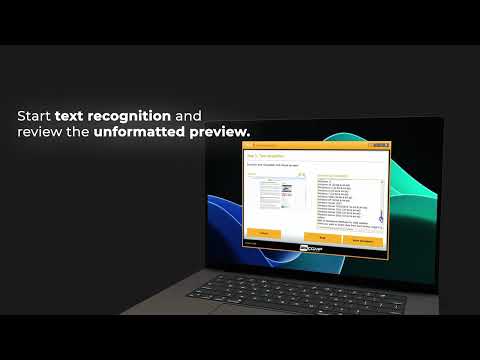
Before extracting text, ASCOMP Text-R requires you to choose your preferred options. Depending on the type of document you are working with, the tool offers various functionalities. These include detecting sloped images, rotating images by 90, 180, or 270 degrees, handling mixed characters, detecting and removing lines, and applying interference filters. Additionally, the tool can scan barcodes, enhancing its versatility based on the selected options.
Built-In Dictionaries Enhance Extraction
ASCOMP Text-R features multiple built-in dictionaries that enhance the text extraction process by providing additional filtering options. This functionality is particularly beneficial for companies that collaborate with international partners, as it allows them to handle invoices and other important documents in various languages more effectively.
Geek Verdict: A Solid Text Recognition Tool
ASCOMP Text-R is a reliable optical text recognition tool that transforms how you handle written content. It is designed for seamless text extraction from PDF documents and images and provides a swift and efficient way to convert visual information into editable text. From student to professional, or anyone in between who needs to process written material with ease, ASCOMP Text-R is your invaluable partner in unlocking the potential of your documents. Experience the convenience and effectiveness of turning static images into dynamic text with Text-R.
Similar:
Version History for ASCOMP Text-R:
https://www.text-r.com/changelog_en.txt
Limitations:
14-day trial. Prices start at $29.90, and you gain a Lifetime license (lifelong use; including updates, downloads & support for two years), one user, max. two computers (replace with company license = five users, max. five computers)
 Screenshot for ASCOMP Text-R
Top Downloads In PDF Readers, Editors, Writers
 Adobe Acrobat Reader DC 26.002.22031 [ 2026-10-08 08:36:10 | Size Varies | Ad-Supported | 11|10|8|7|macOS | 4 ] Foxit PDF Reader 2026.2.1.39815 [ 2026-09-23 02:32:53 | Size Varies | Shareware | 11|10|8|7|Linux|macOS | 4 ] PDF24 Creator 11.31.1 [ 2026-10-08 06:58:56 | 408-480 MB | Freemium | 11|10|WebApp | 4 ] Icecream PDF Converter 2.89 [ 2021-11-02 09:54:03 | 126 MB | Freemium | 11|10|8|7 | 4 ] Icecream PDF Split&Merge 3.47 [ 2023-04-25 10:53:44 | 19 MB | Freemium | 11|10|8|7 | 4 ]
 Tactical Briefings
Comment Rules & Etiquette - We welcome all comments from our readers, but any comment section requires some moderation. Some posts are auto-moderated to reduce spam, including links and swear words. When you make a post, and it does not appear, it went into moderation. We are emailed when posts are marked as spam and respond ASAP. Some posts might be deleted to reduce clutter. Examples include religion, politics, and comments about listing errors (after we fix the problem and upvote your comment). Finally, be nice. Thank you for choosing MajorGeeks.

© 2000-2026 MajorGeeks.com
Powered by Contentteller® CMS System