


Don't Like Windows 11's Transparent Look? Here's How to Change It
By selma čitakovićon 11/14/2026 |
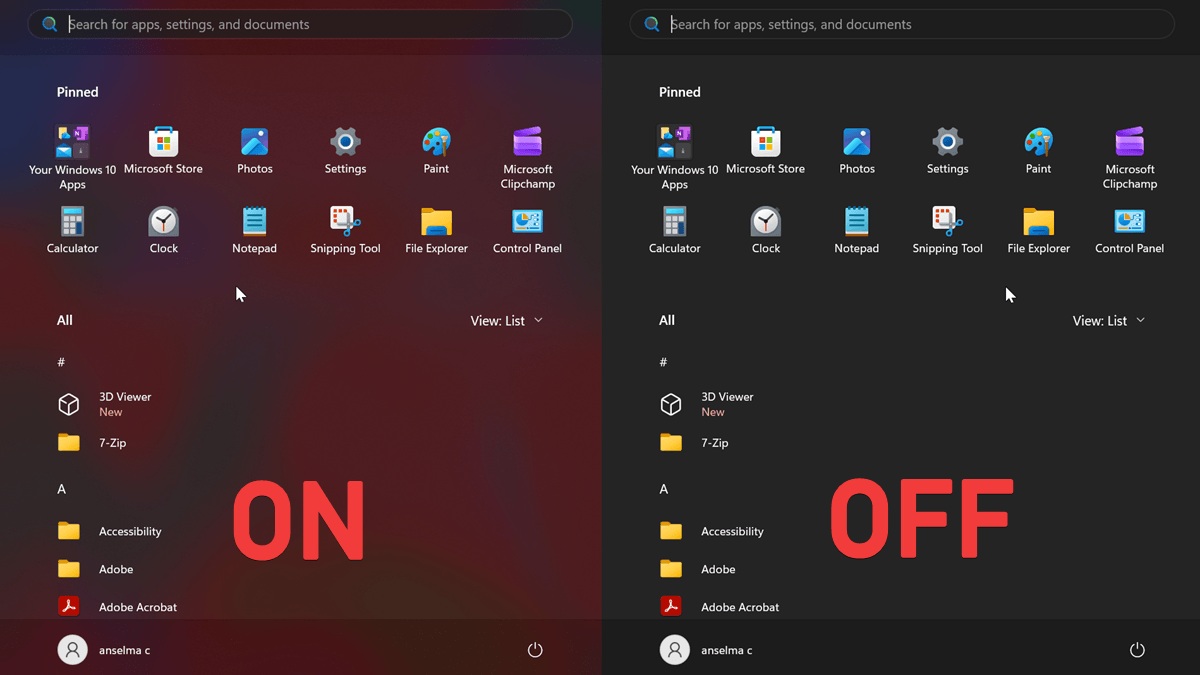
Windows 11 has various transparency effects enabled by default. You'll notice it as soon as you look at the sign-in screen - the background is slightly transparent and blurred. Almost every important UI element looks a bit see-through, including the context menu, taskbar, quick settings, and Start.
I don't mind it - in fact, I liked it a lot during the Windows 7 era, when this type of aesthetic was at its peak.
But if you're not a fan of the look, you can simply disable it. Here's how!
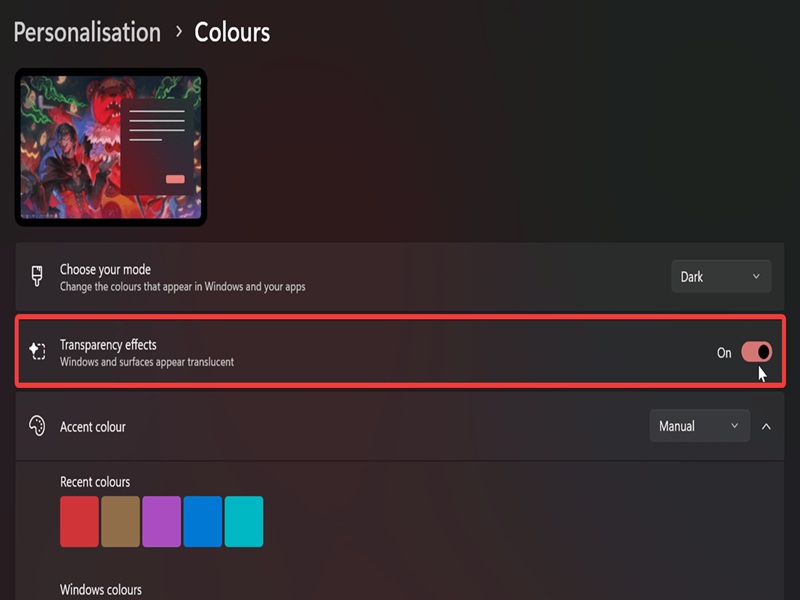
Via Personalization Settings
You can find the option here:
- Go to Settings > Personalization > Colors.
- Turn Transparency effects on or off.
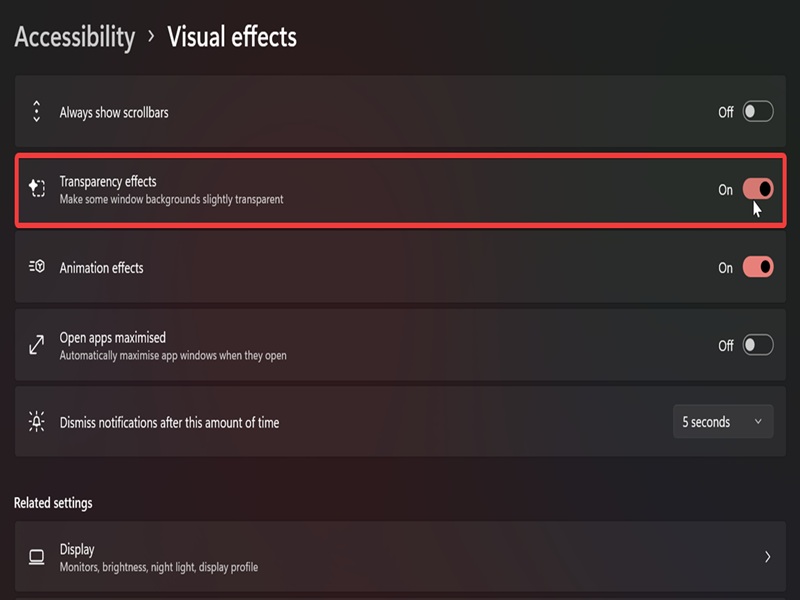
Via Accessibility Settings
Alternatively, you can achieve the same results here:
- Go to Settings > Accessibility > Visual effects.
- Turn Transparency effects on or off.
Via Registry Editor
Finally, you can change the same setting in the registry. But first, if you're not experienced in editing registry values, I suggest you create a system restore point just in case.
Here are the steps:
- Press Win + R, type regedit, and hit Enter.
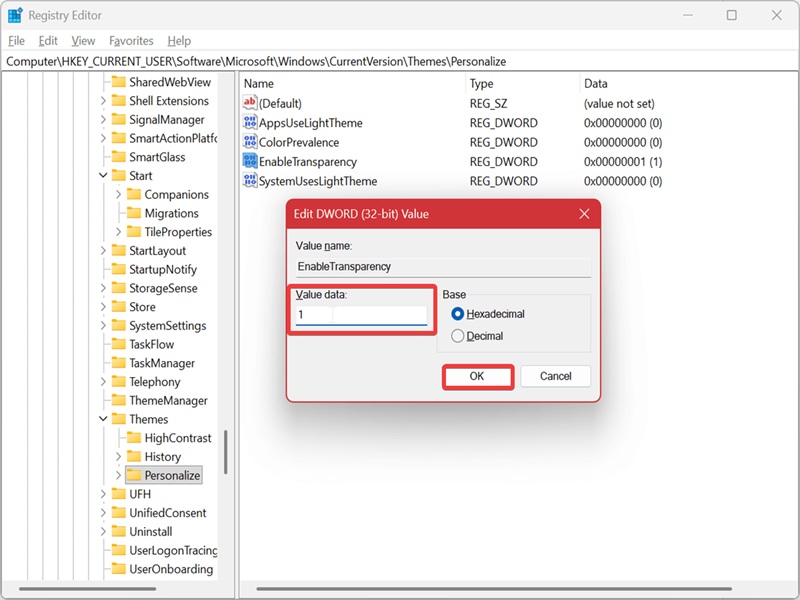
- Navigate to Computer\HKEY_CURRENT_USER\Software\Microsoft\Windows\CurrentVersion\Themes\Personalize on the left.
- In the Personalize subkey, double-click EnableTransparency on the right.
- To disable transparency, type 0 in the Value data field, and click OK.
- To enable it, type 1 in the Value data field, and click OK. This is the default value.
Unfortunately, you can't customize the transparency level. The built-in settings only let you switch it on or off - nothing fancy. But if you'd like more options, there are plenty of shell enhancement tools to choose from.

|
selma citakovic
Selma is a gamer, geek and gremlin hunter with a passion for cyber security and smashing Windows bugs before they bite. She’s IBM-certified, loves real freeware, despises bloatware, and powers most of her troubleshooting with an unhealthy amount of coffee. |
comments powered by Disqus
