


Get Notifications When New Apps Add Themselves to Startup
By selma čitakovićon 07/25/2026 |
![{$insert['content_title']](/content/file/6163_image3.jpg
)
Did you know you can get notified when new apps are added to your startup list? Well, I didn't until recently, and I was surprised when I found out it's turned off by default because it seems like a genuinely useful feature. It makes it easier to stay aware of your startup apps and remove unnecessary ones as they get registered.
If you want to give it a try, read on as I show you how to enable it.
Via Settings
You can find the option to enable/disable it here:
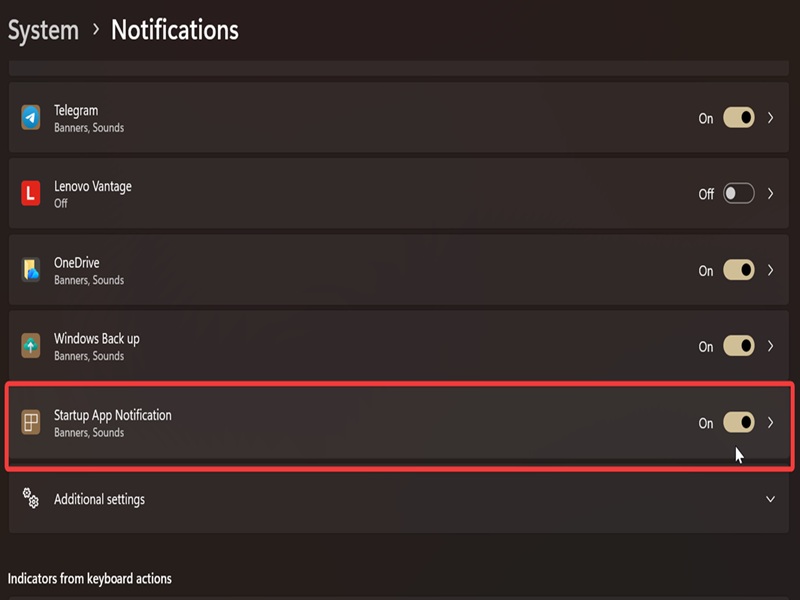
- Go to Settings > System > Notifications.
- Scroll all the way down the list of various notifications to find Startup App Notification, and toggle it on.
- You can also click it to visit a page where you can customize how the notification behaves.
Via Registry Editor
Alternatively, you can change the same setting in the registry. It requires a bit more effort and can cause system instability if you poke around the wrong registry keys. Still, as long as you follow our instructions, you should be fine. You can also create a system restore point for additional safety.
Now, on to the steps:
- Press Win + R, type regedit.exe, and hit Enter.
- Navigate to Computer\HKEY_CURRENT_USER\Software\Microsoft\Windows\CurrentVersion\Notifications\Settings\Windows.SystemToast.StartupApp. You can also paste this in the address bar at the top.
- While in the Windows.SystemToast.StartupApp folder, right-click an empty spot and select New > DWORD (32-bit) Value.
- Name it Enabled.
- Double-click it and type in 1 in the Value data field to enable notifications for startup apps. Click OK.
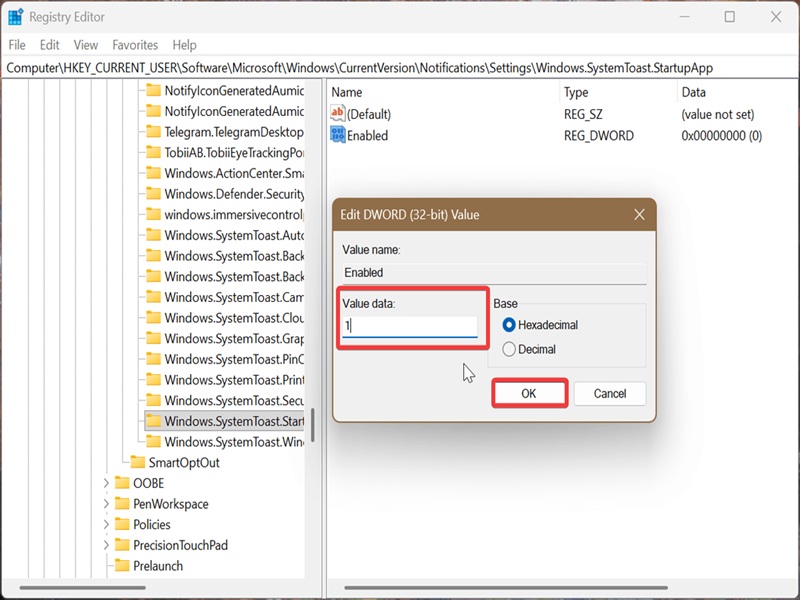
Conversely, typing 0 in the same field will disable notifications.
You can now easily keep track of all startup apps as they are added, without going to Task Manager or Settings. You can also create a shortcut to keep an eye on them.

|
selma citakovic
Selma is a gamer, geek and gremlin hunter with a passion for cyber security and smashing Windows bugs before they bite. She’s IBM-certified, loves real freeware, despises bloatware, and powers most of her troubleshooting with an unhealthy amount of coffee. |
comments powered by Disqus
