


What Is an APU Processor?
By Timothy Tibbettson 06/15/2023 |
AMD has long competed with Intel to be the best chipset for Windows computers. While comparing processers, which can be confusing enough, you might have seen, and wondered, what an APU processor is.
APU stands for Accelerated Processing Unit and combines the Central Processing Unit (CPU) and a Graphical Processing Unit (GPU) on one die.
By combining the two, AMD should be able to sell a more affordable chipset, simplify computer building for OEM manufacturers, and use less power.
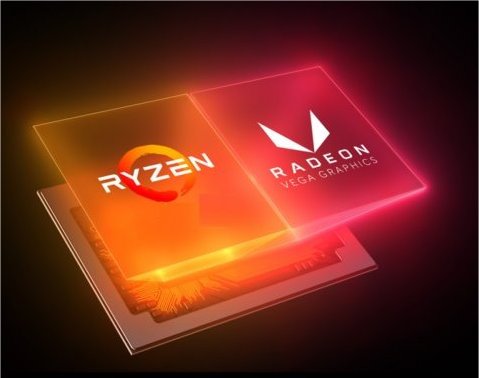
AMD confuses its audience by combining the words entry-level and gamer. While the chip can be overclocked, most gamers want the best possible specifications, including processor, graphics card, memory, SSD drives, and internet connection. An essential aspect of these specifications is the ability to upgrade your graphics card easily. With the APU, you'd have to replace the CPU and GPU at the same time or add a video card, which slows down the processor.
While the APU can be overclocked, we wouldn't recommend the chipset for gamers or power users. We've seen articles claiming the chipset would be great for gaming, but we don't see gamers going for it. For example, PCGamer, in the same article, says:
Make for a mean budget gaming PC (Oxymoron)
Mid-range, not exactly an ideal upgrade path for gamers
A more tempting option for PC gaming on an incredibly tight budget
Handle plenty of games at lower settings and resolutions
Talk about confusing or covering your bases.
The average user doing work, light gaming, or the usual daily task might be able to purchase a laptop or desktop at a better price and be content with the APU.
Those wanting to play CPU and GPU intensive games or multimedia should stay away.
Similar:
Three Ways to Find Out How Many Cores Your CPU has
How to Identify My Intel Processor and Generation
How to Identify My Intel Processor and Generation
What Does OEM Mean in Computers?
How to Find Motherboard Manufacturer, Model, Serial Number, and Version
comments powered by Disqus
APU stands for Accelerated Processing Unit and combines the Central Processing Unit (CPU) and a Graphical Processing Unit (GPU) on one die.
By combining the two, AMD should be able to sell a more affordable chipset, simplify computer building for OEM manufacturers, and use less power.
AMD confuses its audience by combining the words entry-level and gamer. While the chip can be overclocked, most gamers want the best possible specifications, including processor, graphics card, memory, SSD drives, and internet connection. An essential aspect of these specifications is the ability to upgrade your graphics card easily. With the APU, you'd have to replace the CPU and GPU at the same time or add a video card, which slows down the processor.
While the APU can be overclocked, we wouldn't recommend the chipset for gamers or power users. We've seen articles claiming the chipset would be great for gaming, but we don't see gamers going for it. For example, PCGamer, in the same article, says:
Talk about confusing or covering your bases.
The average user doing work, light gaming, or the usual daily task might be able to purchase a laptop or desktop at a better price and be content with the APU.
Those wanting to play CPU and GPU intensive games or multimedia should stay away.
Similar:
comments powered by Disqus
