


What Is Windows Setup Remediations and Can I Uninstall It?
By Timothy Tibbettson 06/15/2023 |
While uninstalling apps or cleaning your computer, you might have noticed Windows Setup Remediations with a KB number KB4023057. There are no details, vendor information, and it can be on your computer for months on end. So, what is Windows Setup Remediations, and can you uninstall them?
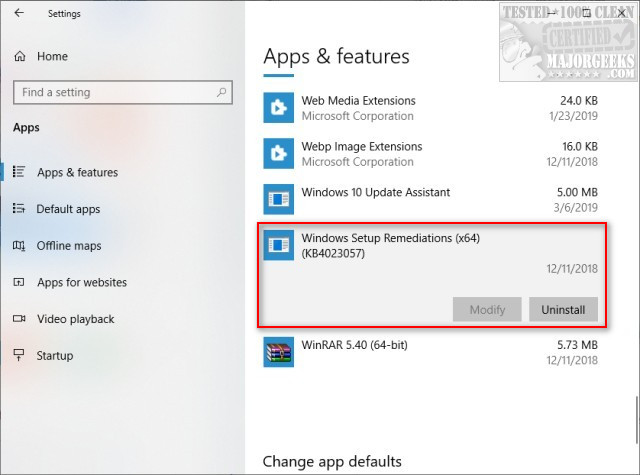
We like to get to the point here, so the answer you're looking for is yes, you can uninstall Windows Setup Remediations, although we suggest you leave it alone.
Remediation is defined as the action of remedying something, in particular of reversing or stopping environmental damage. Yeah, we had to look it up. As you might have guessed by now, it's part of Windows Updates.
Windows Setup Remediations is a Servicing Stack Update designed to handle a lot of Windows Update functions, including freeing up space, keeping the computer awake for updates, fixing corrupt updates, and much more.
As we've discussed in other articles here, there are many files and settings you can delete or modify related to Windows Updates that will almost always be restored if deleted. Some of those articles are listed below.
Similar:
How-To Delete Pending Windows Updates
How to Block or Defer Windows 10 Major Updates
How to Uninstall Windows 10 Updates
Configure When and How Windows Updates Are Delivered
How-to Change Rollback Days for Windows 10 Feature Upgrades
Windows Update - Not Enough Disk Space - Low Storage Space Issues
comments powered by Disqus
We like to get to the point here, so the answer you're looking for is yes, you can uninstall Windows Setup Remediations, although we suggest you leave it alone.
Remediation is defined as the action of remedying something, in particular of reversing or stopping environmental damage. Yeah, we had to look it up. As you might have guessed by now, it's part of Windows Updates.
Windows Setup Remediations is a Servicing Stack Update designed to handle a lot of Windows Update functions, including freeing up space, keeping the computer awake for updates, fixing corrupt updates, and much more.
As we've discussed in other articles here, there are many files and settings you can delete or modify related to Windows Updates that will almost always be restored if deleted. Some of those articles are listed below.
Similar:
comments powered by Disqus
