


CCleaner Slim 6.4.0.11562
|
Author:
Piriform Ltd.
Date: 04/30/26 Size: 81 MB License: Ad-Supported Requires: 11|10|8|7|macOS Downloads: 2782829 times  TIP:
Click Here to Repair or
TIP:
Click Here to Repair orRestore Missing Windows Files |
Download (EXE) Download (Mac) Download@MajorGeeks Download@MajorGeeks
|
MajorGeeks: Setting the standard for editor-tested, trusted, and secure downloads since 2002. |
 Avast Free Antivirus Worried about finance scams?
Get free antivirus with AI-powered online scam detection Download Free!
CCleaner is an easy-to-use, safe, well-known drive cleaner with other additional features, including a conservative registry cleaner, startup manager, and more. CCleaner Slim is a specialized version of the popular CCleaner optimization software that comes without the bundled browser toolbars or third-party software offers found in the standard installer
Video tutorial available. CCEnhancer can extend the cleaning capabilities of CCleaner.
CCleaner uses the same familiar three-tab interface it always has, with the first tab showing you the main choices, including Cleaner, Registry, Tools, and Options. The second tab lets you choose any settings before you run it. The third tab shows you what is happening and what was done.
The drive cleaner and registry cleaner are both conservatives. There are drive cleaners out there that can clear more space if needed, but they aren't as safe as CCleaner. While we don't recommend cleaning your registry, again, CCleaner is very conservative, and I've never had an issue after thousands of uses.
Under Tools, you can find many other tools to clean and speed up your PC more. There's an uninstaller, startup manager, browser plugin manager, system restore and drive wiper. It also has a disk analyzer to see where space is being wasted and a duplicate file finder.
Finally, many more options allow you to whitelist cookies, include or exclude files or folders, monitoring, and more.
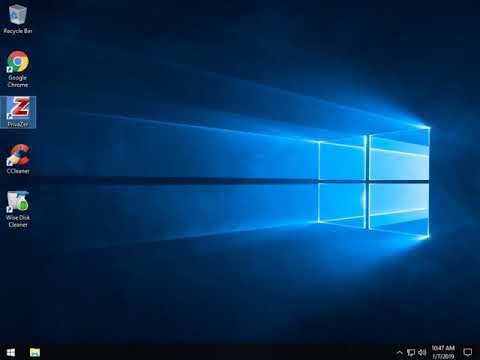
Best Drive Cleaner? CCleaner VS Wise Disk Cleaner VS PrivaZer?

Similar:
● Best Drive Cleaner? CCleaner VS Wise Disk Cleaner VS PrivaZer
● How to Use Storage Sense to Delete Junk Files in Windows 10 & 11 Automatically
● How to Securely Delete Files in Windows 10 & 11 With PowerShell and Cipher
● How to Back up or Restore the Windows Registry
Video tutorial available. CCEnhancer can extend the cleaning capabilities of CCleaner.
CCleaner uses the same familiar three-tab interface it always has, with the first tab showing you the main choices, including Cleaner, Registry, Tools, and Options. The second tab lets you choose any settings before you run it. The third tab shows you what is happening and what was done.
The drive cleaner and registry cleaner are both conservatives. There are drive cleaners out there that can clear more space if needed, but they aren't as safe as CCleaner. While we don't recommend cleaning your registry, again, CCleaner is very conservative, and I've never had an issue after thousands of uses.
Under Tools, you can find many other tools to clean and speed up your PC more. There's an uninstaller, startup manager, browser plugin manager, system restore and drive wiper. It also has a disk analyzer to see where space is being wasted and a duplicate file finder.
Finally, many more options allow you to whitelist cookies, include or exclude files or folders, monitoring, and more.
Best Drive Cleaner? CCleaner VS Wise Disk Cleaner VS PrivaZer?
▶
▶
Similar:
● Best Drive Cleaner? CCleaner VS Wise Disk Cleaner VS PrivaZer
● How to Use Storage Sense to Delete Junk Files in Windows 10 & 11 Automatically
● How to Securely Delete Files in Windows 10 & 11 With PowerShell and Cipher
● How to Back up or Restore the Windows Registry
Version History for CCleaner Slim:
https://www.piriform.com/ccleaner/version-history
Limitations:
Offers third-party software during installation including Avast! Free Antivirus.
Editor's Note:
Initially, it worked to update in-app; now, if you do, you get CCleaner Standard.
 Screenshot for CCleaner Slim
Top Downloads In Drive Cleaners
 WinSysClean 22.0 [ 2022-04-14 17:12:23 | 19.9 MB | Freemium | 11|10|8 | 4 ] PrivaZer 4.0.123 [ 2026-06-05 12:41:11 | 34 MB | Freemium | 11|10|8|7 | 4 ] CCleaner Standard 7.8.1355.0 [ 2026-05-27 09:42:32 | 37 MB | Ad-Supported | 11|10|8|7|macOS | 5 ] CCleaner Portable 6.4.0.11562 [ 2026-04-30 15:32:10 | 78 MB | Ad-Supported | 11|10|8|7 | 5 ] CCleaner Slim 6.4.0.11562 [ 2026-04-30 15:32:09 | 81 MB | Ad-Supported | 11|10|8|7|macOS | 5 ]
 Tactical Briefings
Comment Rules & Etiquette - We welcome all comments from our readers, but any comment section requires some moderation. Some posts are auto-moderated to reduce spam, including links and swear words. When you make a post, and it does not appear, it went into moderation. We are emailed when posts are marked as spam and respond ASAP. Some posts might be deleted to reduce clutter. Examples include religion, politics, and comments about listing errors (after we fix the problem and upvote your comment). Finally, be nice. Thank you for choosing MajorGeeks.

© 2000-2026 MajorGeeks.com
Powered by Contentteller® CMS System