


How to Download All Your Facebook Data
By Timothy Tibbettson 06/15/2023 |
If you're considering deleting Facebook, or want to back up all of your photos, videos, posts, and more it can be easily done in just a few steps. Here's how.
Downloading all your Facebook data can be done in a few easy steps. Here's how.
Open Facebook and click on the down arrow in the top right corner and choose Settings.
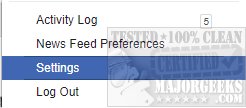
Click on Download a copy of your Facebook data.

Click on Start My Archive.
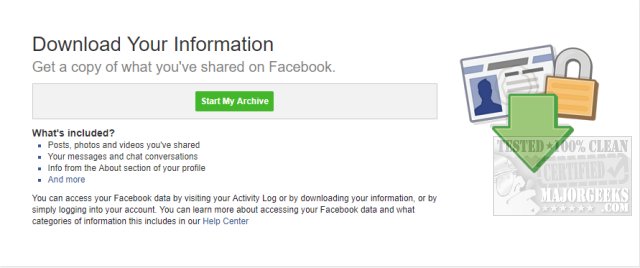
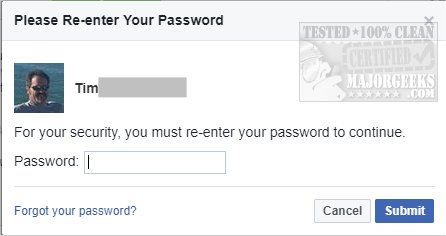
Re-enter your password.
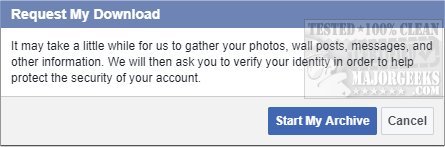
You will see a screen letting you know that gathering all your information could take a while. Once again, click on Start My Archive.
Facebook will gather all your information and email you at your Facebook email that you use. Next, you will receive an email repeating everything we just discussed and a link to learn what data is in your download.
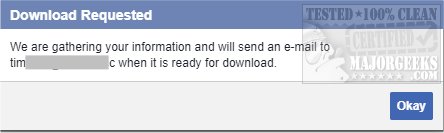
After five to ten minutes you will receive an email with a link to download all your data.
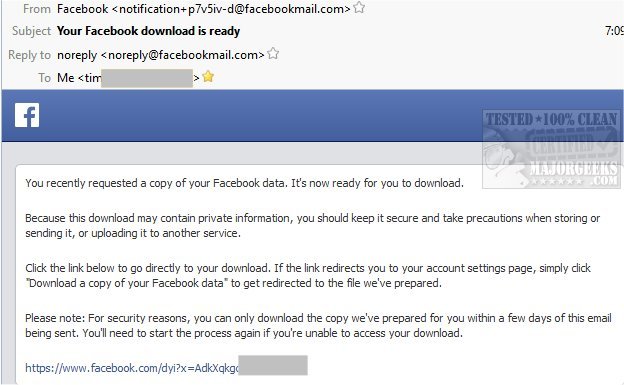
Click on the link in your email and now click on Download Archive and once again re-enter your password. If you wisely prefer not to click links in your email, you will have a Facebook notification waiting for you the next time you log in.
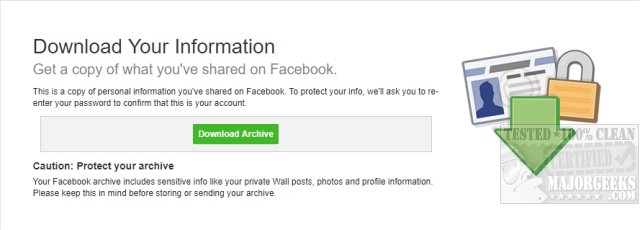
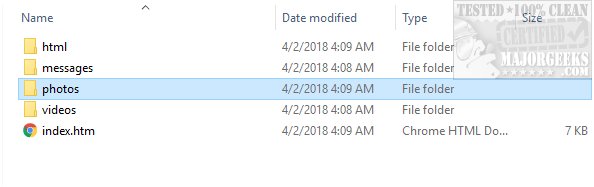
Your download will be named facebook-yourname.zip. You can extract all the zip file into a folder, then click on index.htm in the root folder you can now browse a light version of Facebook locally on your hard drive.
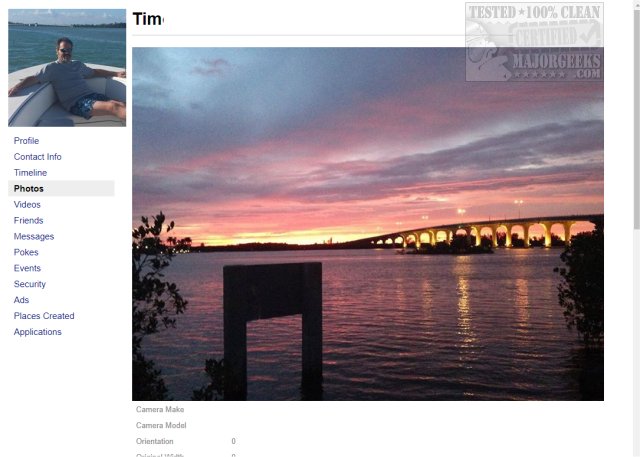
Your best bet now, if you want to backup your photos and videos is to open the Photos and Videos folders and copy them somewhere safe. Your videos folder most likely have all of your videos in one folder, however, Photos most likely has numerous folders. You can drag and drop them in one place or leave them be.
Similar:
How to Secure Your Facebook Account
How to Stop Facebook’s Targeted Advertising
The Truth About Facebook Ads
Sorry, This Content Isn't Available Right Now Facebook Error
How to Delete or Remove Third-Party Facebook Applications and Websites
How to Delete Facebook Posts in Bulk With Chrome or Firefox (Video)
How to Tell If Your Facebook Data Was Harvested by Cambridge Analytica
Manage or Block All Your Apps, Websites and Games That Facebook Can Access (Video)
comments powered by Disqus
Downloading all your Facebook data can be done in a few easy steps. Here's how.
Open Facebook and click on the down arrow in the top right corner and choose Settings.
Click on Download a copy of your Facebook data.
Click on Start My Archive.
Re-enter your password.
You will see a screen letting you know that gathering all your information could take a while. Once again, click on Start My Archive.
Facebook will gather all your information and email you at your Facebook email that you use. Next, you will receive an email repeating everything we just discussed and a link to learn what data is in your download.
After five to ten minutes you will receive an email with a link to download all your data.
Click on the link in your email and now click on Download Archive and once again re-enter your password. If you wisely prefer not to click links in your email, you will have a Facebook notification waiting for you the next time you log in.
Your download will be named facebook-yourname.zip. You can extract all the zip file into a folder, then click on index.htm in the root folder you can now browse a light version of Facebook locally on your hard drive.
Your best bet now, if you want to backup your photos and videos is to open the Photos and Videos folders and copy them somewhere safe. Your videos folder most likely have all of your videos in one folder, however, Photos most likely has numerous folders. You can drag and drop them in one place or leave them be.
Similar:
comments powered by Disqus
