


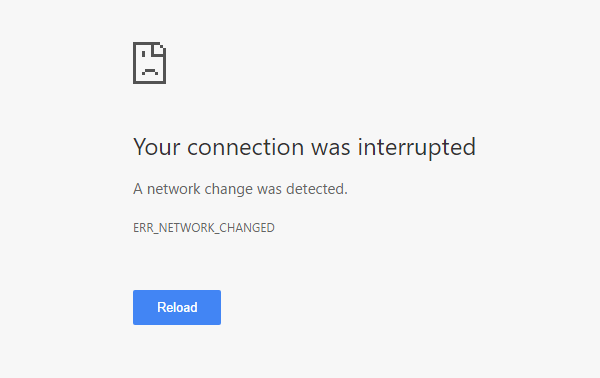
Your Connection Was Interrupted - A Network Change Was Detected - ERR_NETWORK_CHANGED
By Timothy Tibbettson 07/05/2023 |
If you've received the "Your Connection Was Interrupted, a Network Change Was Detected, ERR_NETWORK_CHANGED" error, there are a few simple fixes for the problem.
Because this error can happen in all web browsers (Chrome, Edge, Firefox, and Internet Explorer) we're going to focus on the problems with Windows that causes these errors. It's unlikely the fault is with your browser.
1: Check Your Wired and Wireless Connection
One of the most common causes of this error is that your computer is setup for both Wi-Fi and wired and is switching between them, so we need to disable whichever setting you don't use.
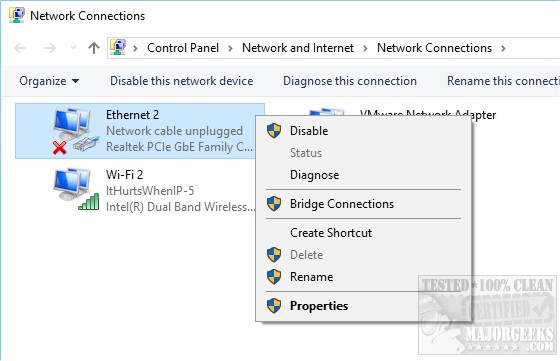
Go to your Control Panel, Network & Internet, Network and Sharing Center, Change Adapter Settings. Here you will see a list of devices. If you see wired and wireless connections, right-click on the one you don't use and select Disable.
Should the error continue, you might consider that your network card is failing?
2: Flush Your DNS Cache and or TCP/IP
If you've recently changed network settings in any way, then it's a good idea to flush your DNS cache as well as reset your DNS Cache and TCP/IP.
Open an elevated Command Prompt or PowerShell and type in the following lines. Each step is quick and requires a reboot. We'd try one at a time if you can. However, we don't see a problem trying all three at once.
ipconfig /flushdns
netsh winsock reset
netsh int ip reset
Similar:
How to Improve Your Wireless Network Performance
Hide or Block Neighbor's Wi-Fi Networks on Windows
Windows Couldn’t Automatically Bind the IP Protocol Stack to the Network Adapter
How to See Your Network Adapter Speed in Windows 10
How to Reset Network Settings in Windows 10
Network Diagnostics Troubleshooter Reports Problem With Wireless Adapter or Access Point
Windows Could Not the Start Peer Networking Grouping Service on Local Computer
Windows Can’t Get the Network Settings From the Router
comments powered by Disqus
Because this error can happen in all web browsers (Chrome, Edge, Firefox, and Internet Explorer) we're going to focus on the problems with Windows that causes these errors. It's unlikely the fault is with your browser.
1: Check Your Wired and Wireless Connection
One of the most common causes of this error is that your computer is setup for both Wi-Fi and wired and is switching between them, so we need to disable whichever setting you don't use.
Go to your Control Panel, Network & Internet, Network and Sharing Center, Change Adapter Settings. Here you will see a list of devices. If you see wired and wireless connections, right-click on the one you don't use and select Disable.
Should the error continue, you might consider that your network card is failing?
2: Flush Your DNS Cache and or TCP/IP
If you've recently changed network settings in any way, then it's a good idea to flush your DNS cache as well as reset your DNS Cache and TCP/IP.
Open an elevated Command Prompt or PowerShell and type in the following lines. Each step is quick and requires a reboot. We'd try one at a time if you can. However, we don't see a problem trying all three at once.
ipconfig /flushdns
netsh winsock reset
netsh int ip reset
Similar:
How to Improve Your Wireless Network Performance
Hide or Block Neighbor's Wi-Fi Networks on Windows
Windows Couldn’t Automatically Bind the IP Protocol Stack to the Network Adapter
How to See Your Network Adapter Speed in Windows 10
How to Reset Network Settings in Windows 10
Network Diagnostics Troubleshooter Reports Problem With Wireless Adapter or Access Point
Windows Could Not the Start Peer Networking Grouping Service on Local Computer
Windows Can’t Get the Network Settings From the Router
comments powered by Disqus
